 03d4433693
* docs: add image search & generation design spec and implementation plan

- Spec: dual-source image search (Openverse + Wikimedia), multi-provider image generation
- Plan: 16 tasks covering types, server endpoints, settings UI, property panel, auto-search pipeline, MCP integration

* feat(types): add image service types and imagePrompt to ImageNode

* feat(server): add image service API key validation endpoint

Adds POST /api/ai/image-service-test that validates credentials for
openverse (client_credentials), openai/custom (Bearer + /v1/models),
gemini (API key + v1beta/models), and replicate (Bearer + /v1/models).

* feat(server): add multi-provider image generation endpoint

* feat(server): add dual-source image search endpoint (Openverse + Wikimedia)

POST /api/ai/image-search searches freely-licensed images via Openverse
with automatic fallback to Wikimedia Commons on 429 rate-limit responses.
Supports optional OAuth credentials for authenticated Openverse requests.

* feat(store): add imageSearchStatuses to canvas store for runtime status tracking

* feat(store): add image generation config and Openverse OAuth to agent settings

* feat(editor): add Images tab to agent settings dialog

Adds Popover primitive, ImagesPage component with Image Search (Openverse OAuth, test) and Image Generation (provider select, API key, model, base URL) sections, and wires them into the settings dialog sidebar.

* feat(panels): add image search popover with Openverse/Wikimedia results grid

* feat(panels): add image generate popover with multi-provider support

* feat(panels): add Search and Generate buttons to image property section

* feat(ai): update prompts to use imagePrompt instead of src for image nodes

* feat(ai): add auto-search pipeline with Openverse/Wikimedia fallback

* feat(ai): trigger auto image search after design generation completes

* feat(mcp): implement G() operation for image search in batch design DSL

Adds the G(parent, mode, prompt) operation to batch_design DSL that creates
an image node and optionally fetches a real image URL via the image-search
API when mode is "search". Converts executeLine to async to support the
network call.

* feat(mcp): auto-fill images after design refinement in layered pipeline

* feat(ai): split imageSearchQuery and imagePrompt for search vs generation

- ImageNode now has both imageSearchQuery (short keywords for search)
  and imagePrompt (long description for AI image generation)
- AI prompts instruct LLM to generate both fields
- Search pipeline and popovers use imageSearchQuery
- Generate popover uses imagePrompt
- Server-side simplifySearchQuery kept as fallback for manual input

* fix(ai): hook auto image search into orchestrator completion path

The primary generation path uses executeOrchestration -> insertStreamingNode,
not applyNodesToCanvas/animateNodesToCanvas. Added scanAndFillImages call
to orchestrator.ts after all sub-agents complete. Added debug logging.
Removed plan/spec docs from git.

* style(editor): remove provider names from image search ready status

* fix(panels): clean up image gen error display and settings UI

- Parse API error response to show concise message instead of raw JSON
- Limit error text to 2 lines with line-clamp
- Fix image gen test button sending wrong service name
- Inline Image Search ready indicator with section header
- Remove debug logging from image search pipeline

* style(panels): allow up to 4 lines for image gen error message

* fix: avoid 1-frame delay when resizing canvas (#60)

rAF callbacks run before ResizeObserver in the same frame.
Scheduling render in ResizeObserver via rAF defers it to the next frame.

Invoke render() synchronously to leverage ResizeObserver's pre-paint timing
and ensure immediate visual update.

* feat(electron): implement desktop application structure and auto-updater

- Introduced a new Electron desktop application with a structured directory for apps and packages.
- Added auto-updater functionality to manage application updates seamlessly.
- Created a comprehensive menu system for the desktop app.
- Implemented logging capabilities for better debugging and error tracking.
- Configured build settings for various platforms (macOS, Windows, Linux) using electron-builder.
- Established TypeScript configurations for both the desktop and web applications.
- Integrated Vite for the web application with support for React and Tailwind CSS.
- Added icons and assets for the desktop application.

* chore: update package versions to 0.5.0 across all package.json files and add pre-commit hook for version synchronization

- Bumped version to 0.5.0 in package.json files for the main project, desktop app, web app, and all packages.
- Introduced a pre-commit hook to automatically sync version numbers from branch names to all package.json files.

* chore: update package versions to 0.5.0 and refactor Skia components

- Bumped version to 0.5.0 in bun.lock and all relevant package.json files.
- Refactored Skia components to utilize shared functionality from @zseven-w/pen-renderer, including image loading, hit testing, and path utilities.
- Removed redundant code and improved modularity by re-exporting necessary functions and classes from the renderer package.

* fix(panels): handle string fill values in icon nodes (#61)

AI-generated icon/path nodes may have fill stored as a raw string
instead of a PenFill[] array, causing "Cannot use 'in' operator"
crash when selecting the node in the property panel.

* chore: update documentation and project structure for monorepo organization

- Added a new version bump command to synchronize all package.json files.
- Updated the project structure to reflect a monorepo setup with organized workspaces for apps and packages.
- Enhanced README files in multiple languages to include the new structure and commands.
- Adjusted image paths in documentation to point to the correct locations for the desktop application.

* feat(ai): incremental image search and improved image generation prompts

- Refactor image search from batch post-generation to incremental queue:
  enqueueImageForSearch() triggers as each image node is inserted during
  streaming, so images appear progressively instead of all at once after
  generation completes. scanAndFillImages() remains as a final sweep.
- Update imagePrompt guidance to avoid "transparent background" and
  similar phrases that many models cannot reliably produce.
- Pass node width/height from image panel to generation endpoint for
  aspect-ratio-aware output (Gemini aspect ratio mapping, OpenAI size
  selection, Replicate dimensions).

* feat(ai): multi-profile image generation config and cleaner error messages

- Support multiple image generation profiles with active selection;
  first configured profile becomes default. Old single-config migrated
  automatically on hydrate.
- Fix Gemini aspect ratio: move to generationConfig.imageConfig per API spec.
- Extract clean error messages from provider JSON responses (Gemini
  error.message, OpenAI error.message, Replicate detail) instead of
  returning raw JSON text.
- Remove destructive client-side regex that mangled error display.

* feat(design-md): integrate design system panel and functionality

- Added a new DesignMdPanel component for managing design system specifications.
- Implemented functionality to toggle the design system panel in the editor layout and toolbar.
- Introduced new commands for importing, exporting, and auto-generating design.md content.
- Updated AI chat handlers to utilize design.md data for enhanced design generation.
- Enhanced localization support for design system features across multiple languages.

* perf(canvas): skip draw calls for nodes outside the viewport (#64)

Add viewport culling in render() to avoid issuing CanvasKit draw calls
  for off-screen nodes. A 64px screen-space buffer is kept around the
  viewport edges so nearby nodes are pre-rendered, preventing pop-in
  during fast panning.

* feat(utils): enhance Windows process spawning for CLI scripts

- Updated the buildSpawnClaudeCodeProcess function to handle .cmd and .ps1 scripts appropriately.
- Implemented PowerShell invocation for .ps1 files and ensured safe defaults for .cmd and .exe files.
- Improved handling of command execution to avoid limitations of cmd.exe.

* feat(ai): add support for Gemini CLI integration

- Extended the AI provider options to include 'gemini' across various components and APIs.
- Implemented functions for generating, validating, and connecting to the Gemini CLI.
- Added Gemini-specific error handling and model fetching logic.
- Updated UI components to display Gemini as a selectable provider with appropriate icons and labels.
- Enhanced localization support for Gemini-related features in multiple languages.

* feat(editor): warn before closing with unsaved changes

Intercept window/tab close when isDirty is true:
- Electron: native dialog with Save / Don't Save / Cancel
- Web: beforeunload handler + confirm on New/Open actions
- i18n: close-confirm strings for all 15 locales

* feat(ipc): extract IPC handlers to a dedicated module

- Moved IPC dialog handling and updater functions from main.ts to ipc-handlers.ts for better organization and maintainability.
- Implemented file open/save dialogs, theme setting, and preferences management through IPC.
- Enhanced updater functionality with state management and auto-update settings.
- Improved code structure by separating concerns, making it easier to manage IPC-related logic.

* feat(docs): update CLAUDE documentation and add new files for desktop and web apps

- Enhanced CLAUDE.md with detailed module documentation references for `packages/` and `apps/`.
- Updated `pen-core` description to include clone utilities in `pen-core`.
- Added new documentation files for the desktop and web applications, outlining their structure, components, and functionalities.
- Included IPC handler details in the desktop app documentation for better clarity on file dialogs and theme synchronization.

* feat(docker): add Gemini CLI support and update documentation

- Introduced a new Docker build stage for the Gemini CLI, allowing users to install and run it.
- Updated the Dockerfile to include the installation of the Gemini CLI alongside existing CLI tools.
- Enhanced README files in multiple languages to document the new `openpencil-gemini` image variant.
- Added Gemini CLI connection instructions to the main README for better user guidance.

* feat(docs): add Gemini CLI connection instructions to multiple language READMEs

- Updated README files in German, Spanish, French, Hindi, Indonesian, Japanese, Korean, Portuguese, Russian, Thai, Turkish, Vietnamese, and both Traditional and Simplified Chinese to include connection instructions for the Gemini CLI.
- Enhanced documentation to improve user guidance for connecting the Gemini CLI in agent settings.

* perf(renderer): replace count-based text cache limits with memory-based eviction (#66)

previous limits (PARA_CACHE_MAX=200, TEXT_CACHE_MAX=300) were too small
  for scenes with many nodes, causing constant cache churn and paragraph
  rebuilds every frame, which dropped FPS significantly during canvas pan.

  - switch to byte-budget limits (64 MB paragraphs, 256 MB bitmaps)
  - bitmap size measured exactly as cw*ch*4; paragraph WASM heap estimated
    as content.length*64+4096
  - eviction uses Map insertion order (FIFO) instead of a separate string[]
    array, replacing O(n) array.shift() with O(1) Map.entries().next()
  - evict before insert so the budget check includes the incoming entry

---------

Co-authored-by: Fini <fini.yang@gmail.com>
Co-authored-by: leinaldo <60176594+leinaldo@users.noreply.github.com>
13 KiB

OpenPencil
全球首个 AI 原生开源矢量设计工具。
并发 Agent 团队 • 设计即代码 • 内置 MCP 服务器 • 多模型智能
English · 简体中文 · 繁體中文 · 日本語 · 한국어 · Français · Español · Deutsch · Português · Русский · हिन्दी · Türkçe · ไทย · Tiếng Việt · Bahasa Indonesia


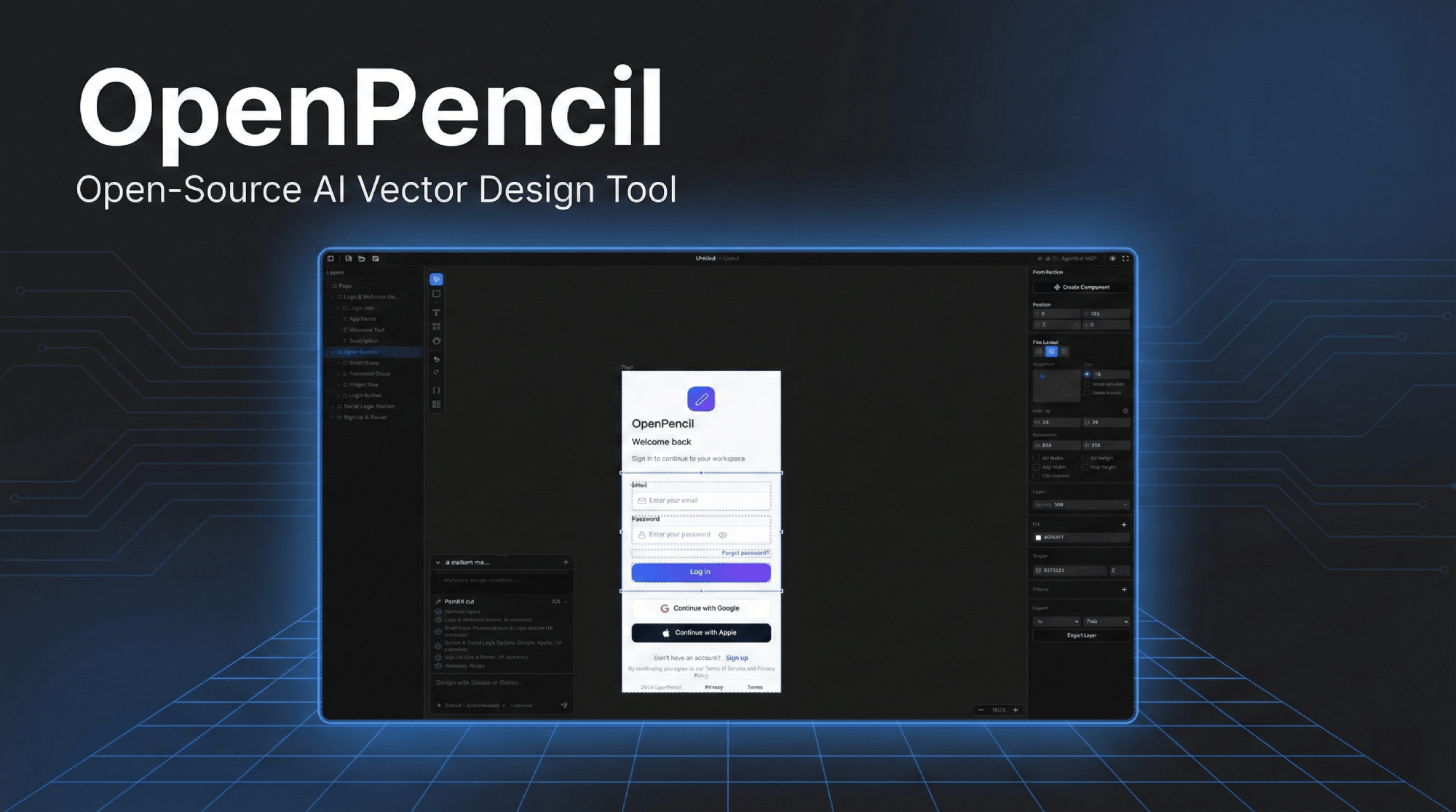
点击图片观看演示视频
为什么选择 OpenPencil
🎨 提示词 → 画布用自然语言描述任意 UI,实时以流式动画在无限画布上生成。选中已有元素,通过对话即可修改设计。 |
🤖 并发 Agent 团队编排器将复杂页面分解为空间子任务。多个 AI 智能体同时处理不同区块 — Hero、功能区、页脚 — 全部并行流式生成。 |
🧠 多模型智能自动适配每个模型的能力。Claude 获得完整提示词和思考模式;GPT-4o/Gemini 关闭思考模式;小模型(MiniMax、Qwen、Llama)使用简化提示词以确保输出可靠性。 |
🔌 MCP 服务器一键安装到 Claude Code、Codex、Gemini、OpenCode、Kiro 或 Copilot CLI。从终端进行设计 — 通过任意 MCP 兼容的智能体读取、创建和修改 |
📦 设计即代码
|
🖥️ 全平台运行Web 应用 + 通过 Electron 支持 macOS、Windows 和 Linux 原生桌面端。从 GitHub Releases 自动更新。 |
快速开始
# 安装依赖
bun install

# 在 http://localhost:3000 启动开发服务器
bun --bun run dev
或以桌面应用形式运行:
bun run electron:dev
Docker
提供多个镜像变体 — 按需选择:
| 镜像 | 大小 | 包含 |
|---|---|---|
openpencil:latest |
~226 MB | 仅 Web 应用 |
openpencil-claude:latest |
— | + Claude Code CLI |
openpencil-codex:latest |
— | + Codex CLI |
openpencil-opencode:latest |
— | + OpenCode CLI |
openpencil-copilot:latest |
— | + GitHub Copilot CLI |
openpencil-gemini:latest |
— | + Gemini CLI |
openpencil-full:latest |
~1 GB | 全部 CLI 工具 |
运行(仅 Web):
docker run -d -p 3000:3000 ghcr.io/zseven-w/openpencil:latest
运行 AI CLI(以 Claude Code 为例):
AI 聊天依赖 Claude CLI 的 OAuth 登录。使用 Docker volume 持久化登录会话:
# 第一步 — 登录(仅需一次)
docker volume create openpencil-claude-auth
docker run -it --rm \
  -v openpencil-claude-auth:/root/.claude \
  ghcr.io/zseven-w/openpencil-claude:latest claude login

# 第二步 — 启动
docker run -d -p 3000:3000 \
  -v openpencil-claude-auth:/root/.claude \
  ghcr.io/zseven-w/openpencil-claude:latest
本地构建:
# 基础版(仅 Web)
docker build --target base -t openpencil .

# 指定 CLI
docker build --target with-claude -t openpencil-claude .

# 完整版(全部 CLI)
docker build --target full -t openpencil-full .
AI 原生设计
提示词生成 UI
- 文字转设计 — 描述一个页面,实时以流式动画在画布上生成
- 编排器 — 将复杂页面分解为空间子任务,支持并行生成
- 设计修改 — 选中元素后,用自然语言描述更改
- 视觉输入 — 附加截图或线框图作为参考进行设计
多智能体支持
| 智能体 | 配置方式 |
|---|---|
| Claude Code | 无需配置 — 使用 Claude Agent SDK 本地 OAuth |
| Codex CLI | 在 Agent 设置中连接(Cmd+,) |
| OpenCode | 在 Agent 设置中连接(Cmd+,) |
| GitHub Copilot | 运行 copilot login 后在 Agent 设置中连接(Cmd+,) |
| Gemini CLI | 在 Agent 设置中连接(Cmd+,) |
模型能力配置 — 自动根据模型层级适配提示词、思考模式和超时时间。完整层级模型(Claude)获得完整提示词;标准层级模型(GPT-4o、Gemini、DeepSeek)关闭思考模式;基础层级模型(MiniMax、Qwen、Llama、Mistral)使用简化的嵌套 JSON 提示词以确保最大可靠性。
MCP 服务器
- 内置 MCP 服务器 — 一键安装到 Claude Code / Codex / Gemini / OpenCode / Kiro / Copilot CLI
- 自动检测 Node.js — 若未安装则自动回退到 HTTP 传输模式并启动 MCP HTTP 服务器
- 从终端进行设计自动化:通过任意 MCP 兼容的智能体读取、创建和修改
.op文件 - 分层设计工作流 —
design_skeleton→design_content→design_refine,实现更高保真度的多区块设计 - 分段提示词检索 — 按需加载所需的设计知识(schema、layout、roles、icons、planning 等)
- 多页面支持 — 通过 MCP 工具创建、重命名、重新排序和复制页面
代码生成
- React + Tailwind CSS、HTML + CSS、CSS Variables
- Vue、Svelte、Flutter、SwiftUI、Jetpack Compose、React Native
功能特性
画布与绘图
- 无限画布,支持平移、缩放、智能对齐参考线和吸附
- 矩形、椭圆、直线、多边形、钢笔(贝塞尔)、Frame、文本
- 布尔运算 — 联合、减去、交集,配合上下文工具栏
- 图标选择器(Iconify)和图片导入(PNG/JPEG/SVG/WebP/GIF)
- 自动布局 — 垂直/水平方向,支持间距、内边距、主轴对齐、交叉轴对齐
- 多页面文档,支持标签页导航
设计系统
- 设计变量 — 颜色、数字、字符串令牌,支持
$variable引用 - 多主题支持 — 多个主题轴,每个轴有多个变体(浅色/深色、紧凑/舒适)
- 组件系统 — 可复用组件,支持实例和覆盖
- CSS 同步 — 自动生成自定义属性,代码输出中使用
var(--name)
Figma 导入
- 导入
.fig文件,保留布局、填充、描边、效果、文本、图片和矢量图形
桌面应用
- 通过 Electron 支持原生 macOS、Windows 和 Linux
.op文件关联 — 双击即可打开,单实例锁定- 从 GitHub Releases 自动更新
- 原生应用菜单和文件对话框
技术栈
| 前端 | React 19 · TanStack Start · Tailwind CSS v4 · shadcn/ui |
| 画布 | CanvasKit/Skia(WASM, GPU 加速) |
| 状态管理 | Zustand v5 |
| 服务器 | Nitro |
| 桌面端 | Electron 35 |
| AI | Anthropic SDK · Claude Agent SDK · OpenCode SDK · Copilot SDK |
| 运行时 | Bun · Vite 7 |
| 文件格式 | .op — 基于 JSON,人类可读,对 Git 友好 |
项目结构
openpencil/
├── apps/
│   ├── web/                 TanStack Start Web 应用
│   │   ├── src/
│   │   │   ├── canvas/      CanvasKit/Skia 引擎 — 绘图、同步、布局
│   │   │   ├── components/  React UI — 编辑器、面板、共享对话框、图标
│   │   │   ├── services/ai/ AI 聊天、编排器、设计生成、流式处理
│   │   │   ├── stores/      Zustand — 画布、文档、页面、历史、AI
│   │   │   ├── mcp/         供外部 CLI 集成使用的 MCP 服务器工具
│   │   │   ├── hooks/       键盘快捷键、文件拖放、Figma 粘贴
│   │   │   └── uikit/       可复用组件套件系统
│   │   └── server/
│   │       ├── api/ai/      Nitro API — 流式聊天、生成、验证
│   │       └── utils/       Claude CLI、OpenCode、Codex、Copilot 客户端封装
│   └── desktop/             Electron 桌面应用
│       ├── main.ts          窗口、Nitro 子进程、原生菜单、自动更新
│       ├── ipc-handlers.ts  原生文件对话框、主题同步、偏好设置 IPC
│       └── preload.ts       IPC 桥接
├── packages/
│   ├── pen-types/           PenDocument 模型类型定义
│   ├── pen-core/            文档树操作、布局引擎、变量
│   ├── pen-codegen/         代码生成器(React、HTML、Vue、Flutter 等)
│   ├── pen-figma/           Figma .fig 文件解析与转换
│   ├── pen-renderer/        独立 CanvasKit/Skia 渲染器
│   └── pen-sdk/             聚合 SDK(重新导出所有包)
└── .githooks/               预提交钩子:从分支名同步版本号
键盘快捷键
| 按键 | 操作 | 按键 | 操作 | |
|---|---|---|---|---|
V |
选择 | Cmd+S |
保存 | |
R |
矩形 | Cmd+Z |
撤销 | |
O |
椭圆 | Cmd+Shift+Z |
重做 | |
L |
直线 | Cmd+C/X/V/D |
复制/剪切/粘贴/重复 | |
T |
文本 | Cmd+G |
编组 | |
F |
Frame | Cmd+Shift+G |
取消编组 | |
P |
钢笔工具 | Cmd+Shift+E |
导出 | |
H |
手形(平移) | Cmd+Shift+C |
代码面板 | |
Del |
删除 | Cmd+Shift+V |
变量面板 | |
[ / ] |
调整层级顺序 | Cmd+J |
AI 聊天 | |
| 方向键 | 微移 1px | Cmd+, |
智能体设置 | |
Cmd+Alt+U |
布尔联合 | Cmd+Alt+S |
布尔减去 | |
Cmd+Alt+I |
布尔交集 |
脚本命令
bun --bun run dev          # 开发服务器(端口 3000)
bun --bun run build        # 生产构建
bun --bun run test         # 运行测试(Vitest)
npx tsc --noEmit           # 类型检查
bun run bump <version>     # 同步所有 package.json 的版本号
bun run electron:dev       # Electron 开发模式
bun run electron:build     # Electron 打包
参与贡献
欢迎贡献!请查阅 CLAUDE.md 了解架构细节和代码风格。
- Fork 并克隆仓库
- 设置版本同步:
git config core.hooksPath .githooks - 创建分支:
git checkout -b feat/my-feature - 运行检查:
npx tsc --noEmit && bun --bun run test - 使用 Conventional Commits 提交:
feat(canvas): add rotation snapping - 向
main分支发起 PR
路线图
- 设计变量与令牌,支持 CSS 同步
- 组件系统(实例与覆盖)
- 带编排器的 AI 设计生成
- MCP 服务器集成与分层设计工作流
- 多页面支持
- Figma
.fig导入 - 布尔运算(合并、减去、相交)
- 多模型能力配置
- Monorepo 重构与可复用包
- 协同编辑
- 插件系统
贡献者
社区
 加入我们的 Discord
— 提问、分享设计、提出功能建议。
加入我们的 Discord
— 提问、分享设计、提出功能建议。
Star History
许可证
MIT — Copyright (c) 2026 ZSeven-W