 5b489622a7
* docs: add image search & generation design spec and implementation plan - Spec: dual-source image search (Openverse + Wikimedia), multi-provider image generation - Plan: 16 tasks covering types, server endpoints, settings UI, property panel, auto-search pipeline, MCP integration * feat(types): add image service types and imagePrompt to ImageNode * feat(server): add image service API key validation endpoint Adds POST /api/ai/image-service-test that validates credentials for openverse (client_credentials), openai/custom (Bearer + /v1/models), gemini (API key + v1beta/models), and replicate (Bearer + /v1/models). * feat(server): add multi-provider image generation endpoint * feat(server): add dual-source image search endpoint (Openverse + Wikimedia) POST /api/ai/image-search searches freely-licensed images via Openverse with automatic fallback to Wikimedia Commons on 429 rate-limit responses. Supports optional OAuth credentials for authenticated Openverse requests. * feat(store): add imageSearchStatuses to canvas store for runtime status tracking * feat(store): add image generation config and Openverse OAuth to agent settings * feat(editor): add Images tab to agent settings dialog Adds Popover primitive, ImagesPage component with Image Search (Openverse OAuth, test) and Image Generation (provider select, API key, model, base URL) sections, and wires them into the settings dialog sidebar. * feat(panels): add image search popover with Openverse/Wikimedia results grid * feat(panels): add image generate popover with multi-provider support * feat(panels): add Search and Generate buttons to image property section * feat(ai): update prompts to use imagePrompt instead of src for image nodes * feat(ai): add auto-search pipeline with Openverse/Wikimedia fallback * feat(ai): trigger auto image search after design generation completes * feat(mcp): implement G() operation for image search in batch design DSL Adds the G(parent, mode, prompt) operation to batch_design DSL that creates an image node and optionally fetches a real image URL via the image-search API when mode is "search". Converts executeLine to async to support the network call. * feat(mcp): auto-fill images after design refinement in layered pipeline * feat(ai): split imageSearchQuery and imagePrompt for search vs generation - ImageNode now has both imageSearchQuery (short keywords for search) and imagePrompt (long description for AI image generation) - AI prompts instruct LLM to generate both fields - Search pipeline and popovers use imageSearchQuery - Generate popover uses imagePrompt - Server-side simplifySearchQuery kept as fallback for manual input * fix(ai): hook auto image search into orchestrator completion path The primary generation path uses executeOrchestration -> insertStreamingNode, not applyNodesToCanvas/animateNodesToCanvas. Added scanAndFillImages call to orchestrator.ts after all sub-agents complete. Added debug logging. Removed plan/spec docs from git. * style(editor): remove provider names from image search ready status * fix(panels): clean up image gen error display and settings UI - Parse API error response to show concise message instead of raw JSON - Limit error text to 2 lines with line-clamp - Fix image gen test button sending wrong service name - Inline Image Search ready indicator with section header - Remove debug logging from image search pipeline * style(panels): allow up to 4 lines for image gen error message * fix: avoid 1-frame delay when resizing canvas (#60) rAF callbacks run before ResizeObserver in the same frame. Scheduling render in ResizeObserver via rAF defers it to the next frame. Invoke render() synchronously to leverage ResizeObserver's pre-paint timing and ensure immediate visual update. * feat(electron): implement desktop application structure and auto-updater - Introduced a new Electron desktop application with a structured directory for apps and packages. - Added auto-updater functionality to manage application updates seamlessly. - Created a comprehensive menu system for the desktop app. - Implemented logging capabilities for better debugging and error tracking. - Configured build settings for various platforms (macOS, Windows, Linux) using electron-builder. - Established TypeScript configurations for both the desktop and web applications. - Integrated Vite for the web application with support for React and Tailwind CSS. - Added icons and assets for the desktop application. * chore: update package versions to 0.5.0 across all package.json files and add pre-commit hook for version synchronization - Bumped version to 0.5.0 in package.json files for the main project, desktop app, web app, and all packages. - Introduced a pre-commit hook to automatically sync version numbers from branch names to all package.json files. * chore: update package versions to 0.5.0 and refactor Skia components - Bumped version to 0.5.0 in bun.lock and all relevant package.json files. - Refactored Skia components to utilize shared functionality from @zseven-w/pen-renderer, including image loading, hit testing, and path utilities. - Removed redundant code and improved modularity by re-exporting necessary functions and classes from the renderer package. * fix(panels): handle string fill values in icon nodes (#61) AI-generated icon/path nodes may have fill stored as a raw string instead of a PenFill[] array, causing "Cannot use 'in' operator" crash when selecting the node in the property panel. * chore: update documentation and project structure for monorepo organization - Added a new version bump command to synchronize all package.json files. - Updated the project structure to reflect a monorepo setup with organized workspaces for apps and packages. - Enhanced README files in multiple languages to include the new structure and commands. - Adjusted image paths in documentation to point to the correct locations for the desktop application. * feat(ai): incremental image search and improved image generation prompts - Refactor image search from batch post-generation to incremental queue: enqueueImageForSearch() triggers as each image node is inserted during streaming, so images appear progressively instead of all at once after generation completes. scanAndFillImages() remains as a final sweep. - Update imagePrompt guidance to avoid "transparent background" and similar phrases that many models cannot reliably produce. - Pass node width/height from image panel to generation endpoint for aspect-ratio-aware output (Gemini aspect ratio mapping, OpenAI size selection, Replicate dimensions). * feat(ai): multi-profile image generation config and cleaner error messages - Support multiple image generation profiles with active selection; first configured profile becomes default. Old single-config migrated automatically on hydrate. - Fix Gemini aspect ratio: move to generationConfig.imageConfig per API spec. - Extract clean error messages from provider JSON responses (Gemini error.message, OpenAI error.message, Replicate detail) instead of returning raw JSON text. - Remove destructive client-side regex that mangled error display. * feat(design-md): integrate design system panel and functionality - Added a new DesignMdPanel component for managing design system specifications. - Implemented functionality to toggle the design system panel in the editor layout and toolbar. - Introduced new commands for importing, exporting, and auto-generating design.md content. - Updated AI chat handlers to utilize design.md data for enhanced design generation. - Enhanced localization support for design system features across multiple languages. * perf(canvas): skip draw calls for nodes outside the viewport (#64) Add viewport culling in render() to avoid issuing CanvasKit draw calls for off-screen nodes. A 64px screen-space buffer is kept around the viewport edges so nearby nodes are pre-rendered, preventing pop-in during fast panning. * feat(utils): enhance Windows process spawning for CLI scripts - Updated the buildSpawnClaudeCodeProcess function to handle .cmd and .ps1 scripts appropriately. - Implemented PowerShell invocation for .ps1 files and ensured safe defaults for .cmd and .exe files. - Improved handling of command execution to avoid limitations of cmd.exe. * feat(ai): add support for Gemini CLI integration - Extended the AI provider options to include 'gemini' across various components and APIs. - Implemented functions for generating, validating, and connecting to the Gemini CLI. - Added Gemini-specific error handling and model fetching logic. - Updated UI components to display Gemini as a selectable provider with appropriate icons and labels. - Enhanced localization support for Gemini-related features in multiple languages. * feat(editor): warn before closing with unsaved changes Intercept window/tab close when isDirty is true: - Electron: native dialog with Save / Don't Save / Cancel - Web: beforeunload handler + confirm on New/Open actions - i18n: close-confirm strings for all 15 locales * feat(ipc): extract IPC handlers to a dedicated module - Moved IPC dialog handling and updater functions from main.ts to ipc-handlers.ts for better organization and maintainability. - Implemented file open/save dialogs, theme setting, and preferences management through IPC. - Enhanced updater functionality with state management and auto-update settings. - Improved code structure by separating concerns, making it easier to manage IPC-related logic. * feat(docs): update CLAUDE documentation and add new files for desktop and web apps - Enhanced CLAUDE.md with detailed module documentation references for `packages/` and `apps/`. - Updated `pen-core` description to include clone utilities in `pen-core`. - Added new documentation files for the desktop and web applications, outlining their structure, components, and functionalities. - Included IPC handler details in the desktop app documentation for better clarity on file dialogs and theme synchronization. * feat(docker): add Gemini CLI support and update documentation - Introduced a new Docker build stage for the Gemini CLI, allowing users to install and run it. - Updated the Dockerfile to include the installation of the Gemini CLI alongside existing CLI tools. - Enhanced README files in multiple languages to document the new `openpencil-gemini` image variant. - Added Gemini CLI connection instructions to the main README for better user guidance. * feat(docs): add Gemini CLI connection instructions to multiple language READMEs - Updated README files in German, Spanish, French, Hindi, Indonesian, Japanese, Korean, Portuguese, Russian, Thai, Turkish, Vietnamese, and both Traditional and Simplified Chinese to include connection instructions for the Gemini CLI. - Enhanced documentation to improve user guidance for connecting the Gemini CLI in agent settings. * perf(renderer): replace count-based text cache limits with memory-based eviction (#66) previous limits (PARA_CACHE_MAX=200, TEXT_CACHE_MAX=300) were too small for scenes with many nodes, causing constant cache churn and paragraph rebuilds every frame, which dropped FPS significantly during canvas pan. - switch to byte-budget limits (64 MB paragraphs, 256 MB bitmaps) - bitmap size measured exactly as cw*ch*4; paragraph WASM heap estimated as content.length*64+4096 - eviction uses Map insertion order (FIFO) instead of a separate string[] array, replacing O(n) array.shift() with O(1) Map.entries().next() - evict before insert so the budget check includes the incoming entry * feat(docker): update Dockerfile to include additional package.json files - Added package.json files for multiple packages (pen-types, pen-core, pen-codegen, pen-figma, pen-renderer, pen-sdk) and apps (web, desktop) to the Docker build context. - Ensured all necessary dependencies are included for a complete build process. --------- Co-authored-by: Fini <fini.yang@gmail.com> Co-authored-by: leinaldo <60176594+leinaldo@users.noreply.github.com> |
||
|---|---|---|
| .githooks | ||
| .github | ||
| .vscode | ||
| apps | ||
| packages | ||
| screenshot | ||
| .cta.json | ||
| .dockerignore | ||
| .gitignore | ||
| bun.lock | ||
| CLAUDE.md | ||
| Dockerfile | ||
| LICENSE | ||
| package.json | ||
| README.de.md | ||
| README.es.md | ||
| README.fr.md | ||
| README.hi.md | ||
| README.id.md | ||
| README.ja.md | ||
| README.ko.md | ||
| README.md | ||
| README.pt.md | ||
| README.ru.md | ||
| README.th.md | ||
| README.tr.md | ||
| README.vi.md | ||
| README.zh-TW.md | ||
| README.zh.md | ||
| tsconfig.base.json | ||
| tsconfig.json | ||

OpenPencil
The world's first open-source AI-native vector design tool.
Concurrent Agent Teams • Design-as-Code • Built-in MCP Server • Multi-model Intelligence
English · 简体中文 · 繁體中文 · 日本語 · 한국어 · Français · Español · Deutsch · Português · Русский · हिन्दी · Türkçe · ไทย · Tiếng Việt · Bahasa Indonesia


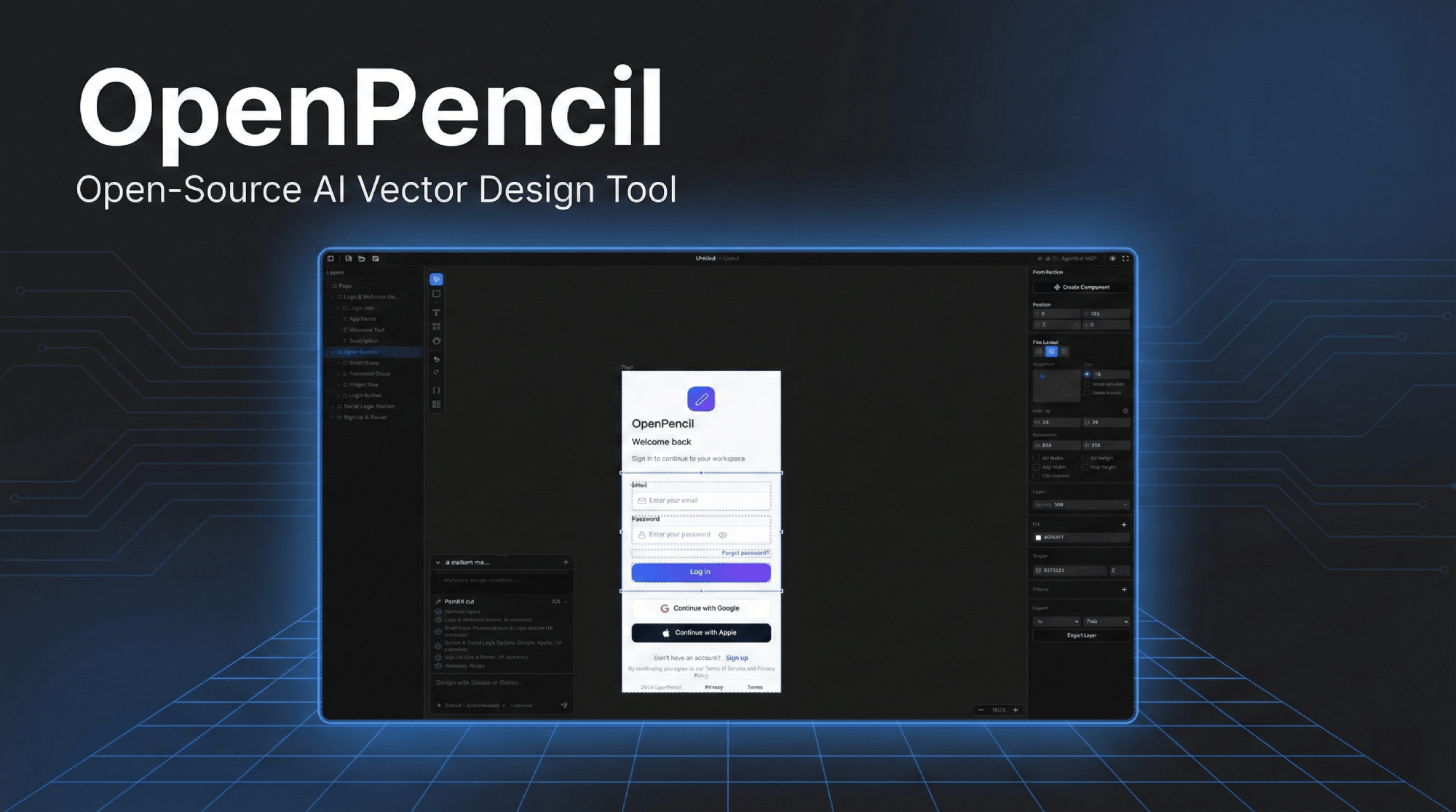
Click the image to watch the demo video
Why OpenPencil
🎨 Prompt → CanvasDescribe any UI in natural language. Watch it appear on the infinite canvas in real-time with streaming animation. Modify existing designs by selecting elements and chatting. |
🤖 Concurrent Agent TeamsThe orchestrator decomposes complex pages into spatial sub-tasks. Multiple AI agents work on different sections simultaneously — hero, features, footer — all streaming in parallel. |
🧠 Multi-Model IntelligenceAutomatically adapts to each model's capabilities. Claude gets full prompts with thinking; GPT-4o/Gemini disable thinking; smaller models (MiniMax, Qwen, Llama) get simplified prompts for reliable output. |
🔌 MCP ServerOne-click install into Claude Code, Codex, Gemini, OpenCode, Kiro, or Copilot CLIs. Design from your terminal — read, create, and modify |
📦 Design-as-Code
|
🖥️ Runs EverywhereWeb app + native desktop on macOS, Windows, and Linux via Electron. Auto-updates from GitHub Releases. |
Quick Start
# Install dependencies
bun install

# Start dev server at http://localhost:3000
bun --bun run dev
Or run as a desktop app:
bun run electron:dev
Docker
Multiple image variants are available — pick the one that fits your needs:
| Image | Size | Includes |
|---|---|---|
openpencil:latest |
~226 MB | Web app only |
openpencil-claude:latest |
— | + Claude Code CLI |
openpencil-codex:latest |
— | + Codex CLI |
openpencil-opencode:latest |
— | + OpenCode CLI |
openpencil-copilot:latest |
— | + GitHub Copilot CLI |
openpencil-gemini:latest |
— | + Gemini CLI |
openpencil-full:latest |
~1 GB | All CLI tools |
Run (web only):
docker run -d -p 3000:3000 ghcr.io/zseven-w/openpencil:latest
Run with AI CLI (e.g. Claude Code):
The AI chat relies on Claude CLI OAuth login. Use a Docker volume to persist the login session:
# Step 1 — Login (one-time)
docker volume create openpencil-claude-auth
docker run -it --rm \
  -v openpencil-claude-auth:/root/.claude \
  ghcr.io/zseven-w/openpencil-claude:latest claude login

# Step 2 — Start
docker run -d -p 3000:3000 \
  -v openpencil-claude-auth:/root/.claude \
  ghcr.io/zseven-w/openpencil-claude:latest
Build locally:
# Base (web only)
docker build --target base -t openpencil .

# With a specific CLI
docker build --target with-claude -t openpencil-claude .

# Full (all CLIs)
docker build --target full -t openpencil-full .
AI-Native Design
Prompt to UI
- Text-to-design — describe a page, get it generated on canvas in real-time with streaming animation
- Orchestrator — decomposes complex pages into spatial sub-tasks for parallel generation
- Design modification — select elements, then describe changes in natural language
- Vision input — attach screenshots or mockups for reference-based design
Multi-Agent Support
| Agent | Setup |
|---|---|
| Claude Code | No config — uses Claude Agent SDK with local OAuth |
| Codex CLI | Connect in Agent Settings (Cmd+,) |
| OpenCode | Connect in Agent Settings (Cmd+,) |
| GitHub Copilot | copilot login then connect in Agent Settings (Cmd+,) |
| Gemini CLI | Connect in Agent Settings (Cmd+,) |
Model Capability Profiles — automatically adapts prompts, thinking mode, and timeouts per model tier. Full-tier models (Claude) get complete prompts; standard-tier (GPT-4o, Gemini, DeepSeek) disable thinking; basic-tier (MiniMax, Qwen, Llama, Mistral) get simplified nested-JSON prompts for maximum reliability.
MCP Server
- Built-in MCP server — one-click install into Claude Code / Codex / Gemini / OpenCode / Kiro / Copilot CLIs
- Auto-detects Node.js — if not installed, falls back to HTTP transport and auto-starts the MCP HTTP server
- Design automation from terminal: read, create, and modify
.opfiles via any MCP-compatible agent - Layered design workflow —
design_skeleton→design_content→design_refinefor higher-fidelity multi-section designs - Segmented prompt retrieval — load only the design knowledge you need (schema, layout, roles, icons, planning, etc.)
- Multi-page support — create, rename, reorder, and duplicate pages via MCP tools
Code Generation
- React + Tailwind CSS, HTML + CSS, CSS Variables
- Vue, Svelte, Flutter, SwiftUI, Jetpack Compose, React Native
Features
Canvas & Drawing
- Infinite canvas with pan, zoom, smart alignment guides, and snapping
- Rectangle, Ellipse, Line, Polygon, Pen (Bezier), Frame, Text
- Boolean operations — union, subtract, intersect with contextual toolbar
- Icon picker (Iconify) and image import (PNG/JPEG/SVG/WebP/GIF)
- Auto-layout — vertical/horizontal with gap, padding, justify, align
- Multi-page documents with tab navigation
Design System
- Design variables — color, number, string tokens with
$variablereferences - Multi-theme support — multiple axes, each with variants (Light/Dark, Compact/Comfortable)
- Component system — reusable components with instances and overrides
- CSS sync — auto-generated custom properties,
var(--name)in code output
Figma Import
- Import
.figfiles with layout, fills, strokes, effects, text, images, and vectors preserved
Desktop App
- Native macOS, Windows, and Linux via Electron
.opfile association — double-click to open, single-instance lock- Auto-update from GitHub Releases
- Native application menu and file dialogs
Tech Stack
| Frontend | React 19 · TanStack Start · Tailwind CSS v4 · shadcn/ui |
| Canvas | CanvasKit/Skia (WASM, GPU-accelerated) |
| State | Zustand v5 |
| Server | Nitro |
| Desktop | Electron 35 |
| AI | Anthropic SDK · Claude Agent SDK · OpenCode SDK · Copilot SDK |
| Runtime | Bun · Vite 7 |
| File format | .op — JSON-based, human-readable, Git-friendly |
Project Structure
openpencil/
├── apps/
│   ├── web/                 TanStack Start web app
│   │   ├── src/
│   │   │   ├── canvas/      CanvasKit/Skia engine — drawing, sync, layout
│   │   │   ├── components/  React UI — editor, panels, shared dialogs, icons
│   │   │   ├── services/ai/ AI chat, orchestrator, design generation, streaming
│   │   │   ├── stores/      Zustand — canvas, document, pages, history, AI
│   │   │   ├── mcp/         MCP server tools for external CLI integration
│   │   │   ├── hooks/       Keyboard shortcuts, file drop, Figma paste
│   │   │   └── uikit/       Reusable component kit system
│   │   └── server/
│   │       ├── api/ai/      Nitro API — streaming chat, generation, validation
│   │       └── utils/       Claude CLI, OpenCode, Codex, Copilot wrappers
│   └── desktop/             Electron desktop app
│       ├── main.ts          Window, Nitro fork, native menu, auto-updater
│       ├── ipc-handlers.ts  Native file dialogs, theme sync, prefs IPC
│       └── preload.ts       IPC bridge
├── packages/
│   ├── pen-types/           Type definitions for PenDocument model
│   ├── pen-core/            Document tree ops, layout engine, variables
│   ├── pen-codegen/         Code generators (React, HTML, Vue, Flutter, ...)
│   ├── pen-figma/           Figma .fig file parser and converter
│   ├── pen-renderer/        Standalone CanvasKit/Skia renderer
│   └── pen-sdk/             Umbrella SDK (re-exports all packages)
└── .githooks/               Pre-commit version sync from branch name
Keyboard Shortcuts
| Key | Action | Key | Action | |
|---|---|---|---|---|
V |
Select | Cmd+S |
Save | |
R |
Rectangle | Cmd+Z |
Undo | |
O |
Ellipse | Cmd+Shift+Z |
Redo | |
L |
Line | Cmd+C/X/V/D |
Copy/Cut/Paste/Duplicate | |
T |
Text | Cmd+G |
Group | |
F |
Frame | Cmd+Shift+G |
Ungroup | |
P |
Pen tool | Cmd+Shift+E |
Export | |
H |
Hand (pan) | Cmd+Shift+C |
Code panel | |
Del |
Delete | Cmd+Shift+V |
Variables panel | |
[ / ] |
Reorder | Cmd+J |
AI chat | |
| Arrows | Nudge 1px | Cmd+, |
Agent settings | |
Cmd+Alt+U |
Boolean union | Cmd+Alt+S |
Boolean subtract | |
Cmd+Alt+I |
Boolean intersect |
Scripts
bun --bun run dev          # Dev server (port 3000)
bun --bun run build        # Production build
bun --bun run test         # Run tests (Vitest)
npx tsc --noEmit           # Type check
bun run bump <version>     # Sync version across all package.json
bun run electron:dev       # Electron dev
bun run electron:build     # Electron package
Contributing
Contributions are welcome! See CLAUDE.md for architecture details and code style.
- Fork and clone
- Set up version sync:
git config core.hooksPath .githooks - Create a branch:
git checkout -b feat/my-feature - Run checks:
npx tsc --noEmit && bun --bun run test - Commit with Conventional Commits:
feat(canvas): add rotation snapping - Open a PR against
main
Roadmap
- Design variables & tokens with CSS sync
- Component system (instances & overrides)
- AI design generation with orchestrator
- MCP server integration with layered design workflow
- Multi-page support
- Figma
.figimport - Boolean operations (union, subtract, intersect)
- Multi-model capability profiles
- Monorepo restructure with reusable packages
- Collaborative editing
- Plugin system
Contributors
Community
 Join our Discord
— Ask questions, share designs, suggest features.
Join our Discord
— Ask questions, share designs, suggest features.
Star History
License
MIT — Copyright (c) 2026 ZSeven-W