 03d4433693
* docs: add image search & generation design spec and implementation plan

- Spec: dual-source image search (Openverse + Wikimedia), multi-provider image generation
- Plan: 16 tasks covering types, server endpoints, settings UI, property panel, auto-search pipeline, MCP integration

* feat(types): add image service types and imagePrompt to ImageNode

* feat(server): add image service API key validation endpoint

Adds POST /api/ai/image-service-test that validates credentials for
openverse (client_credentials), openai/custom (Bearer + /v1/models),
gemini (API key + v1beta/models), and replicate (Bearer + /v1/models).

* feat(server): add multi-provider image generation endpoint

* feat(server): add dual-source image search endpoint (Openverse + Wikimedia)

POST /api/ai/image-search searches freely-licensed images via Openverse
with automatic fallback to Wikimedia Commons on 429 rate-limit responses.
Supports optional OAuth credentials for authenticated Openverse requests.

* feat(store): add imageSearchStatuses to canvas store for runtime status tracking

* feat(store): add image generation config and Openverse OAuth to agent settings

* feat(editor): add Images tab to agent settings dialog

Adds Popover primitive, ImagesPage component with Image Search (Openverse OAuth, test) and Image Generation (provider select, API key, model, base URL) sections, and wires them into the settings dialog sidebar.

* feat(panels): add image search popover with Openverse/Wikimedia results grid

* feat(panels): add image generate popover with multi-provider support

* feat(panels): add Search and Generate buttons to image property section

* feat(ai): update prompts to use imagePrompt instead of src for image nodes

* feat(ai): add auto-search pipeline with Openverse/Wikimedia fallback

* feat(ai): trigger auto image search after design generation completes

* feat(mcp): implement G() operation for image search in batch design DSL

Adds the G(parent, mode, prompt) operation to batch_design DSL that creates
an image node and optionally fetches a real image URL via the image-search
API when mode is "search". Converts executeLine to async to support the
network call.

* feat(mcp): auto-fill images after design refinement in layered pipeline

* feat(ai): split imageSearchQuery and imagePrompt for search vs generation

- ImageNode now has both imageSearchQuery (short keywords for search)
  and imagePrompt (long description for AI image generation)
- AI prompts instruct LLM to generate both fields
- Search pipeline and popovers use imageSearchQuery
- Generate popover uses imagePrompt
- Server-side simplifySearchQuery kept as fallback for manual input

* fix(ai): hook auto image search into orchestrator completion path

The primary generation path uses executeOrchestration -> insertStreamingNode,
not applyNodesToCanvas/animateNodesToCanvas. Added scanAndFillImages call
to orchestrator.ts after all sub-agents complete. Added debug logging.
Removed plan/spec docs from git.

* style(editor): remove provider names from image search ready status

* fix(panels): clean up image gen error display and settings UI

- Parse API error response to show concise message instead of raw JSON
- Limit error text to 2 lines with line-clamp
- Fix image gen test button sending wrong service name
- Inline Image Search ready indicator with section header
- Remove debug logging from image search pipeline

* style(panels): allow up to 4 lines for image gen error message

* fix: avoid 1-frame delay when resizing canvas (#60)

rAF callbacks run before ResizeObserver in the same frame.
Scheduling render in ResizeObserver via rAF defers it to the next frame.

Invoke render() synchronously to leverage ResizeObserver's pre-paint timing
and ensure immediate visual update.

* feat(electron): implement desktop application structure and auto-updater

- Introduced a new Electron desktop application with a structured directory for apps and packages.
- Added auto-updater functionality to manage application updates seamlessly.
- Created a comprehensive menu system for the desktop app.
- Implemented logging capabilities for better debugging and error tracking.
- Configured build settings for various platforms (macOS, Windows, Linux) using electron-builder.
- Established TypeScript configurations for both the desktop and web applications.
- Integrated Vite for the web application with support for React and Tailwind CSS.
- Added icons and assets for the desktop application.

* chore: update package versions to 0.5.0 across all package.json files and add pre-commit hook for version synchronization

- Bumped version to 0.5.0 in package.json files for the main project, desktop app, web app, and all packages.
- Introduced a pre-commit hook to automatically sync version numbers from branch names to all package.json files.

* chore: update package versions to 0.5.0 and refactor Skia components

- Bumped version to 0.5.0 in bun.lock and all relevant package.json files.
- Refactored Skia components to utilize shared functionality from @zseven-w/pen-renderer, including image loading, hit testing, and path utilities.
- Removed redundant code and improved modularity by re-exporting necessary functions and classes from the renderer package.

* fix(panels): handle string fill values in icon nodes (#61)

AI-generated icon/path nodes may have fill stored as a raw string
instead of a PenFill[] array, causing "Cannot use 'in' operator"
crash when selecting the node in the property panel.

* chore: update documentation and project structure for monorepo organization

- Added a new version bump command to synchronize all package.json files.
- Updated the project structure to reflect a monorepo setup with organized workspaces for apps and packages.
- Enhanced README files in multiple languages to include the new structure and commands.
- Adjusted image paths in documentation to point to the correct locations for the desktop application.

* feat(ai): incremental image search and improved image generation prompts

- Refactor image search from batch post-generation to incremental queue:
  enqueueImageForSearch() triggers as each image node is inserted during
  streaming, so images appear progressively instead of all at once after
  generation completes. scanAndFillImages() remains as a final sweep.
- Update imagePrompt guidance to avoid "transparent background" and
  similar phrases that many models cannot reliably produce.
- Pass node width/height from image panel to generation endpoint for
  aspect-ratio-aware output (Gemini aspect ratio mapping, OpenAI size
  selection, Replicate dimensions).

* feat(ai): multi-profile image generation config and cleaner error messages

- Support multiple image generation profiles with active selection;
  first configured profile becomes default. Old single-config migrated
  automatically on hydrate.
- Fix Gemini aspect ratio: move to generationConfig.imageConfig per API spec.
- Extract clean error messages from provider JSON responses (Gemini
  error.message, OpenAI error.message, Replicate detail) instead of
  returning raw JSON text.
- Remove destructive client-side regex that mangled error display.

* feat(design-md): integrate design system panel and functionality

- Added a new DesignMdPanel component for managing design system specifications.
- Implemented functionality to toggle the design system panel in the editor layout and toolbar.
- Introduced new commands for importing, exporting, and auto-generating design.md content.
- Updated AI chat handlers to utilize design.md data for enhanced design generation.
- Enhanced localization support for design system features across multiple languages.

* perf(canvas): skip draw calls for nodes outside the viewport (#64)

Add viewport culling in render() to avoid issuing CanvasKit draw calls
  for off-screen nodes. A 64px screen-space buffer is kept around the
  viewport edges so nearby nodes are pre-rendered, preventing pop-in
  during fast panning.

* feat(utils): enhance Windows process spawning for CLI scripts

- Updated the buildSpawnClaudeCodeProcess function to handle .cmd and .ps1 scripts appropriately.
- Implemented PowerShell invocation for .ps1 files and ensured safe defaults for .cmd and .exe files.
- Improved handling of command execution to avoid limitations of cmd.exe.

* feat(ai): add support for Gemini CLI integration

- Extended the AI provider options to include 'gemini' across various components and APIs.
- Implemented functions for generating, validating, and connecting to the Gemini CLI.
- Added Gemini-specific error handling and model fetching logic.
- Updated UI components to display Gemini as a selectable provider with appropriate icons and labels.
- Enhanced localization support for Gemini-related features in multiple languages.

* feat(editor): warn before closing with unsaved changes

Intercept window/tab close when isDirty is true:
- Electron: native dialog with Save / Don't Save / Cancel
- Web: beforeunload handler + confirm on New/Open actions
- i18n: close-confirm strings for all 15 locales

* feat(ipc): extract IPC handlers to a dedicated module

- Moved IPC dialog handling and updater functions from main.ts to ipc-handlers.ts for better organization and maintainability.
- Implemented file open/save dialogs, theme setting, and preferences management through IPC.
- Enhanced updater functionality with state management and auto-update settings.
- Improved code structure by separating concerns, making it easier to manage IPC-related logic.

* feat(docs): update CLAUDE documentation and add new files for desktop and web apps

- Enhanced CLAUDE.md with detailed module documentation references for `packages/` and `apps/`.
- Updated `pen-core` description to include clone utilities in `pen-core`.
- Added new documentation files for the desktop and web applications, outlining their structure, components, and functionalities.
- Included IPC handler details in the desktop app documentation for better clarity on file dialogs and theme synchronization.

* feat(docker): add Gemini CLI support and update documentation

- Introduced a new Docker build stage for the Gemini CLI, allowing users to install and run it.
- Updated the Dockerfile to include the installation of the Gemini CLI alongside existing CLI tools.
- Enhanced README files in multiple languages to document the new `openpencil-gemini` image variant.
- Added Gemini CLI connection instructions to the main README for better user guidance.

* feat(docs): add Gemini CLI connection instructions to multiple language READMEs

- Updated README files in German, Spanish, French, Hindi, Indonesian, Japanese, Korean, Portuguese, Russian, Thai, Turkish, Vietnamese, and both Traditional and Simplified Chinese to include connection instructions for the Gemini CLI.
- Enhanced documentation to improve user guidance for connecting the Gemini CLI in agent settings.

* perf(renderer): replace count-based text cache limits with memory-based eviction (#66)

previous limits (PARA_CACHE_MAX=200, TEXT_CACHE_MAX=300) were too small
  for scenes with many nodes, causing constant cache churn and paragraph
  rebuilds every frame, which dropped FPS significantly during canvas pan.

  - switch to byte-budget limits (64 MB paragraphs, 256 MB bitmaps)
  - bitmap size measured exactly as cw*ch*4; paragraph WASM heap estimated
    as content.length*64+4096
  - eviction uses Map insertion order (FIFO) instead of a separate string[]
    array, replacing O(n) array.shift() with O(1) Map.entries().next()
  - evict before insert so the budget check includes the incoming entry

---------

Co-authored-by: Fini <fini.yang@gmail.com>
Co-authored-by: leinaldo <60176594+leinaldo@users.noreply.github.com>
14 KiB

OpenPencil
Dünyanın ilk açık kaynaklı AI-yerel vektör tasarım aracı.
Eşzamanlı Ajan Ekipleri • Kod Olarak Tasarım • Yerleşik MCP Sunucusu • Çoklu Model Zekası
English · 简体中文 · 繁體中文 · 日本語 · 한국어 · Français · Español · Deutsch · Português · Русский · हिन्दी · Türkçe · ไทย · Tiếng Việt · Bahasa Indonesia


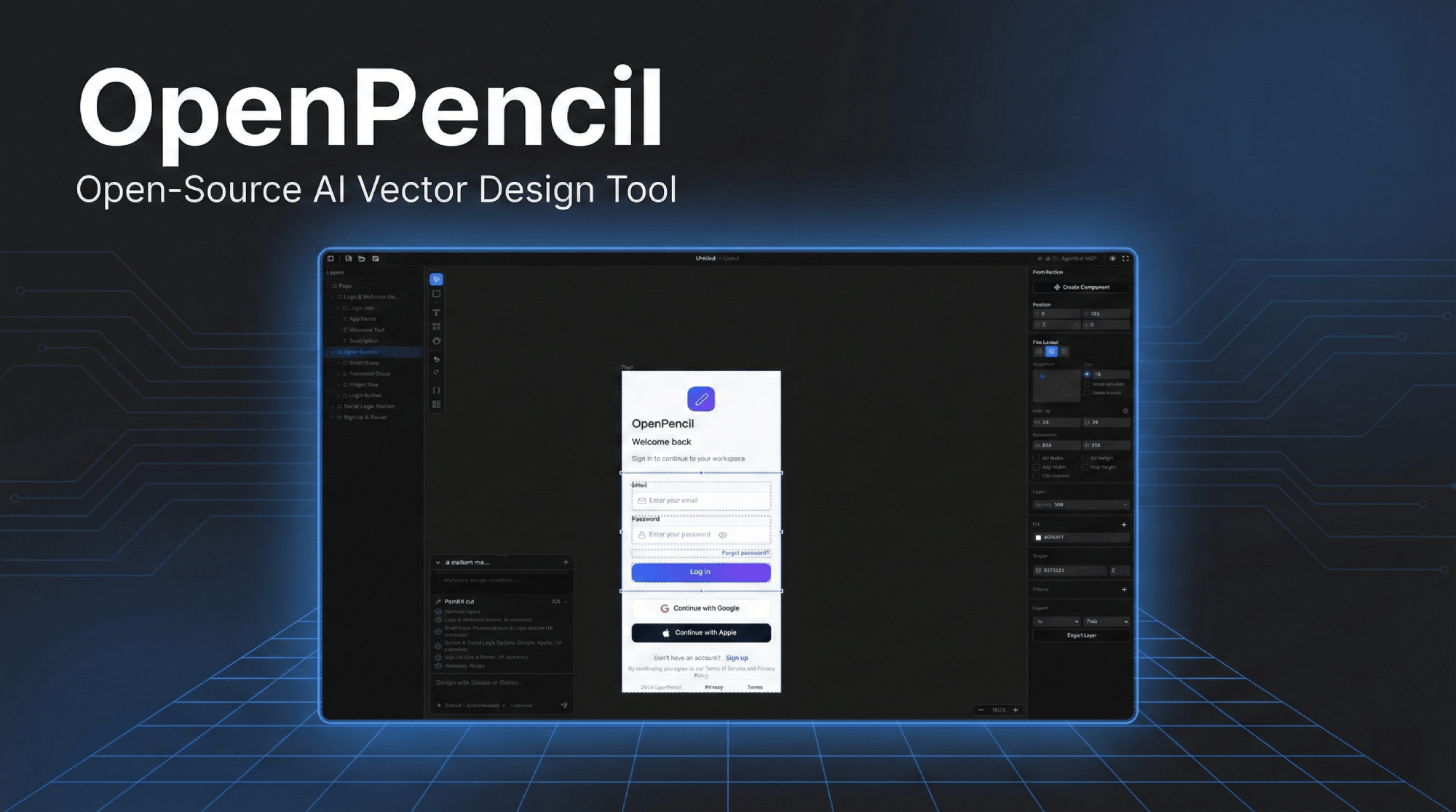
Demo videosunu izlemek için görsele tıklayın
Neden OpenPencil
🎨 Prompt → KanvasHerhangi bir arayüzü doğal dilde tanımlayın. Gerçek zamanlı akış animasyonuyla sonsuz kanvasta belirmesini izleyin. Öğeleri seçip sohbet ederek mevcut tasarımları düzenleyin. |
🤖 Eşzamanlı Ajan EkipleriOrkestratör, karmaşık sayfaları uzamsal alt görevlere ayırır. Birden fazla AI ajanı farklı bölümlerde eşzamanlı çalışır — hero, özellikler, footer — hepsi paralel olarak akış halinde. |
🧠 Çoklu Model ZekasıHer modelin yeteneklerine otomatik olarak uyum sağlar. Claude tam promptlar ve düşünme modu alır; GPT-4o/Gemini'de düşünme modu devre dışı bırakılır; küçük modeller (MiniMax, Qwen, Llama) güvenilir çıktı için basitleştirilmiş promptlar alır. |
🔌 MCP SunucusuClaude Code, Codex, Gemini, OpenCode, Kiro veya Copilot CLI'larına tek tıkla kurulum. Terminalinizden tasarım yapın — herhangi bir MCP uyumlu ajan aracılığıyla |
📦 Kod Olarak Tasarım
|
🖥️ Her Yerde ÇalışırWeb uygulaması + Electron ile macOS, Windows ve Linux'ta yerel masaüstü. GitHub Releases'ten otomatik güncelleme. |
Hızlı Başlangıç
# Bağımlılıkları yükle
bun install

# http://localhost:3000 adresinde geliştirme sunucusunu başlat
bun --bun run dev
Ya da masaüstü uygulaması olarak çalıştırın:
bun run electron:dev
Docker
Birden fazla görüntü varyantı mevcuttur — ihtiyaçlarınıza uygun olanı seçin:
| Görüntü | Boyut | İçerik |
|---|---|---|
openpencil:latest |
~226 MB | Yalnızca web uygulaması |
openpencil-claude:latest |
— | + Claude Code CLI |
openpencil-codex:latest |
— | + Codex CLI |
openpencil-opencode:latest |
— | + OpenCode CLI |
openpencil-copilot:latest |
— | + GitHub Copilot CLI |
openpencil-gemini:latest |
— | + Gemini CLI |
openpencil-full:latest |
~1 GB | Tüm CLI araçları |
Çalıştır (yalnızca web):
docker run -d -p 3000:3000 ghcr.io/zseven-w/openpencil:latest
AI CLI ile çalıştır (ör. Claude Code):
AI sohbeti Claude CLI OAuth girişine bağlıdır. Giriş oturumunu kalıcı hale getirmek için bir Docker hacmi kullanın:
# Adım 1 — Giriş (tek seferlik)
docker volume create openpencil-claude-auth
docker run -it --rm \
  -v openpencil-claude-auth:/root/.claude \
  ghcr.io/zseven-w/openpencil-claude:latest claude login

# Adım 2 — Başlat
docker run -d -p 3000:3000 \
  -v openpencil-claude-auth:/root/.claude \
  ghcr.io/zseven-w/openpencil-claude:latest
Yerel olarak derle:
# Temel (yalnızca web)
docker build --target base -t openpencil .

# Belirli bir CLI ile
docker build --target with-claude -t openpencil-claude .

# Tam (tüm CLI'lar)
docker build --target full -t openpencil-full .
AI Destekli Tasarım
Prompttan UI'ye
- Metinden tasarıma — bir sayfayı tanımlayın, gerçek zamanlı akış animasyonuyla kanvasta oluşturulsun
- Orkestratör — karmaşık sayfaları paralel üretim için uzamsal alt görevlere ayırır
- Tasarım değişikliği — öğeleri seçin, ardından değişiklikleri doğal dille tanımlayın
- Görsel girdi — referans tabanlı tasarım için ekran görüntüleri veya maketler ekleyin
Çok Ajanlı Destek
| Ajan | Kurulum |
|---|---|
| Claude Code | Yapılandırma gerekmez — yerel OAuth ile Claude Agent SDK kullanır |
| Codex CLI | Ajan Ayarlarından bağlanın (Cmd+,) |
| OpenCode | Ajan Ayarlarından bağlanın (Cmd+,) |
| GitHub Copilot | copilot login ardından Ajan Ayarlarından bağlanın (Cmd+,) |
| Gemini CLI | Ajan Ayarlarından bağlanın (Cmd+,) |
Model Yetenek Profilleri — promptları, düşünme modunu ve zaman aşımlarını model katmanına göre otomatik olarak uyarlar. Tam katman modeller (Claude) eksiksiz promptlar alır; standart katman (GPT-4o, Gemini, DeepSeek) düşünme modunu devre dışı bırakır; temel katman (MiniMax, Qwen, Llama, Mistral) maksimum güvenilirlik için basitleştirilmiş iç içe JSON promptları alır.
MCP Sunucusu
- Yerleşik MCP sunucusu — Claude Code / Codex / Gemini / OpenCode / Kiro / Copilot CLI'larına tek tıkla kurulum
- Otomatik Node.js algılama — kurulu değilse otomatik olarak HTTP aktarımına geçer ve MCP HTTP sunucusunu otomatik başlatır
- Terminalden tasarım otomasyonu: herhangi bir MCP uyumlu ajan aracılığıyla
.opdosyalarını okuyun, oluşturun ve düzenleyin - Katmanlı tasarım iş akışı — daha yüksek kaliteli çok bölümlü tasarımlar için
design_skeleton→design_content→design_refine - Bölümlenmiş prompt alımı — yalnızca ihtiyacınız olan tasarım bilgisini yükleyin (şema, düzen, roller, simgeler, planlama vb.)
- Çok sayfa desteği — MCP araçları ile sayfaları oluşturun, yeniden adlandırın, sıralayın ve çoğaltın
Kod Üretimi
- React + Tailwind CSS, HTML + CSS, CSS Variables
- Vue, Svelte, Flutter, SwiftUI, Jetpack Compose, React Native
Özellikler
Kanvas ve Çizim
- Kaydırma, yakınlaştırma, akıllı hizalama kılavuzları ve yakalamayı destekleyen sonsuz kanvas
- Dikdörtgen, Elips, Çizgi, Çokgen, Kalem (Bezier), Frame, Metin
- Boolean işlemler — bağlamsal araç çubuğuyla birleştir, çıkar, kesiştir
- Simge seçici (Iconify) ve görsel içe aktarma (PNG/JPEG/SVG/WebP/GIF)
- Otomatik düzen — boşluk, dolgu, justify, align ile dikey/yatay
- Sekme navigasyonlu çok sayfalı belgeler
Tasarım Sistemi
- Tasarım değişkenleri —
$variablereferanslı renk, sayı, metin tokenları - Çok tema desteği — birden fazla tema ekseni, her biri varyantlarıyla (Açık/Koyu, Kompakt/Rahat)
- Bileşen sistemi — örnekler ve geçersiz kılmalarla yeniden kullanılabilir bileşenler
- CSS senkronizasyonu — otomatik oluşturulan özel özellikler, kod çıktısında
var(--name)
Figma İçe Aktarma
- Düzen, dolgu, kontur, efektler, metin, görseller ve vektörler korunarak
.figdosyalarını içe aktarın
Masaüstü Uygulaması
- Electron aracılığıyla yerel macOS, Windows ve Linux desteği
.opdosya ilişkilendirmesi — açmak için çift tıklayın, tekli örnek kilidi- GitHub Releases'ten otomatik güncelleme
- Yerel uygulama menüsü ve dosya iletişim kutuları
Teknoloji Yığını
| Ön Uç | React 19 · TanStack Start · Tailwind CSS v4 · shadcn/ui |
| Kanvas | CanvasKit/Skia (WASM, GPU hızlandırmalı) |
| Durum Yönetimi | Zustand v5 |
| Sunucu | Nitro |
| Masaüstü | Electron 35 |
| AI | Anthropic SDK · Claude Agent SDK · OpenCode SDK · Copilot SDK |
| Çalışma Ortamı | Bun · Vite 7 |
| Dosya Formatı | .op — JSON tabanlı, insan tarafından okunabilir, Git dostu |
Proje Yapısı
openpencil/
├── apps/
│   ├── web/                 TanStack Start web uygulaması
│   │   ├── src/
│   │   │   ├── canvas/      CanvasKit/Skia motoru — çizim, senkronizasyon, düzen
│   │   │   ├── components/  React UI — editör, paneller, paylaşılan iletişim kutuları, simgeler
│   │   │   ├── services/ai/ AI sohbet, orkestratör, tasarım üretimi, akış
│   │   │   ├── stores/      Zustand — kanvas, belge, sayfalar, geçmiş, AI
│   │   │   ├── mcp/         Harici CLI entegrasyonu için MCP sunucu araçları
│   │   │   ├── hooks/       Klavye kısayolları, dosya bırakma, Figma yapıştırma
│   │   │   └── uikit/       Yeniden kullanılabilir bileşen kiti sistemi
│   │   └── server/
│   │       ├── api/ai/      Nitro API — akış sohbet, üretim, doğrulama
│   │       └── utils/       Claude CLI, OpenCode, Codex, Copilot sarmalayıcıları
│   └── desktop/             Electron masaüstü uygulaması
│       ├── main.ts          Pencere, Nitro çatallanması, yerel menü, otomatik güncelleyici
│       ├── ipc-handlers.ts  Yerel dosya diyalogları, tema senkronizasyonu, tercihler IPC
│       └── preload.ts       IPC köprüsü
├── packages/
│   ├── pen-types/           PenDocument modeli için tür tanımları
│   ├── pen-core/            Belge ağacı işlemleri, düzen motoru, değişkenler
│   ├── pen-codegen/         Kod oluşturucular (React, HTML, Vue, Flutter, ...)
│   ├── pen-figma/           Figma .fig dosya ayrıştırıcı ve dönüştürücü
│   ├── pen-renderer/        Bağımsız CanvasKit/Skia işleyici
│   └── pen-sdk/             Şemsiye SDK (tüm paketleri yeniden dışa aktarır)
└── .githooks/               Dal adından ön-commit sürüm eşitleme
Klavye Kısayolları
| Tuş | İşlem | Tuş | İşlem | |
|---|---|---|---|---|
V |
Seç | Cmd+S |
Kaydet | |
R |
Dikdörtgen | Cmd+Z |
Geri Al | |
O |
Elips | Cmd+Shift+Z |
Yeniden Yap | |
L |
Çizgi | Cmd+C/X/V/D |
Kopyala/Kes/Yapıştır/Çoğalt | |
T |
Metin | Cmd+G |
Grupla | |
F |
Frame | Cmd+Shift+G |
Grubu Çöz | |
P |
Kalem aracı | Cmd+Shift+E |
Dışa Aktar | |
H |
El (kaydır) | Cmd+Shift+C |
Kod paneli | |
Del |
Sil | Cmd+Shift+V |
Değişkenler paneli | |
[ / ] |
Yeniden sırala | Cmd+J |
AI sohbet | |
| Oklar | 1px kaydır | Cmd+, |
Ajan ayarları | |
Cmd+Alt+U |
Boolean birleştir | Cmd+Alt+S |
Boolean çıkar | |
Cmd+Alt+I |
Boolean kesiştir |
Betikler
bun --bun run dev          # Geliştirme sunucusu (port 3000)
bun --bun run build        # Üretim derlemesi
bun --bun run test         # Testleri çalıştır (Vitest)
npx tsc --noEmit           # Tür denetimi
bun run bump <version>     # Tüm package.json dosyalarında sürümü eşitle
bun run electron:dev       # Electron geliştirme modu
bun run electron:build     # Electron paketleme
Katkıda Bulunma
Katkılarınızı bekliyoruz! Mimari ayrıntılar ve kod stili için CLAUDE.md dosyasına bakın.
- Fork'layın ve klonlayın
- Sürüm eşitlemeyi ayarlayın:
git config core.hooksPath .githooks - Dal oluşturun:
git checkout -b feat/my-feature - Kontrolleri çalıştırın:
npx tsc --noEmit && bun --bun run test - Conventional Commits formatıyla commit yapın:
feat(canvas): add rotation snapping maindalına PR açın
Yol Haritası
- CSS senkronizasyonlu tasarım değişkenleri ve tokenları
- Bileşen sistemi (örnekler ve geçersiz kılmalar)
- Orkestratörlü AI tasarım üretimi
- Katmanlı tasarım iş akışı ile MCP sunucu entegrasyonu
- Çok sayfa desteği
- Figma
.figiçe aktarma - Boolean işlemler (birleştirme, çıkarma, kesişim)
- Çoklu model yetenek profilleri
- Yeniden kullanılabilir paketlerle monorepo yapılandırması
- Ortak düzenleme
- Eklenti sistemi
Katkıda Bulunanlar
Topluluk
 Discord'umuza katılın
— Soru sorun, tasarımlarınızı paylaşın, özellik önerin.
Discord'umuza katılın
— Soru sorun, tasarımlarınızı paylaşın, özellik önerin.
Star History
Lisans
MIT — Copyright (c) 2026 ZSeven-W