 b4d1d2a7bb
* fix(docker): support multi-platform builds and fix monorepo paths

Co-Authored-By: Claude Opus 4.6 (1M context) <noreply@anthropic.com>

* perf(renderer): cache pre-rasterized paragraph images to avoid per-frame glyph rasterization   (#76)

* fix(canvas): stabilize frame label size during zoom

  Draw frame labels in screen-space after the viewport transform
  restore, converting scene coords manually. Previously fontSize=12/zoom
  fed into Math.ceil caused integer-boundary jumps that made labels
  flicker during zoom. Also skip shadow rendering while actively
  zooming for smoother performance.

* perf(renderer): cache pre-rasterized paragraph images to avoid per-frame glyph rasterization

   - Add paraImageCache (SkImage, 128 MB LRU limit) keyed on the same key as paraCache
   - Use drawImageRect instead of drawParagraph on cache hit, skipping per-frame glyph shaping and rasterization
   - Fall back to direct drawParagraph only when off-screen surface creation (MakeSurface) fails
   - Extract _dpr getter to deduplicate device-pixel-ratio resolution logic across draw paths
   - Evict oldest entries when cache exceeds byte limit; delete SkImage on eviction and dispose()

* feat(cli): introduce OpenPencil CLI for terminal control of the design tool

- Added a new CLI application under `apps/cli` to manage OpenPencil from the terminal.
- Implemented commands for app control (`start`, `stop`, `status`), document operations (`open`, `save`, `get`, `selection`), and design manipulation (`design`, `import`).
- Enhanced documentation with usage instructions and platform support details.
- Updated build scripts to include CLI compilation and publishing processes.
- Introduced a new GitHub Actions workflow for publishing the CLI to npm.
- Updated existing workflows to integrate CLI build steps and ensure proper versioning across packages.

* docs: update README files to include CLI tool details and multi-platform code export

- Added CLI section to README files in multiple languages, detailing commands for terminal control of the design tool.
- Included instructions for global installation and usage examples for the CLI.
- Expanded documentation on multi-platform code export capabilities from a single `.op` file to various frameworks.
- Updated CLAUDE.md to reference the new CLI documentation and its integration with the design tool.

* chore(bun.lock): update package dependencies to specific versions

- Removed workspace references for several packages in the bun.lock file.
- Updated dependencies for `@zseven-w/pen-core`, `@zseven-w/pen-types`, `@zseven-w/pen-codegen`, `@zseven-w/pen-figma`, and `@zseven-w/pen-renderer` to version `0.5.1-beta.1`.
- Ensured consistency in dependency management across the project.

---------

Co-authored-by: Claude Opus 4.6 (1M context) <noreply@anthropic.com>
Co-authored-by: leinaldo <60176594+leinaldo@users.noreply.github.com>
22 KiB

OpenPencil
เครื่องมือออกแบบเวกเตอร์โอเพนซอร์สที่ขับเคลื่อนด้วย AI ตัวแรกของโลก
ทีม Agent ทำงานพร้อมกัน • Design-as-Code • MCP Server ในตัว • ปัญญาหลายโมเดล
English · 简体中文 · 繁體中文 · 日本語 · 한국어 · Français · Español · Deutsch · Português · Русский · हिन्दी · Türkçe · ไทย · Tiếng Việt · Bahasa Indonesia


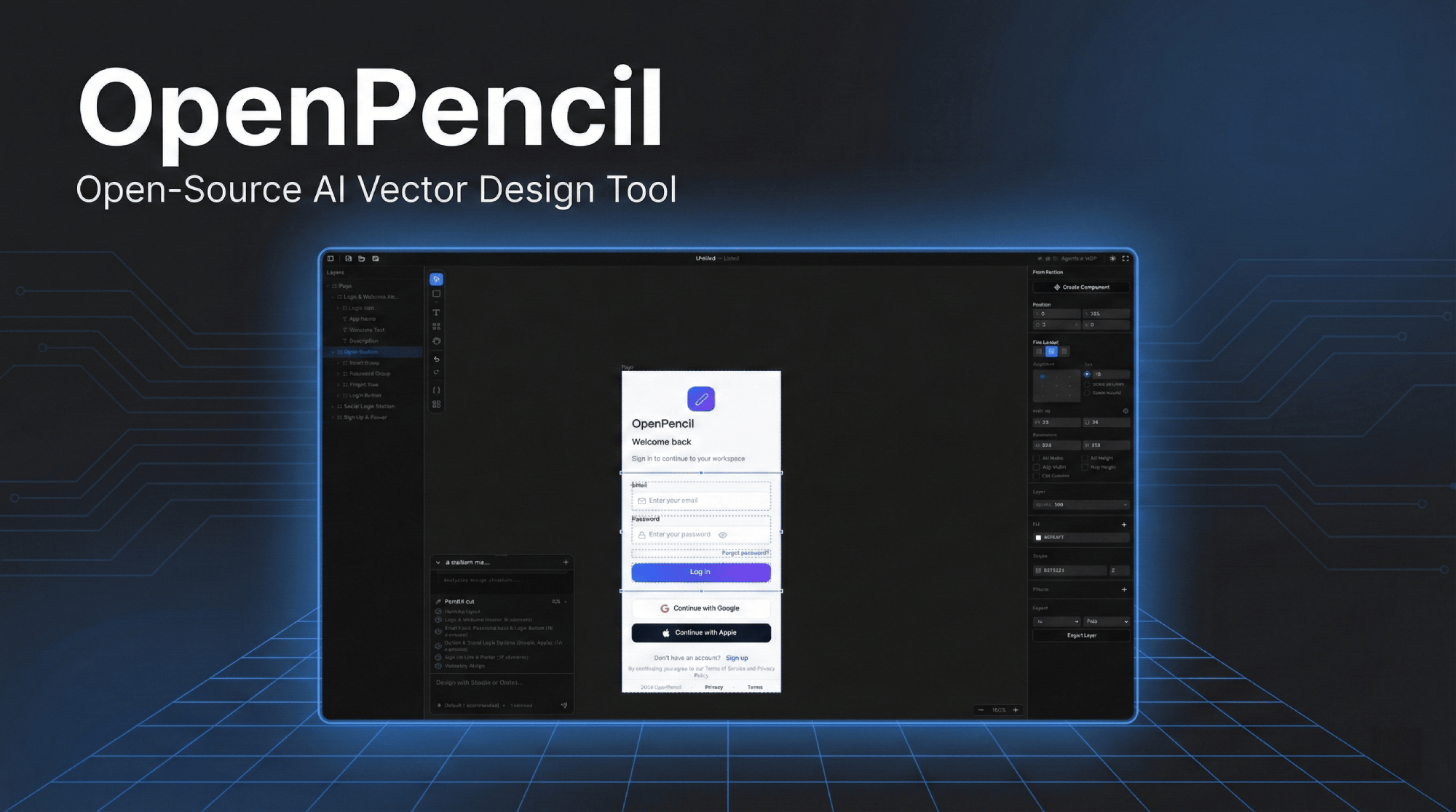
คลิกที่รูปภาพเพื่อดูวิดีโอสาธิต
ทำไมต้อง OpenPencil
🎨 Prompt → Canvasอธิบาย UI ใดก็ได้ด้วยภาษาธรรมชาติ ดูมันปรากฏบน Canvas ไม่จำกัดขนาดแบบเรียลไทม์พร้อม animation แบบ streaming แก้ไขดีไซน์ที่มีอยู่โดยเลือกองค์ประกอบแล้วพิมพ์สนทนา |
🤖 ทีม Agent ทำงานพร้อมกันOrchestrator แบ่งหน้าที่ซับซ้อนออกเป็น sub-task เชิงพื้นที่ AI agent หลายตัวทำงานในส่วนต่าง ๆ พร้อมกัน — hero, features, footer — ทั้งหมด streaming แบบขนาน |
🧠 ปัญญาหลายโมเดลปรับตัวตามความสามารถของแต่ละโมเดลโดยอัตโนมัติ Claude ได้ prompt เต็มรูปแบบพร้อม thinking; GPT-4o/Gemini ปิด thinking; โมเดลขนาดเล็ก (MiniMax, Qwen, Llama) ได้ prompt แบบย่อเพื่อผลลัพธ์ที่เสถียร |
🔌 MCP Serverติดตั้งได้ด้วยคลิกเดียวใน Claude Code, Codex, Gemini, OpenCode, Kiro หรือ Copilot CLIs ออกแบบจาก terminal ของคุณ — อ่าน สร้าง และแก้ไขไฟล์ |
📦 Design-as-Codeไฟล์ |
🖥️ ใช้งานได้ทุกที่เว็บแอป + เดสก์ท็อปแบบ native บน macOS, Windows และ Linux ผ่าน Electron อัปเดตอัตโนมัติจาก GitHub Releases เชื่อมโยงไฟล์ |
⌨️ CLI —
|
🎯 ส่งออกโค้ดหลายแพลตฟอร์มส่งออกจากไฟล์ |
เริ่มต้นอย่างรวดเร็ว
# ติดตั้ง dependencies
bun install

# เริ่ม dev server ที่ http://localhost:3000
bun --bun run dev
หรือรันเป็นแอปพลิเคชัน Desktop:
bun run electron:dev
Docker
มี image หลายรูปแบบให้เลือก — เลือกแบบที่เหมาะกับความต้องการของคุณ:
| Image | ขนาด | รวม |
|---|---|---|
openpencil:latest |
~226 MB | เว็บแอปเท่านั้น |
openpencil-claude:latest |
— | + Claude Code CLI |
openpencil-codex:latest |
— | + Codex CLI |
openpencil-opencode:latest |
— | + OpenCode CLI |
openpencil-copilot:latest |
— | + GitHub Copilot CLI |
openpencil-gemini:latest |
— | + Gemini CLI |
openpencil-full:latest |
~1 GB | เครื่องมือ CLI ทั้งหมด |
รัน (เว็บเท่านั้น):
docker run -d -p 3000:3000 ghcr.io/zseven-w/openpencil:latest
รันพร้อม AI CLI (เช่น Claude Code):
AI chat ต้องใช้การเข้าสู่ระบบ OAuth ของ Claude CLI ใช้ Docker volume เพื่อเก็บรักษา session การเข้าสู่ระบบ:
# ขั้นตอนที่ 1 — เข้าสู่ระบบ (ครั้งเดียว)
docker volume create openpencil-claude-auth
docker run -it --rm \
  -v openpencil-claude-auth:/root/.claude \
  ghcr.io/zseven-w/openpencil-claude:latest claude login

# ขั้นตอนที่ 2 — เริ่มต้น
docker run -d -p 3000:3000 \
  -v openpencil-claude-auth:/root/.claude \
  ghcr.io/zseven-w/openpencil-claude:latest
Build ในเครื่อง:
# พื้นฐาน (เว็บเท่านั้น)
docker build --target base -t openpencil .

# พร้อม CLI เฉพาะตัว
docker build --target with-claude -t openpencil-claude .

# เต็มรูปแบบ (CLI ทั้งหมด)
docker build --target full -t openpencil-full .
การออกแบบที่ขับเคลื่อนด้วย AI
จาก Prompt สู่ UI
- ข้อความเป็นดีไซน์ — อธิบายหน้า แล้วสร้างขึ้นบน Canvas แบบเรียลไทม์พร้อม animation แบบ streaming
- Orchestrator — แบ่งหน้าที่ซับซ้อนออกเป็น sub-task เชิงพื้นที่เพื่อการสร้างแบบขนาน
- การแก้ไขดีไซน์ — เลือกองค์ประกอบ แล้วอธิบายการเปลี่ยนแปลงด้วยภาษาธรรมชาติ
- Vision input — แนบ screenshot หรือ mockup เพื่อใช้เป็นข้อมูลอ้างอิงในการออกแบบ
รองรับหลาย Agent
| Agent | วิธีตั้งค่า |
|---|---|
| Claude Code | ไม่ต้องตั้งค่า — ใช้ Claude Agent SDK พร้อม local OAuth |
| Codex CLI | เชื่อมต่อใน Agent Settings (Cmd+,) |
| OpenCode | เชื่อมต่อใน Agent Settings (Cmd+,) |
| GitHub Copilot | copilot login จากนั้นเชื่อมต่อใน Agent Settings (Cmd+,) |
| Gemini CLI | เชื่อมต่อใน Agent Settings (Cmd+,) |
โปรไฟล์ความสามารถของโมเดล — ปรับ prompt, โหมด thinking และ timeout ตามระดับโมเดลโดยอัตโนมัติ โมเดลระดับเต็ม (Claude) ได้ prompt ครบถ้วน; โมเดลระดับมาตรฐาน (GPT-4o, Gemini, DeepSeek) ปิด thinking; โมเดลระดับพื้นฐาน (MiniMax, Qwen, Llama, Mistral) ได้ prompt แบบ nested-JSON ที่ย่อลงเพื่อความเสถียรสูงสุด
MCP Server
- MCP Server ในตัว — ติดตั้งได้ด้วยคลิกเดียวใน Claude Code / Codex / Gemini / OpenCode / Kiro / Copilot CLIs
- ตรวจจับ Node.js อัตโนมัติ — หากไม่ได้ติดตั้ง จะสำรองไปใช้ HTTP transport และเริ่ม MCP HTTP server โดยอัตโนมัติ
- การทำ Design automation จาก terminal: อ่าน สร้าง และแก้ไขไฟล์
.opผ่าน agent ที่รองรับ MCP - Layered design workflow —
design_skeleton→design_content→design_refineสำหรับดีไซน์หลายส่วนที่มีความละเอียดสูงขึ้น - Segmented prompt retrieval — โหลดเฉพาะความรู้ด้านดีไซน์ที่ต้องการ (schema, layout, roles, icons, planning ฯลฯ)
- รองรับหลายหน้า — สร้าง เปลี่ยนชื่อ เรียงลำดับ และทำซ้ำหน้าผ่าน MCP tools
การสร้างโค้ด
- React + Tailwind CSS, HTML + CSS, CSS Variables
- Vue, Svelte, Flutter, SwiftUI, Jetpack Compose, React Native
CLI — op
ติดตั้งแบบ global และควบคุมเครื่องมือออกแบบจาก terminal ของคุณ:
npm install -g @zseven-w/openpencil
op start                     # เปิดแอปเดสก์ท็อป
op design @landing.txt       # ออกแบบแบบ batch จากไฟล์
op insert '{"type":"RECT"}'  # แทรก node
op export react --out .      # ส่งออกเป็น React + Tailwind
op import:figma design.fig   # นำเข้าไฟล์ Figma
cat design.dsl | op design - # Pipe จาก stdin
รองรับ 3 วิธีการป้อนข้อมูล: สตริงแบบ inline, @filepath (อ่านจากไฟล์) หรือ - (อ่านจาก stdin) ทำงานร่วมกับแอปเดสก์ท็อปหรือ web dev server ดู CLI README สำหรับคู่มือคำสั่งฉบับเต็ม
ฟีเจอร์
Canvas และการวาด
- Canvas ไม่จำกัดขนาดพร้อม pan, zoom, smart alignment guides และ snapping
- Rectangle, Ellipse, Line, Polygon, Pen (Bezier), Frame, Text
- การดำเนินการบูลีน — รวม ลบ ตัดกัน พร้อมแถบเครื่องมือตามบริบท
- ตัวเลือก Icon (Iconify) และนำเข้ารูปภาพ (PNG/JPEG/SVG/WebP/GIF)
- Auto-layout — แนวตั้ง/แนวนอนพร้อม gap, padding, justify, align
- เอกสารหลายหน้าพร้อมการนำทางด้วย tab
Design System
- Design variables — color, number, string tokens พร้อมการอ้างอิง
$variable - รองรับหลาย theme — หลาย axis แต่ละ axis มี variants (Light/Dark, Compact/Comfortable)
- ระบบ Component — component ที่นำกลับมาใช้ใหม่ได้พร้อม instance และ override
- CSS sync — สร้าง custom properties อัตโนมัติ,
var(--name)ในผลลัพธ์โค้ด
นำเข้าจาก Figma
- นำเข้าไฟล์
.figโดยคงไว้ซึ่ง layout, fills, strokes, effects, text, images และ vectors
Desktop App
- รองรับ macOS, Windows และ Linux แบบ native ผ่าน Electron
- เชื่อมโยงไฟล์
.op— ดับเบิลคลิกเพื่อเปิด, single-instance lock - อัปเดตอัตโนมัติจาก GitHub Releases
- เมนูแอปพลิเคชันและ file dialog แบบ native
Tech Stack
| Frontend | React 19 · TanStack Start · Tailwind CSS v4 · shadcn/ui |
| Canvas | CanvasKit/Skia (WASM, GPU-accelerated) |
| State | Zustand v5 |
| Server | Nitro |
| Desktop | Electron 35 |
| CLI | op — ควบคุมจาก terminal, batch design DSL, ส่งออกโค้ด |
| AI | Anthropic SDK · Claude Agent SDK · OpenCode SDK · Copilot SDK |
| Runtime | Bun · Vite 7 |
| รูปแบบไฟล์ | .op — ใช้ JSON, อ่านได้โดยมนุษย์, Git-friendly |
โครงสร้างโปรเจกต์
openpencil/
├── apps/
│   ├── web/                 TanStack Start web app
│   │   ├── src/
│   │   │   ├── canvas/      CanvasKit/Skia engine — การวาด, sync, layout
│   │   │   ├── components/  React UI — editor, panels, shared dialogs, icons
│   │   │   ├── services/ai/ AI chat, orchestrator, การสร้างดีไซน์, streaming
│   │   │   ├── stores/      Zustand — canvas, document, pages, history, AI
│   │   │   ├── mcp/         MCP server tools สำหรับการเชื่อมต่อ CLI ภายนอก
│   │   │   ├── hooks/       Keyboard shortcuts, file drop, Figma paste
│   │   │   └── uikit/       ระบบ component kit ที่นำกลับมาใช้ใหม่ได้
│   │   └── server/
│   │       ├── api/ai/      Nitro API — streaming chat, generation, validation
│   │       └── utils/       Claude CLI, OpenCode, Codex, Copilot wrappers
│   ├── desktop/             Electron desktop app
│   │   ├── main.ts          Window, Nitro fork, native menu, auto-updater
│   │   ├── ipc-handlers.ts  ไดอะล็อกไฟล์เนทีฟ, ซิงค์ธีม, การตั้งค่า IPC
│   │   └── preload.ts       IPC bridge
│   └── cli/                 เครื่องมือ CLI — คำสั่ง `op`
│       ├── src/commands/    คำสั่ง design, document, export, import, node, page, variable
│       ├── connection.ts    การเชื่อมต่อ WebSocket ไปยังแอปที่กำลังทำงาน
│       └── launcher.ts      ตรวจจับและเปิดแอปเดสก์ท็อปหรือ web server อัตโนมัติ
├── packages/
│   ├── pen-types/           Type definitions สำหรับ PenDocument model
│   ├── pen-core/            Document tree ops, layout engine, variables
│   ├── pen-codegen/         Code generators (React, HTML, Vue, Flutter, ...)
│   ├── pen-figma/           Figma .fig file parser และ converter
│   ├── pen-renderer/        Standalone CanvasKit/Skia renderer
│   └── pen-sdk/             Umbrella SDK (re-exports ทุก package)
└── .githooks/               Pre-commit version sync จาก branch name
คีย์ลัด
| คีย์ | การทำงาน | คีย์ | การทำงาน | |
|---|---|---|---|---|
V |
เลือก | Cmd+S |
บันทึก | |
R |
Rectangle | Cmd+Z |
เลิกทำ | |
O |
Ellipse | Cmd+Shift+Z |
ทำซ้ำ | |
L |
Line | Cmd+C/X/V/D |
คัดลอก/ตัด/วาง/ทำซ้ำ | |
T |
Text | Cmd+G |
จัดกลุ่ม | |
F |
Frame | Cmd+Shift+G |
ยกเลิกการจัดกลุ่ม | |
P |
Pen tool | Cmd+Shift+E |
ส่งออก | |
H |
Hand (pan) | Cmd+Shift+C |
Code panel | |
Del |
ลบ | Cmd+Shift+V |
Variables panel | |
[ / ] |
เรียงลำดับ | Cmd+J |
AI chat | |
| ลูกศร | เลื่อน 1px | Cmd+, |
Agent settings | |
Cmd+Alt+U |
รวมบูลีน | Cmd+Alt+S |
ลบบูลีน | |
Cmd+Alt+I |
ตัดกันบูลีน |
Scripts
bun --bun run dev          # Dev server (port 3000)
bun --bun run build        # Production build
bun --bun run test         # รันการทดสอบ (Vitest)
npx tsc --noEmit           # ตรวจสอบ type
bun run bump <version>     # Sync version ในทุก package.json
bun run electron:dev       # Electron dev
bun run electron:build     # Electron package
bun run cli:dev            # รัน CLI จาก source
bun run cli:compile        # คอมไพล์ CLI ไปยัง dist
การมีส่วนร่วม
ยินดีต้อนรับการมีส่วนร่วมทุกรูปแบบ! ดู CLAUDE.md สำหรับรายละเอียดสถาปัตยกรรมและรูปแบบโค้ด
- Fork และ clone
- ตั้งค่า version sync:
git config core.hooksPath .githooks - สร้าง branch:
git checkout -b feat/my-feature - รันการตรวจสอบ:
npx tsc --noEmit && bun --bun run test - Commit ด้วย Conventional Commits:
feat(canvas): add rotation snapping - เปิด PR เข้า
main
Roadmap
- Design variables และ tokens พร้อม CSS sync
- ระบบ Component (instances และ overrides)
- การสร้างดีไซน์ด้วย AI พร้อม orchestrator
- การเชื่อมต่อ MCP server พร้อม layered design workflow
- รองรับหลายหน้า
- นำเข้า Figma
.fig - Boolean operations (union, subtract, intersect)
- โปรไฟล์ความสามารถหลายโมเดล
- ปรับโครงสร้างเป็น monorepo พร้อม package ที่นำกลับมาใช้ใหม่ได้
- เครื่องมือ CLI (
op) ควบคุมจาก terminal - การแก้ไขร่วมกัน
- ระบบปลั๊กอิน
ผู้มีส่วนร่วม
ชุมชน
 เข้าร่วม Discord ของเรา
— ถามคำถาม แชร์ดีไซน์ เสนอฟีเจอร์
เข้าร่วม Discord ของเรา
— ถามคำถาม แชร์ดีไซน์ เสนอฟีเจอร์
Star History
สัญญาอนุญาต
MIT — Copyright (c) 2026 ZSeven-W