 fb47d0ae51
* chore(web): upgrade radius scale + introduce blue --selected token
UI polish pass — design tokens for follow-up commits.
Radius scale was visually too square at the small end. Bump up so
buttons / inputs / cards feel rounded rather than boxy:
- `--radius-sm: 6px → 8px` (buttons, inputs, small chips)
- `--radius: 10px → 12px` (medium containers, Recent filter pill)
- `--radius-lg: 14px → 16px` (project cards)
- `--radius-pill: 999px` unchanged (status chips)
Introduce a separate "selected" colour so selection indicators
(card borders, focus rings) read as blue instead of fighting with
the orange brand accent that drives primary CTAs:
- `--selected: #2563eb` (Tailwind blue-600)
- `--selected-soft: rgba(37, 99, 235, 0.16)` (soft tint for shadows)
No selectors are migrated to `--selected` in this commit — that
happens in a later "selected state" commit so the diff stays scoped.
* refactor(web): replace entry global header with sidebar brand + reorder bottom chips
Pre-existing layout: a global \`AppChromeHeader\` strip sat across the
whole top of EntryView (logo + settings gear), then a 2-column body
below it. Visual mass concentrated in a thin horizontal bar that did
not relate to the page's column structure, and the settings gear
duplicated the bottom Local-CLI chip.
New layout matches the two-column "brand-in-sidebar + tabs-in-main"
pattern: the brand block lives at the top of \`.entry-side\` (left
column), the right tabs live at the top of \`.entry-main\`, and the
vertical divider between them is the only horizontal seam.
EntryView:
- Drop \`<AppChromeHeader actions={avatarMenu} />\` from EntryView's
render — the home page no longer renders the global chrome strip.
(ProjectView still uses AppChromeHeader for back-nav / file
actions, so the component itself stays in the codebase.)
- Add a sidebar brand block inside \`.entry-side\` using the
already-defined \`.entry-brand\` / \`.entry-brand-mark\` /
\`.entry-brand-title\` classes that were sitting dead in
index.css.
- Reorder \`.entry-side-foot\` chips so that the env-critical
Local CLI row sits on top of the row, with the secondary
toggles (language picker, pet adoption, X follow icon) compact
on a second row. The Follow @nexudotio chip drops its text
label and becomes icon-only — pure marketing content, so it no
longer earns a full-width pill.
- Settings access moves entirely to the Local CLI chip's existing
click handler; the top-right gear is gone (it was a duplicate).
CSS:
- \`.entry-shell\` grid: \`auto 1fr\` → \`1fr\` (no header row).
- \`.entry-side\` background: \`var(--bg-panel)\` → \`transparent\`,
so the sidebar shares the page beige and only the New-prototype
card reads as white. Removes the "everything on the left is on
one big white sheet" feeling.
- \`.entry-brand\` gets \`padding: 24px 20px 18px\` so the logo +
title block has breathing room at the top of the sidebar.
- \`.entry-brand-mark\` width/height \`44 → 34\`. The previous
44px gradient ring was visually heavier than the title text it
sat next to.
- \`.entry-brand-title\` weight \`600 → 450\`, color
\`var(--text-strong)\` → \`var(--text)\`. Serif title still
reads as the page anchor without the chunky "bold black" stamp.
- \`.entry-brand-actions\` added for future right-aligned actions
(carries no actual content in this commit — kept so re-adding a
settings/avatar entry point doesn't need new CSS).
- \`.entry-side-foot .foot-pill\` slim pass: padding
\`4px 10px → 3px 8px\`, font \`11.5px → 10.5px\`, gap \`6 → 5\`,
plus \`justify-content: center\` and \`min-height: 24px\` so the
icon-only Follow pill stays the same height as the text pills
next to it.
* style(web): align right tabs row with brand row + strip hover/focus noise
Right column's tabs row ("Designs / Templates / Design systems /
Image templates / Video templates") needed three things:
1. Vertical center of tab text aligned with the brand logo on the
left (both rows feel like one row, separated by the vertical
divider only).
2. Active tab's underline sitting flush on the horizontal divider
below the tabs (not floating mid-row).
3. No hover background, no focus outline, no transition — tabs are
a navigation strip, not action buttons.
Changes:
- `.entry-header` padding `0 28px` → `24px 28px 0`, drop the
`min-height: 52px`. Padding-top mirrors the brand block's
padding-top (24px) so left logo top and right tabs top land on
the same Y. Header height now content-driven; underline meets
the `border-bottom` divider naturally.
- `.entry-tabs` gets `align-self: stretch` + `align-items: center`
+ `gap: 2px → 24px`. The stretch lets the tabs container fill
header height; the bigger gap matches Claude Design's tab
rhythm.
- `.entry-tab` becomes a "plain underline tab":
- `border-radius: 6px 6px 0 0 → 0` (no folder-tab look — that's
on the left tabs).
- `padding: 14px 11px → 6px 4px 8px` so text + underline form a
tight group, with the underline sitting at the bottom of the
tab box right above the header divider.
- `font-size: 14px → 12px` matches the left newproj tabs (set
in commit 4) — both columns share the same tab type-size.
- `transition: none` removes the inherited 120ms background /
border / color transition.
- Hover / focus / active states explicitly zero out background,
border-color, outline. Hover keeps a subtle color change
(`text-muted → text`) so the tab still feels interactive
without flashing a chip behind it.
- Active state colors are duplicated across `.active`,
`.active:hover`, `.active:focus`, `.active:focus-visible` so the
black underline never gets overwritten by the inactive-state
rules above.
* style(web): folder-tab merge on left newproj tabs + flat card top corners
The left "Prototype / Live artifact / Slide deck / …" tabs sat as
plain underline tabs above a fully-rounded card. The active tab and
card looked like two stacked rectangles with a gap.
Folder-tab pattern:
- Active tab gets a white background + 12px top corners + a 1px
border on top / left / right.
- Active tab's bottom border matches the card's background color
(effectively invisible) — so where the tab sits, the card's top
border is "broken" and tab + card read as one merged shape.
- Card top corners are square (`border-radius: 0 0 12px 12px`),
bottom corners stay 12px. With the active tab's square bottom
edge, the merge line at the tab/card seam is a clean horizontal,
not a curve mismatch.
Implementation:
- `.newproj-tabs-shell`:
- `overflow: hidden → visible` so the tab's overlap with the
card below isn't clipped at the shell's bottom edge.
- `margin-bottom: -1px` + `z-index: 2` so the shell renders on
top of the card and the 1px tab/card overlap actually paints.
- The `.can-left { padding-left: 40 }` / `.can-right` overrides
used to reserve room for scroll arrows are removed (arrows
are hidden, no extra padding needed).
- `.newproj-tabs` keeps its horizontal `overflow-x: auto` so the
8 project-type tabs can still scroll inside the sidebar width.
- `.newproj-tabs-arrow` becomes `display: none`. The two
chevron-circle buttons added clutter without much benefit —
users with touchpads / wheels / keyboard already scroll the
tabs row natively, and the `::before` / `::after` linear-
gradient fades (now using `--bg` instead of `--bg-panel` so
they fade into the page beige, not the sidebar panel that no
longer exists) signal there are more tabs to the right.
- `.newproj-tab`:
- Replace the plain bottom-underline (`border-bottom: 2px
solid transparent`) with a full transparent 1px border so
the active state can flip just the colors without changing
layout.
- `border-radius: 0 → 12px 12px 0 0`.
- `position: relative` for z-index stacking.
- `padding: 10px 6px → 7px 14px` (less vertical, more
horizontal — tabs read as "labels" rather than chunky
buttons).
- Symmetric top/bottom padding (`7px`) so the text + folder-
tab top corners stack cleanly.
- `transition: none` — no animation between active/inactive
states (tabs are nav, not action buttons).
- All hover / focus / focus-visible / active states zeroed out
background and border-color so the inherited `button { … }`
base style (which adds bg-subtle on hover) does not bleed in.
Subtle color change on hover (`text-muted → text`) is the
only affordance.
- `.newproj-tab.active` (+ active hover/focus combos so the
base rules don't override): white bg, full var(--border) on
three sides, bottom border = var(--bg-panel) (invisible
against card), z-index 3 (above non-active tabs and shell
pseudo-elements).
- `.newproj-body`:
- `margin: 0 24px` so the card breathes inside the sidebar
(and the active tab's left edge aligns with the card's left
edge).
- `padding: 18px 24px 28px → 16px 18px 18px` — tighter.
- `border-radius: (full 12) → 0 0 12px 12px` for the
flat-top merge with the active tab.
- Adds explicit `border` + `background: var(--bg-panel)` +
`box-shadow: var(--shadow-xs)` so the form reads as a card
floating on the transparent sidebar.
- `flex: 1 → 0 0 auto` (and `min-height: 0` / `overflow-y:
auto` removed) — the card is content-sized, not stretched
to fill the sidebar. Empty space below the card is now
page beige, not a giant white sheet.
- `gap: 14px → 12px` between form sections.
* style(web): slim NewProjectPanel form (title, fidelity, buttons, ds-picker)
The form inside the new white card felt overweight against the
compacted layout from the previous commits — fidelity cards were
~133px tall, the Create button + Open-folder secondary button both
had ~11px symmetric padding, the design-system trigger had a 32px
avatar in a 55px-tall row. Slim every element so the card reads as a
focused form, not a stack of beefy buttons.
Title:
- \`.newproj-title\` font \`14px / 600 → 13px / 550\`. Still
visibly the section heading but no longer competing with the
serif brand title above.
Fidelity:
- \`.fidelity-thumb { aspect-ratio: 12/7 → 16/7 }\`. The previous
aspect made cards taller than they needed to be in the narrow
sidebar column.
- \`.fidelity-card { gap: 8 → 6, padding: 10/10/12 → 8/8/10 }\`.
Combined with the thumb aspect change, card height drops from
~133px → ~102px (visually close to the Claude Design reference
while keeping the same content).
Primary / secondary buttons:
- \`.newproj-create\` padding \`11px (symmetric) → 8px 11px\`,
margin-top \`4 → 2\` — primary CTA no longer towers over the
fidelity cards above it.
- \`.newproj-import\` padding \`10px → 6px 10px\` — the secondary
"Import Claude Design ZIP" button feels like an alt option, not
a peer of Create.
Design system trigger:
- \`.ds-picker-trigger\` gap \`10 → 8\`, padding \`8/10 → 6/10\`.
- \`.ds-picker-title\` font \`13 → 12.5\` so name + subtitle stay
legible in the slimmer row without overflowing the column.
- \`.ds-avatar\` width/height \`32 → 26\`, border-radius \`6 → 5\`.
The thumbnail was the dominant element in the row; shrinking it
pulls the row height from ~55px → ~50px.
Footer disclaimer:
- \`.newproj-footer\` padding-top \`0 → 12px\`. The "Only you can
see your project by default." line was butting against the card
bottom; 12px of air separates the disclaimer (page-bg context)
from the card (panel-bg context) cleanly.
* style(web): blue selected indicators + Recent filter rounded + neutral input focus
Three small "selection state" tweaks driven by the new
\`--selected\` token introduced earlier in this branch:
1. Fidelity card selected border is now blue, not the brand
accent. The orange Create button + the orange selected card
border were fighting for the same visual role (primary
action vs primary selection). Blue clearly says "this is
the one that is selected" without competing with the CTA.
- \`.fidelity-card.active\` border-color
\`var(--accent) → var(--selected)\`.
- Box-shadow ring + soft 0.04 drop swapped from the orange
\`180/90/59\` rgba tuple to the blue \`37/99/235\` tuple.
- \`.fidelity-card.active .fidelity-thumb\` border swapped
from \`var(--accent-soft) → var(--selected-soft)\`.
2. Recent / Your designs filter is no longer a fully-rounded
pill. The bottom-left settings chips deserve to be the only
"999px pill" shape — those are tertiary status indicators.
The Recent/Your designs toggle is a higher-importance
inline filter, so it gets the medium radius instead.
- \`.subtab-pill\` wrapper border-radius
\`var(--radius-pill) → var(--radius)\` (12px).
- Inner button border-radius
\`var(--radius-pill) → var(--radius-sm)\` (8px).
- Active state background \`var(--text) → var(--bg-panel)\`,
color \`var(--bg) → var(--text)\`. The "black filled pill"
read as a status badge; white-on-faint-gray reads as
"selected toggle" — same shape as Claude Design's Recent
pill.
3. Input focus is neutralised. The base \`input:focus\` rule
added an orange border + a 3px orange-soft ring around the
focused field — way too much visual weight for a quiet form
("Project name" → focus made it scream).
- \`input:focus / textarea:focus / select:focus\` border-color
\`var(--accent) → var(--border-strong)\` (light grey).
- Box-shadow ring removed (\`none\`). Focused inputs now only
darken their border by one step — barely visible but enough
to confirm focus.
These three changes are grouped because they all migrate selection-
state styling off the brand accent and onto neutral / blue tokens.
The next pass (if any) can sweep the remaining \`var(--accent)\`
selection sites (\`.ds-row.active\`, \`.ds-picker-trigger.open\`,
\`.conv-pill.open\`, …) to use \`--selected\` too, but each of those
lives in a different surface and felt out of scope for the entry
view polish.
* refactor(web): pet rail toggle moves inside pet pill as split button
WHAT
- Convert the pet pill from a single `<button>` to a `<div>` containing
two buttons separated by a 1px divider:
* `.pet-pill-main` keeps the existing "Adopt a pet" / "Change pet"
glyph + label + unadopted dot, still wired to `onAdoptPet`.
* `.pet-pill-toggle` is a small icon-only button that flips
`petRailHidden` — eye icon when the rail is hidden ("click to show"),
eye-off when visible ("click to hide").
- Drop the old avatar-menu popover from EntryView entirely:
`avatarMenuOpen` state, the outside-click / Escape effect, and the
cog-popover trigger are all removed. The `Settings` entry of that
popover was already redundant with the `Local CLI` chip; the
`Hide/Show pet picker` entry now lives directly on the pet pill.
- CSS in the `.pet-pill` block:
* `height: 24px` + `padding: 0` so the outer pill matches every other
chip in the row vertically.
* `.pet-pill-glyph` reduced from 14px to 12px and constrained to a
14x14 inline-flex box so the unicorn / paw glyph stops pushing the
chip taller than 24px.
* Per-region hover (`.pet-pill-main:hover`, `.pet-pill-toggle:hover`)
so each side of the split lights up independently, with the divider
inheriting the accent tint while the chip is in `pet-pill-fresh`.
WHY
- After commit
|
||
|---|---|---|
| .github | ||
| .vaunt | ||
| apps | ||
| assets | ||
| craft | ||
| deploy | ||
| design-systems | ||
| design-templates | ||
| docs | ||
| e2e | ||
| nix | ||
| packages | ||
| prompt-templates | ||
| scripts | ||
| skills | ||
| specs | ||
| story | ||
| templates | ||
| tools | ||
| .dockerignore | ||
| .gitignore | ||
| .node-version | ||
| AGENTS.md | ||
| CHANGELOG.md | ||
| CLAUDE.md | ||
| CONTRIBUTING.de.md | ||
| CONTRIBUTING.fr.md | ||
| CONTRIBUTING.ja-JP.md | ||
| CONTRIBUTING.md | ||
| CONTRIBUTING.pt-BR.md | ||
| CONTRIBUTING.zh-CN.md | ||
| edited_image.png | ||
| flake.lock | ||
| flake.nix | ||
| LICENSE | ||
| MAINTAINERS.de.md | ||
| MAINTAINERS.fr.md | ||
| MAINTAINERS.ja-JP.md | ||
| MAINTAINERS.md | ||
| MAINTAINERS.pt-BR.md | ||
| MAINTAINERS.zh-CN.md | ||
| package.json | ||
| pnpm-lock.yaml | ||
| pnpm-workspace.yaml | ||
| QUICKSTART.de.md | ||
| QUICKSTART.fr.md | ||
| QUICKSTART.ja-JP.md | ||
| QUICKSTART.md | ||
| QUICKSTART.pt-BR.md | ||
| QUICKSTART.zh-CN.md | ||
| QUICKSTART.zh-TW.md | ||
| README.ar.md | ||
| README.de.md | ||
| README.es.md | ||
| README.fr.md | ||
| README.ja-JP.md | ||
| README.ko.md | ||
| README.md | ||
| README.pt-BR.md | ||
| README.ru.md | ||
| README.tr.md | ||
| README.uk.md | ||
| README.zh-CN.md | ||
| README.zh-TW.md | ||
| TRANSLATIONS.md | ||
| vercel.json | ||

Open Design
The open-source alternative to Claude Design. Local-first, web-deployable, BYOK at every layer — 16 coding-agent CLIs auto-detected on your
PATH(Claude Code, Codex, Devin for Terminal, Cursor Agent, Gemini CLI, OpenCode, Qwen, Qoder CLI, GitHub Copilot CLI, Hermes, Kimi, Pi, Kiro, Kilo, Mistral Vibe, DeepSeek TUI) become the design engine, driven by 31 composable Skills and 72 brand-grade Design Systems. No CLI? An OpenAI-compatible BYOK proxy is the same loop minus the spawn.











English · Español · Português (Brasil) · Deutsch · Français · 简体中文 · 繁體中文 · 한국어 · 日本語 · العربية · Русский · Українська · Türkçe
Why this exists
Anthropic's Claude Design (released 2026-04-17, Opus 4.7) showed what happens when an LLM stops writing prose and starts shipping design artifacts. It went viral — and stayed closed-source, paid-only, cloud-only, locked to Anthropic's model and Anthropic's skills. There is no checkout, no self-host, no Vercel deploy, no swap-in-your-own-agent.
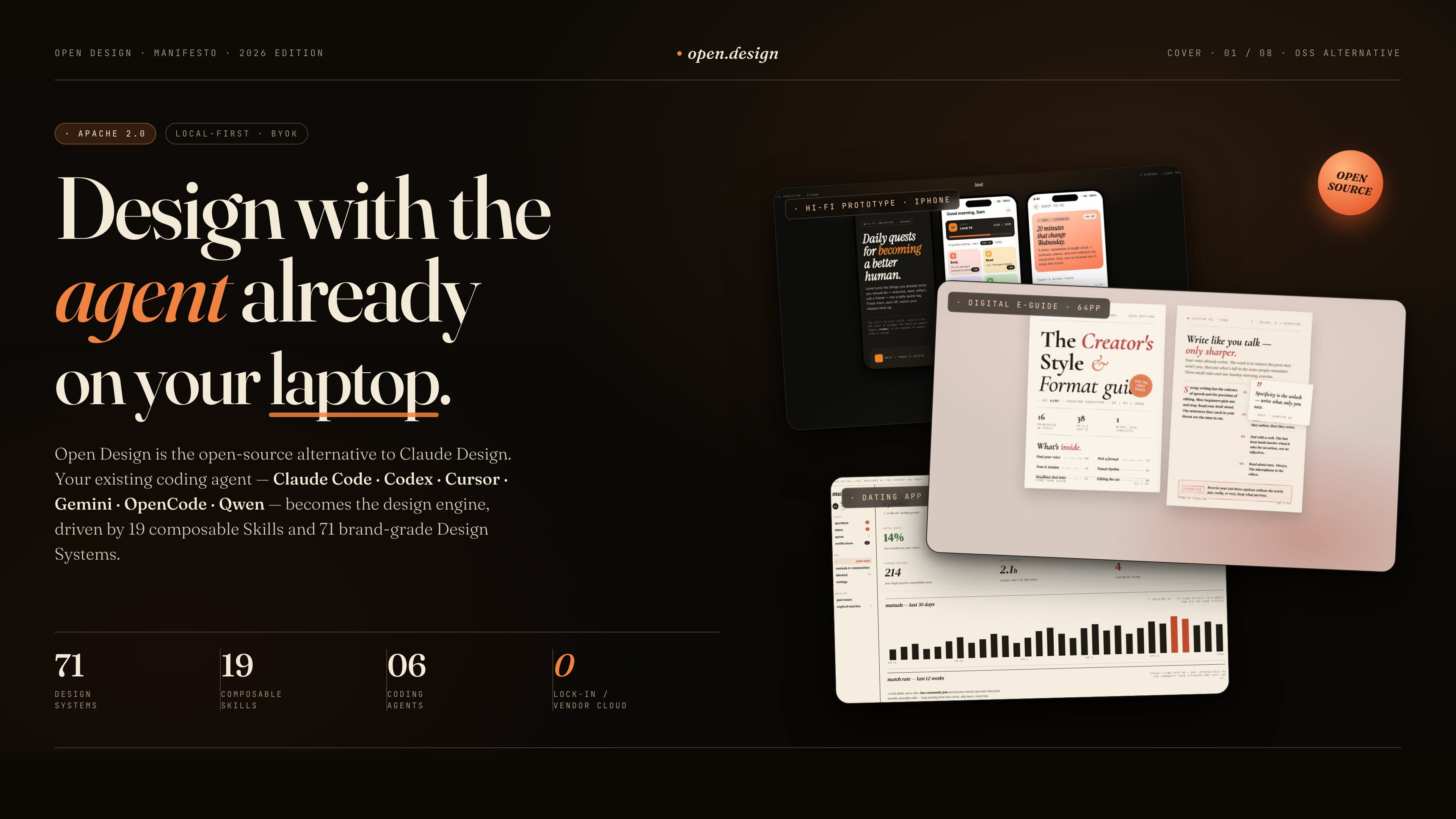
Open Design (OD) is the open-source alternative. Same loop, same artifact-first mental model, none of the lock-in. We don't ship an agent — the strongest coding agents already live on your laptop. We wire them into a skill-driven design workflow that runs locally with pnpm tools-dev, can deploy the web layer to Vercel, and stays BYOK at every layer.
Type make me a magazine-style pitch deck for our seed round. The interactive question form pops up before the model improvises a single pixel. The agent picks one of five curated visual directions. A live TodoWrite plan streams into the UI. The daemon builds a real on-disk project folder with a seed template, layout library, and self-check checklist. The agent reads them — pre-flight enforced — runs a five-dimensional critique against its own output, and emits a single <artifact> that renders in a sandboxed iframe seconds later.
That's not "AI tries to design something". That's an AI that has been trained, by the prompt stack, to behave like a senior designer with a working filesystem, a deterministic palette library, and a checklist culture — exactly the bar Claude Design set, but open and yours.
OD stands on four open-source shoulders:
alchaincyf/huashu-design— the design-philosophy compass. Junior-Designer workflow, the 5-step brand-asset protocol, the anti-AI-slop checklist, the 5-dimensional self-critique, and the "5 schools × 20 design philosophies" idea behind our direction picker — all distilled intoapps/daemon/src/prompts/discovery.ts.op7418/guizang-ppt-skill— the deck mode. Bundled verbatim underskills/guizang-ppt/with original LICENSE preserved; magazine-style layouts, WebGL hero, P0/P1/P2 checklists.OpenCoworkAI/open-codesign— the UX north star and our closest peer. The first open-source Claude-Design alternative. We borrow its streaming-artifact loop, its sandboxed-iframe preview pattern (vendored React 18 + Babel), its live agent panel (todos + tool calls + interruptible generation), and its five-format export list (HTML / PDF / PPTX / ZIP / Markdown). We deliberately diverge on form factor — they are a desktop Electron app bundlingpi-ai; we are a web app + local daemon that delegates to your existing CLI.multica-ai/multica— the daemon-and-runtime architecture. PATH-scan agent detection, the local daemon as the only privileged process, the agent-as-teammate worldview.
At a glance
| What you get | |
|---|---|
| Coding-agent CLIs (16) | Claude Code · Codex CLI · Devin for Terminal · Cursor Agent · Gemini CLI · OpenCode · Qwen Code · Qoder CLI · GitHub Copilot CLI · Hermes (ACP) · Kimi CLI (ACP) · Pi (RPC) · Kiro CLI (ACP) · Kilo (ACP) · Mistral Vibe CLI (ACP) · DeepSeek TUI — auto-detected on PATH, swap with one click |
| BYOK fallback | Protocol-specific API proxy at /api/proxy/{anthropic,openai,azure,google}/stream — paste baseUrl + apiKey + model, choose Anthropic / OpenAI / Azure OpenAI / Google Gemini, and the daemon normalizes SSE back to the same chat stream. Internal-IP/SSRF blocked at the daemon edge. |
| Design systems built-in | 129 — 2 hand-authored starters + 70 product systems (Linear, Stripe, Vercel, Airbnb, Tesla, Notion, Anthropic, Apple, Cursor, Supabase, Figma, Xiaohongshu, …) from awesome-design-md, plus 57 design skills from awesome-design-skills added directly under design-systems/ |
| Skills built-in | 31 — 27 in prototype mode (web-prototype, saas-landing, dashboard, mobile-app, gamified-app, social-carousel, magazine-poster, dating-web, sprite-animation, motion-frames, critique, tweaks, wireframe-sketch, pm-spec, eng-runbook, finance-report, hr-onboarding, invoice, kanban-board, team-okrs, …) + 4 in deck mode (guizang-ppt · simple-deck · replit-deck · weekly-update). Grouped in the picker by scenario: design / marketing / operation / engineering / product / finance / hr / sale / personal. |
| Media generation | Image · video · audio surfaces ship alongside the design loop. gpt-image-2 (Azure / OpenAI) for posters, avatars, infographics, illustrated maps · Seedance 2.0 (ByteDance) for cinematic 15s text-to-video and image-to-video · HyperFrames (heygen-com/hyperframes) for HTML→MP4 motion graphics (product reveals, kinetic typography, data charts, social overlays, logo outros). 93 ready-to-replicate prompts gallery — 43 gpt-image-2 + 39 Seedance + 11 HyperFrames — under prompt-templates/, with preview thumbnails and source attribution. Same chat surface as code; outputs a real .mp4 / .png chip into the project workspace. |
| Visual directions | 5 curated schools (Editorial Monocle · Modern Minimal · Warm Soft · Tech Utility · Brutalist Experimental) — each ships a deterministic OKLch palette + font stack (apps/daemon/src/prompts/directions.ts) |
| Device frames | iPhone 15 Pro · Pixel · iPad Pro · MacBook · Browser Chrome — pixel-accurate, shared across skills under assets/frames/ |
| Agent runtime | Local daemon spawns the CLI in your project folder — agent gets real Read, Write, Bash, WebFetch against a real on-disk environment, with Windows ENAMETOOLONG fallbacks (stdin / prompt-file) on every adapter |
| Imports | Drop a Claude Design export ZIP onto the welcome dialog — POST /api/import/claude-design parses it into a real project so your agent can keep editing where Anthropic left off |
| Persistence | SQLite at .od/app.sqlite: projects · conversations · messages · tabs · saved templates. Reopen tomorrow, todo card and open files are exactly where you left them. |
| Lifecycle | One entry point: pnpm tools-dev (start / stop / run / status / logs / inspect / check) — boots daemon + web (+ desktop) under typed sidecar stamps |
| Desktop | Optional Electron shell with sandboxed renderer + sidecar IPC (STATUS / EVAL / SCREENSHOT / CONSOLE / CLICK / SHUTDOWN) — drives tools-dev inspect desktop screenshot for E2E |
| Deployable to | Local (pnpm tools-dev) · Vercel web layer · packaged Electron desktop app for macOS (Apple Silicon) and Windows (x64) — download from open-design.ai or the latest release |
| License | Apache-2.0 |
Demo
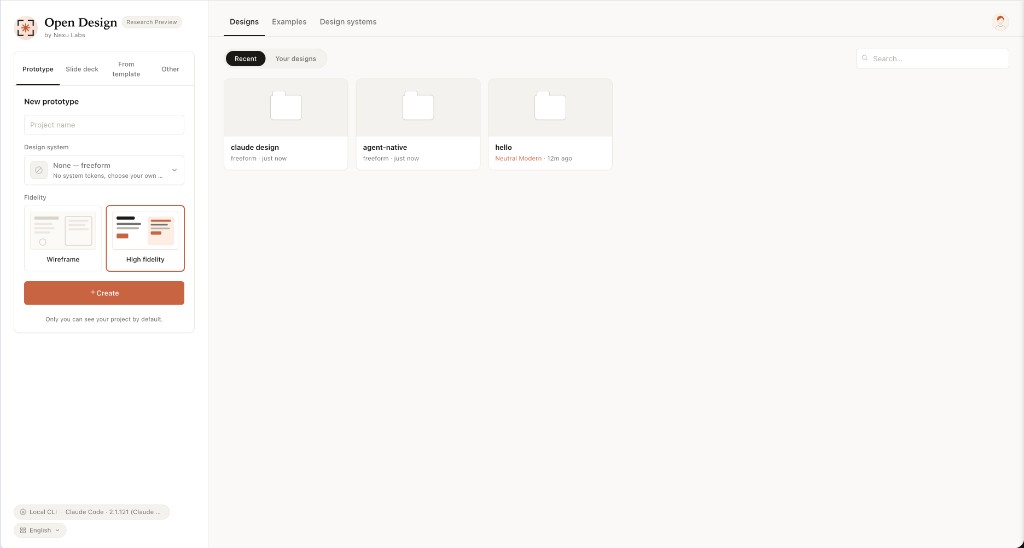 Entry view — pick a skill, pick a design system, type the brief. The same surface for prototypes, decks, mobile apps, dashboards, and editorial pages. |
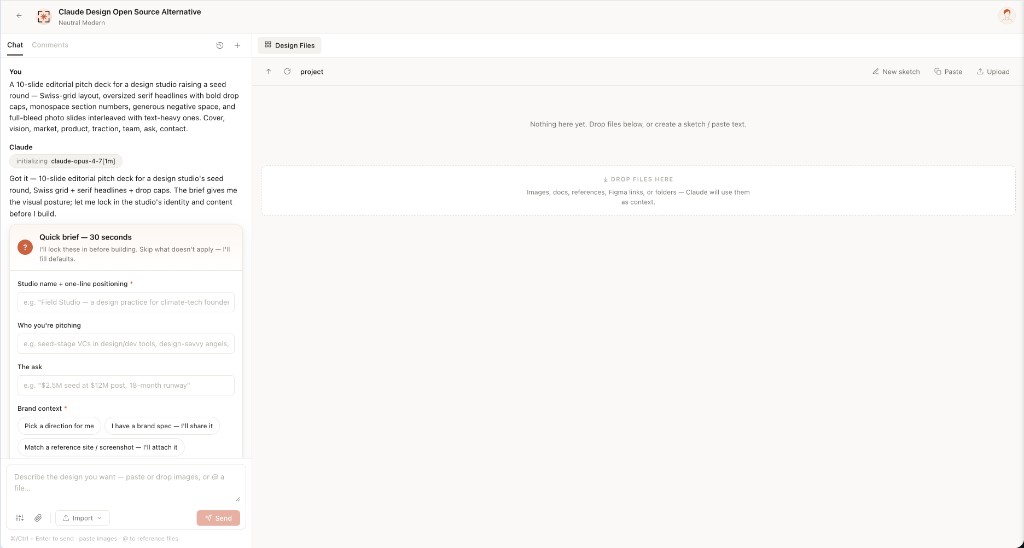 Turn-1 discovery form — before the model writes a pixel, OD locks the brief: surface, audience, tone, brand context, scale. 30 seconds of radios beats 30 minutes of redirects. |
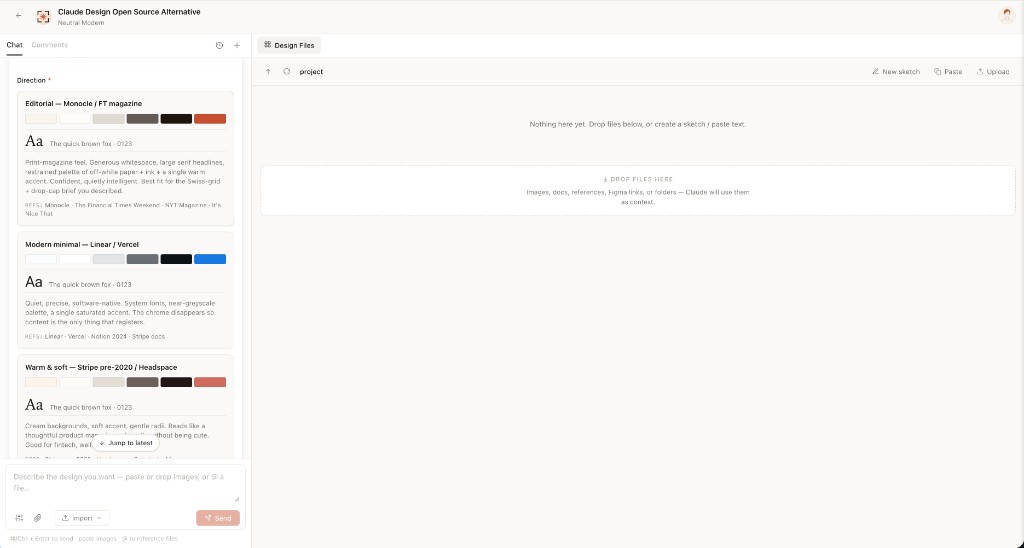 Direction picker — when the user has no brand, the agent emits a second form with 5 curated directions (Monocle / Modern Minimal / Tech Utility / Brutalist / Soft Warm). One radio click → a deterministic palette + font stack, no model freestyle. |
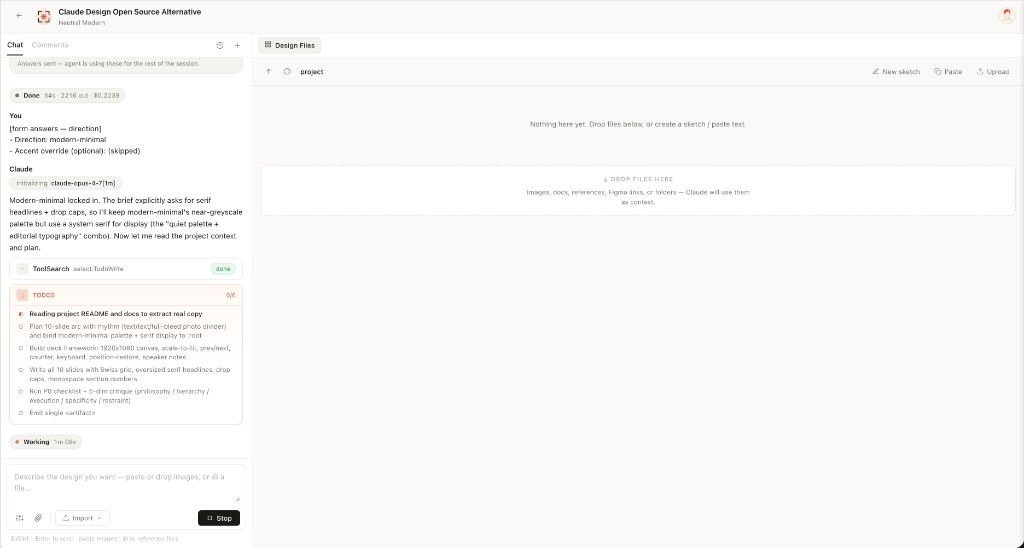 Live todo progress — the agent's plan streams as a live card. in_progress → completed updates land in real time. The user can redirect cheaply, mid-flight.
|
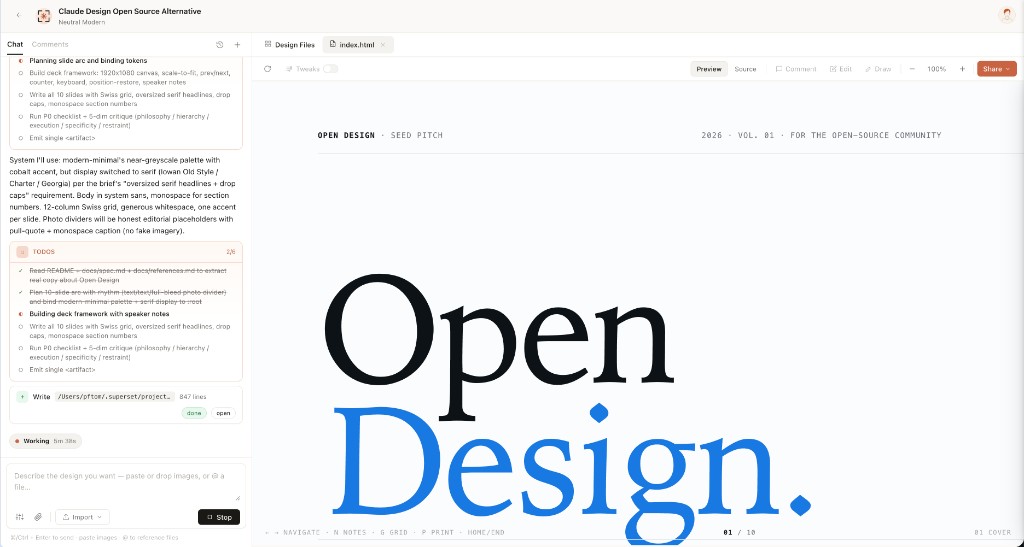 Sandboxed preview — every <artifact> renders in a clean srcdoc iframe. Editable in place via the file workspace; downloadable as HTML, PDF, ZIP.
|
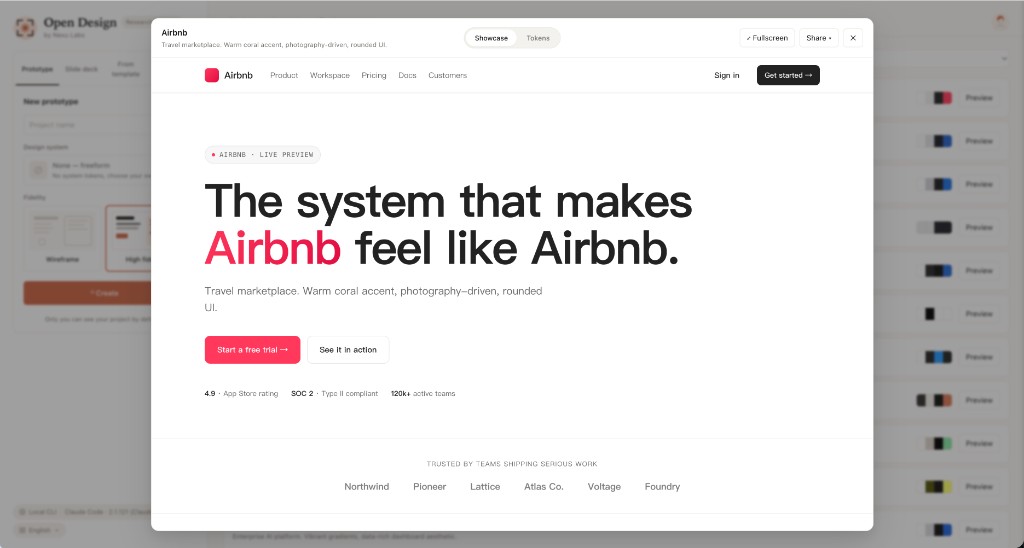 72-system library — every product system shows its 4-color signature. Click for the full DESIGN.md, swatch grid, and live showcase.
|
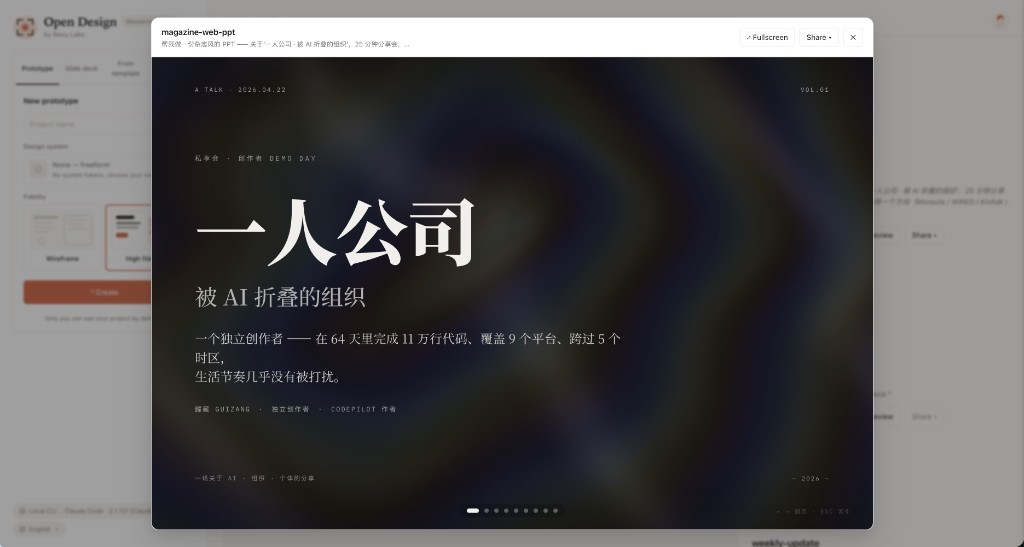 Deck mode (guizang-ppt) — the bundled guizang-ppt-skill drops in unchanged. Magazine layouts, WebGL hero backgrounds, single-file HTML output, PDF export.
|
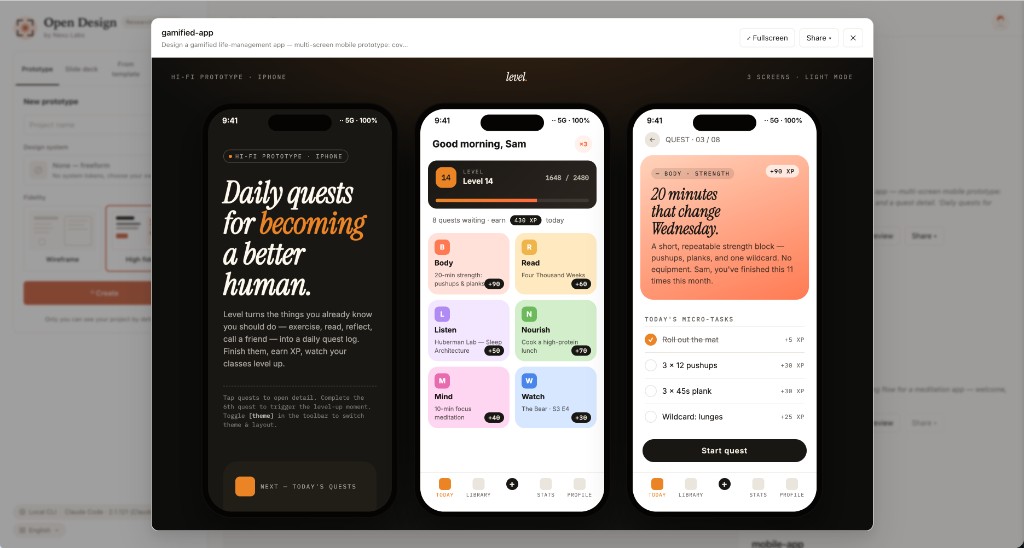 Mobile prototype — pixel-accurate iPhone 15 Pro chrome (Dynamic Island, status bar SVGs, home indicator). Multi-screen prototypes use the shared /frames/ assets so the agent never re-draws a phone.
|
Skills
31 skills ship in the box. Each is a folder under skills/ following the Claude Code SKILL.md convention with an extended od: frontmatter that the daemon parses verbatim — mode, platform, scenario, preview.type, design_system.requires, default_for, featured, fidelity, speaker_notes, animations, example_prompt (apps/daemon/src/skills.ts).
Two top-level modes carry the catalog: prototype (27 skills — anything that renders as a single-page artifact, from a magazine landing to a phone screen to a PM spec doc) and deck (4 skills — horizontal-swipe presentations with deck-framework chrome). The scenario field is what the picker groups them by: design · marketing · operation · engineering · product · finance · hr · sale · personal.
Showcase examples
The visually distinctive skills you'll most likely run first. Each ships a real example.html you can open straight from the repo to see exactly what the agent will produce — no auth, no setup.
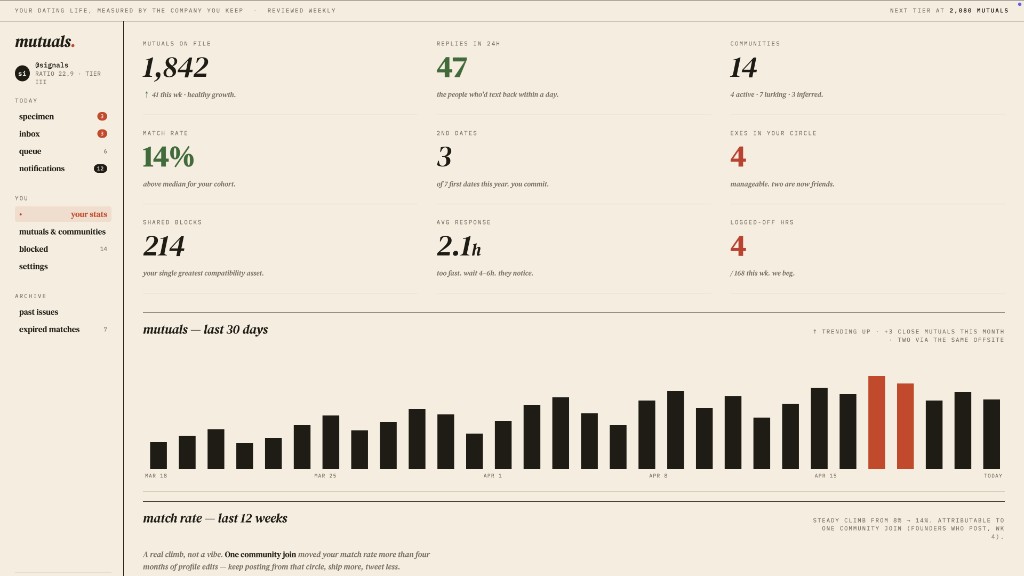 dating-web · prototypeConsumer dating / matchmaking dashboard — left rail nav, ticker bar, KPIs, 30-day mutual-matches chart, editorial typography. |
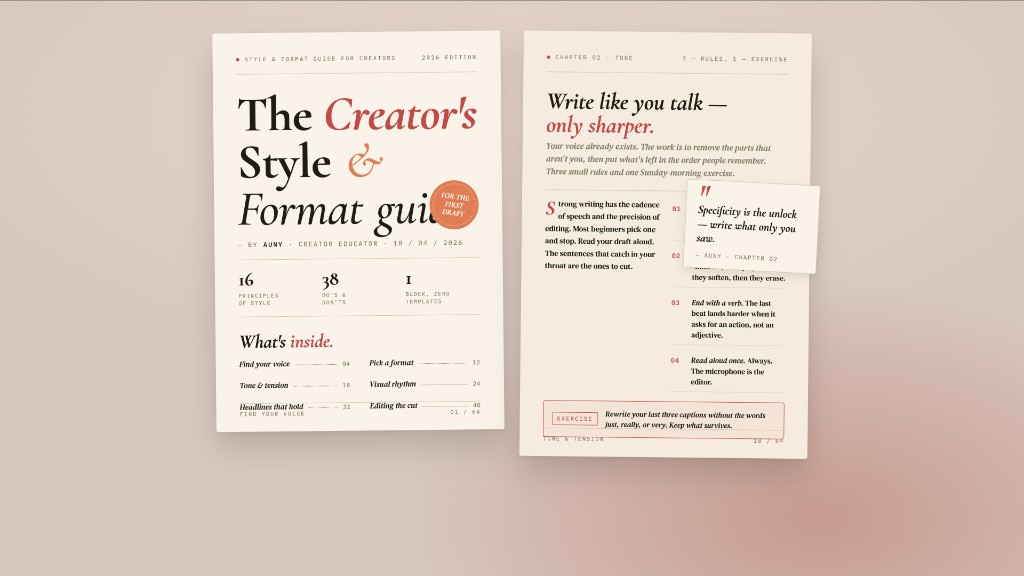 digital-eguide · templateTwo-spread digital e-guide — cover (title, author, TOC teaser) + lesson spread with pull-quote and step list. Creator / lifestyle tone. |
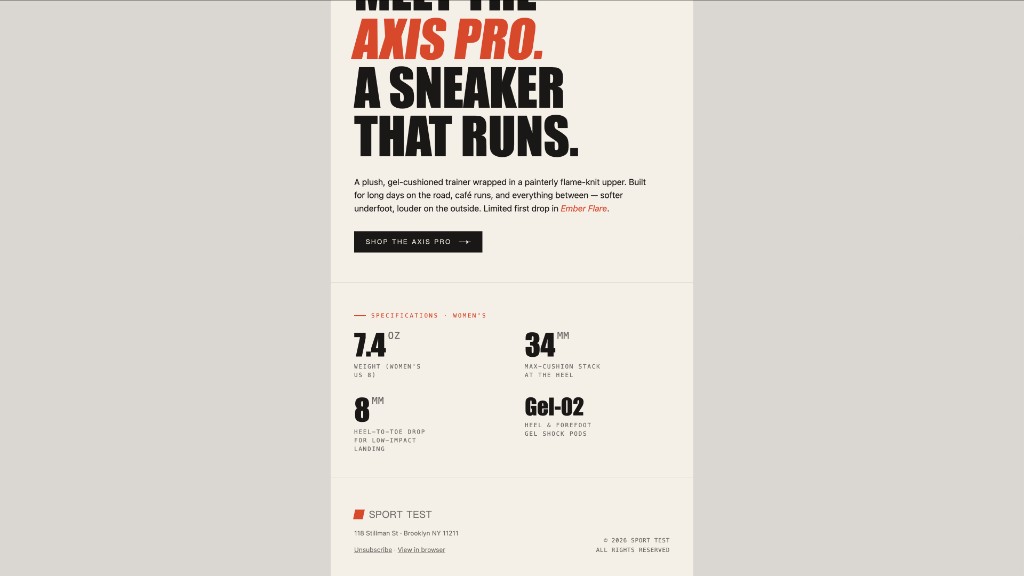 email-marketing · prototypeBrand product-launch HTML email — masthead, hero image, headline lockup, CTA, specs grid. Centered single-column, table-fallback safe. |
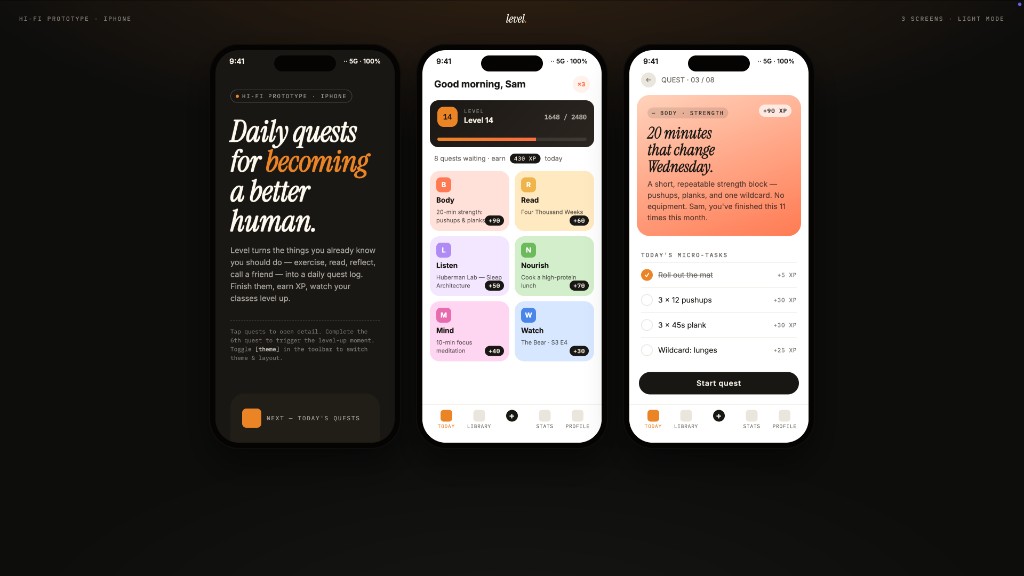 gamified-app · prototypeThree-frame gamified mobile-app prototype on a dark showcase stage — cover, today's quests with XP ribbons + level bar, quest detail. |
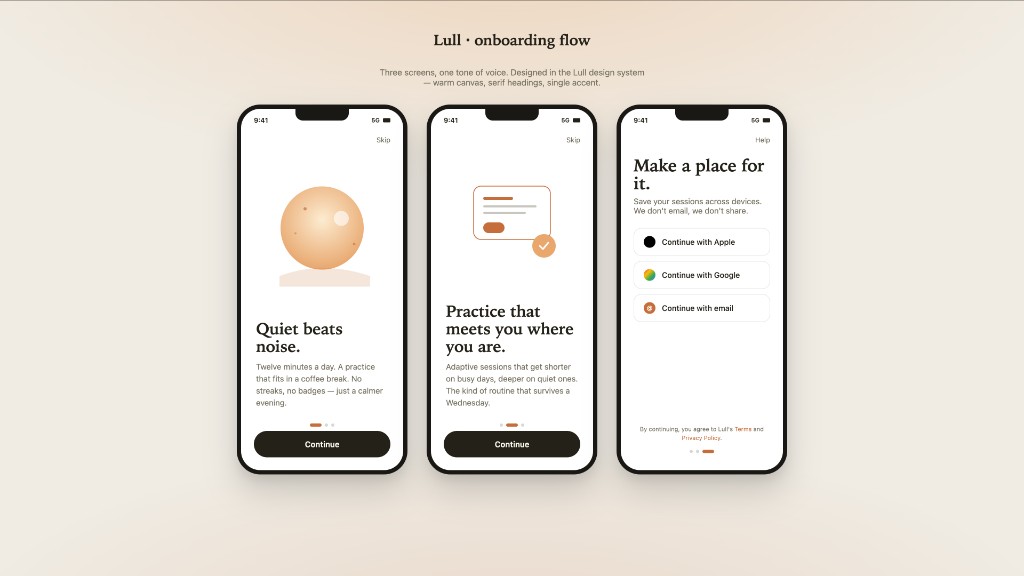 mobile-onboarding · prototypeThree-frame mobile onboarding flow — splash, value-prop, sign-in. Status bar, swipe dots, primary CTA. |
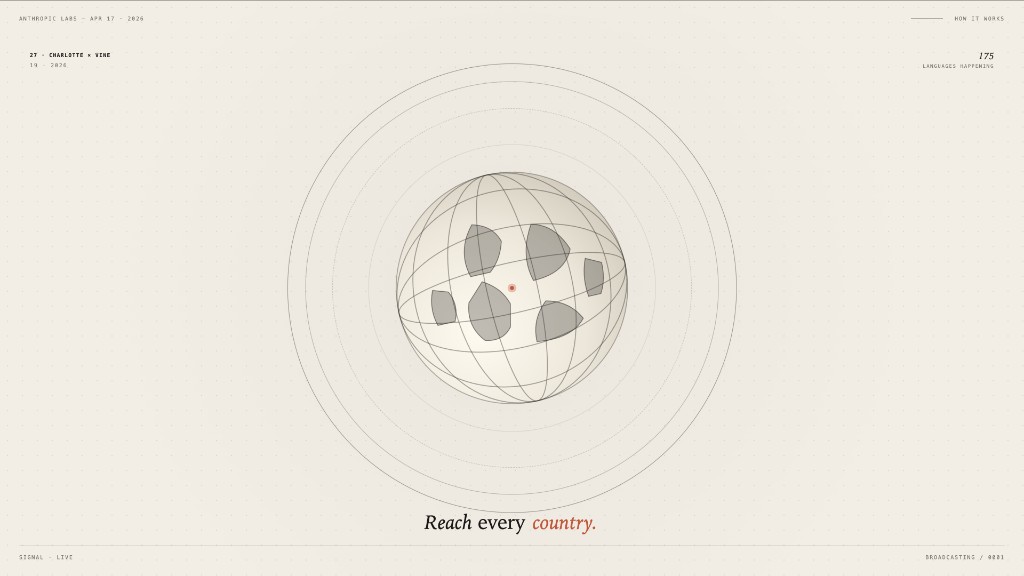 motion-frames · prototypeSingle-frame motion-design hero with looping CSS animations — rotating type ring, animated globe, ticking timer. Hand-off ready for HyperFrames. |
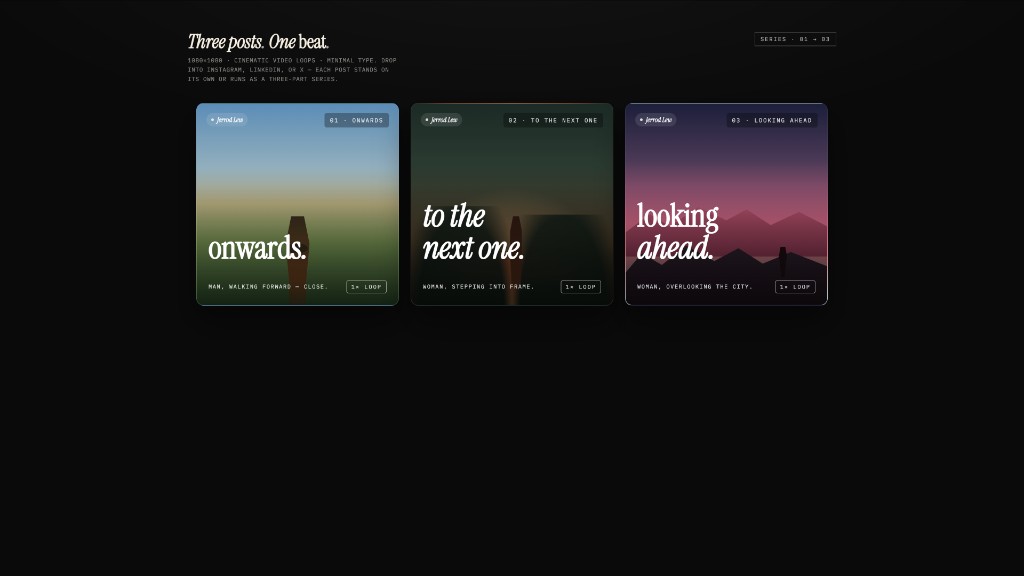 social-carousel · prototypeThree-card 1080×1080 social-media carousel — cinematic panels with display headlines that connect across the series, brand mark, loop affordance. |
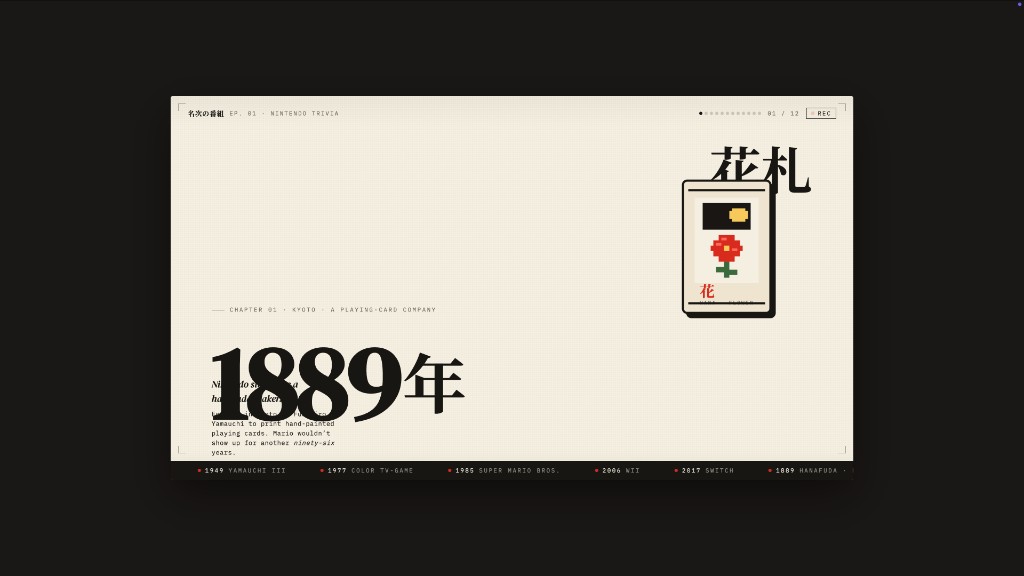 sprite-animation · prototypePixel / 8-bit animated explainer slide — full-bleed cream stage, animated pixel mascot, kinetic Japanese display type, looping CSS keyframes. |
Design & marketing surfaces (prototype mode)
| Skill | Platform | Scenario | What it produces |
|---|---|---|---|
web-prototype |
desktop | design | Single-page HTML — landings, marketing, hero pages (default for prototype) |
saas-landing |
desktop | marketing | Hero / features / pricing / CTA marketing layout |
dashboard |
desktop | operation | Admin / analytics with sidebar + dense data layout |
pricing-page |
desktop | sale | Standalone pricing + comparison tables |
docs-page |
desktop | engineering | 3-column documentation layout |
blog-post |
desktop | marketing | Editorial long-form |
mobile-app |
mobile | design | iPhone 15 Pro / Pixel framed app screen(s) |
mobile-onboarding |
mobile | design | Multi-screen mobile onboarding flow (splash · value-prop · sign-in) |
gamified-app |
mobile | personal | Three-frame gamified mobile-app prototype |
email-marketing |
desktop | marketing | Brand product-launch HTML email (table-fallback safe) |
social-carousel |
desktop | marketing | 3-card 1080×1080 social carousel |
magazine-poster |
desktop | marketing | Single-page magazine-style poster |
motion-frames |
desktop | marketing | Motion-design hero with looping CSS animations |
sprite-animation |
desktop | marketing | Pixel / 8-bit animated explainer slide |
dating-web |
desktop | personal | Consumer dating dashboard mockup |
digital-eguide |
desktop | marketing | Two-spread digital e-guide (cover + lesson) |
wireframe-sketch |
desktop | design | Hand-drawn ideation sketch — for the "show something visible early" pass |
critique |
desktop | design | Five-dimensional self-critique scoresheet (Philosophy · Hierarchy · Detail · Function · Innovation) |
tweaks |
desktop | design | AI-emitted tweaks panel — the model surfaces the parameters worth nudging |
Deck surfaces (deck mode)
| Skill | Default for | What it produces |
|---|---|---|
guizang-ppt |
default for deck | Magazine-style web PPT — bundled verbatim from op7418/guizang-ppt-skill, original LICENSE preserved |
simple-deck |
— | Minimal horizontal-swipe deck |
replit-deck |
— | Product-walkthrough deck (Replit-style) |
weekly-update |
— | Team weekly cadence as a swipe deck (progress · blockers · next) |
Office & operations surfaces (prototype mode, document-flavored scenarios)
| Skill | Scenario | What it produces |
|---|---|---|
pm-spec |
product | PM specification doc with TOC + decision log |
team-okrs |
product | OKR scoresheet |
meeting-notes |
operation | Meeting decision log |
kanban-board |
operation | Board snapshot |
eng-runbook |
engineering | Incident runbook |
finance-report |
finance | Exec finance summary |
invoice |
finance | Single-page invoice |
hr-onboarding |
hr | Role onboarding plan |
Adding a skill takes one folder. Read docs/skills-protocol.md for the extended frontmatter, fork an existing skill, restart the daemon, it appears in the picker. The catalog endpoint is GET /api/skills; per-skill seed assembly (template + side-file references) lives at GET /api/skills/:id/example.
Six load-bearing ideas
1 · We don't ship an agent. Yours is good enough.
The daemon scans your PATH for claude, codex, devin, cursor-agent, gemini, opencode, qwen, qodercli, copilot, hermes, kimi, pi, kiro-cli, kilo, vibe-acp, and deepseek on startup. Whichever ones it finds become candidate design engines — driven over stdio with one adapter per CLI, swappable from the model picker. Inspired by multica and cc-switch. No CLI installed? The API mode is the same pipeline minus the spawn — choose Anthropic, OpenAI-compatible, Azure OpenAI, or Google Gemini and the daemon forwards normalized SSE chunks back. Loopback is allowed for local LLM providers such as Ollama and LM Studio; non-loopback private, link-local, CGNAT, multicast, reserved, and redirect targets are rejected at the daemon edge.
2 · Skills are files, not plugins.
Following Claude Code's SKILL.md convention, each skill is SKILL.md + assets/ + references/. Drop a folder into skills/, restart the daemon, it appears in the picker. The bundled magazine-web-ppt is op7418/guizang-ppt-skill committed verbatim — original license preserved, attribution preserved.
3 · Design Systems are portable Markdown, not theme JSON.
The 9-section DESIGN.md schema from VoltAgent/awesome-design-md — color, typography, spacing, layout, components, motion, voice, brand, anti-patterns. Every artifact reads from the active system. Switch system → next render uses the new tokens. The dropdown ships with Linear, Stripe, Vercel, Airbnb, Tesla, Notion, Apple, Anthropic, Cursor, Supabase, Figma, Resend, Raycast, Lovable, Cohere, Mistral, ElevenLabs, X.AI, Spotify, Webflow, Sanity, PostHog, Sentry, MongoDB, ClickHouse, Cal, Replicate, Clay, Composio, Xiaohongshu… — plus 57 design skills sourced from awesome-design-skills.
4 · The interactive question form prevents 80% of redirects.
OD's prompt stack hard-codes a RULE 1: every fresh design brief begins with a <question-form id="discovery"> instead of code. Surface · audience · tone · brand context · scale · constraints. A long brief still leaves design decisions open — visual tone, color stance, scale — exactly the things the form locks down in 30 seconds. The cost of a wrong direction is one chat round, not one finished deck.
This is the Junior-Designer mode distilled from huashu-design: batch the questions up front, show something visible early (even a wireframe with grey blocks), let the user redirect cheaply. Combined with the brand-asset protocol (locate · download · grep hex · write brand-spec.md · vocalise), it's the single biggest reason output stops feeling like AI freestyle and starts feeling like a designer who paid attention before painting.
5 · The daemon makes the agent feel like it's on your laptop, because it is.
The daemon spawns the CLI with cwd set to the project's artifact folder under .od/projects/<id>/. The agent gets Read, Write, Bash, WebFetch — real tools against a real filesystem. It can Read the skill's assets/template.html, grep your CSS for hex values, write a brand-spec.md, drop generated images, and produce .pptx / .zip / .pdf files that show up in the file workspace as download chips when the turn ends. Sessions, conversations, messages, tabs persist in a local SQLite DB — pop the project open tomorrow and the agent's todo card is right where you left it.
6 · The prompt stack is the product.
What you compose at send time isn't "system + user". It's:
DISCOVERY directives  (turn-1 form, turn-2 brand branch, TodoWrite, 5-dim critique)
  + identity charter   (OFFICIAL_DESIGNER_PROMPT, anti-AI-slop, junior-pass)
  + active DESIGN.md   (72 systems available)
  + active SKILL.md    (31 skills available)
  + project metadata   (kind, fidelity, speakerNotes, animations, inspiration ids)
  + skill side files   (auto-injected pre-flight: read assets/template.html + references/*.md)
  + (deck kind, no skill seed) DECK_FRAMEWORK_DIRECTIVE   (nav / counter / scroll / print)
Every layer is composable. Every layer is a file you can edit. Read apps/daemon/src/prompts/system.ts and apps/daemon/src/prompts/discovery.ts to see the actual contract.
Architecture
┌────────────────────── browser (Next.js 16) ──────────────────────┐
│  chat · file workspace · iframe preview · settings · imports     │
└──────────────┬───────────────────────────────────┬───────────────┘
               │ /api/* (rewritten in dev)          │
               ▼                                    ▼
   ┌──────────────────────────────────┐   /api/proxy/{provider}/stream (SSE)
   │  Local daemon (Express + SQLite) │   ─→ any OpenAI-compat
   │                                  │       endpoint (BYOK)
   │  /api/agents          /api/skills│       w/ SSRF blocking
   │  /api/design-systems  /api/projects/…
   │  /api/chat (SSE)      /api/proxy/{provider}/stream (SSE)
   │  /api/templates       /api/import/claude-design
   │  /api/artifacts/save  /api/artifacts/lint
   │  /api/upload          /api/projects/:id/files…
   │  /artifacts (static)  /frames (static)
   │
   │  optional: sidecar IPC at /tmp/open-design/ipc/<ns>/<app>.sock
   │  (STATUS · EVAL · SCREENSHOT · CONSOLE · CLICK · SHUTDOWN)
   └─────────┬────────────────────────┘
             │ spawn(cli, [...], { cwd: .od/projects/<id> })
             ▼
   ┌──────────────────────────────────────────────────────────────────┐
   │  claude · codex · devin (ACP) · gemini · opencode · cursor-agent │
   │  qwen · qoder · copilot · hermes (ACP) · kimi (ACP) · pi (RPC) · kiro (ACP) · kilo (ACP) · vibe (ACP) · deepseek  │
   │  reads SKILL.md + DESIGN.md, writes artifacts to disk            │
   └──────────────────────────────────────────────────────────────────┘
| Layer | Stack |
|---|---|
| Frontend | Next.js 16 App Router + React 18 + TypeScript, Vercel-deployable |
| Daemon | Node 24 · Express · SSE streaming · better-sqlite3; tables: projects · conversations · messages · tabs · templates |
| Agent transport | child_process.spawn; typed-event parsers for claude-stream-json (Claude Code), qoder-stream-json (Qoder CLI), copilot-stream-json (Copilot), json-event-stream per-CLI parsers (Codex / Gemini / OpenCode / Cursor Agent), acp-json-rpc (Devin / Hermes / Kimi / Kiro / Kilo / Mistral Vibe via Agent Client Protocol), pi-rpc (Pi via stdio JSON-RPC), plain (Qwen Code / DeepSeek TUI) |
| BYOK proxy | POST /api/proxy/{anthropic,openai,azure,google}/stream → provider-specific upstream APIs, normalized delta/end/error SSE; allows loopback local LLM providers, rejects non-loopback private/link-local/CGNAT/multicast/reserved hosts, and disables upstream redirects at the daemon edge |
| Storage | Plain files in .od/projects/<id>/ + SQLite at .od/app.sqlite + credentials at .od/media-config.json (gitignored, auto-created). OD_DATA_DIR=<dir> relocates all daemon data (used for test isolation and read-only-install setups); OD_MEDIA_CONFIG_DIR=<dir> further narrows the override to just media-config.json for setups that want to keep API keys outside the data dir |
| Preview | Sandboxed iframe via srcdoc + per-skill <artifact> parser (apps/web/src/artifacts/parser.ts) |
| Export | HTML (inline assets) · PDF (browser print, deck-aware) · PPTX (agent-driven via skill) · ZIP (archiver) · Markdown |
| Lifecycle | pnpm tools-dev start | stop | run | status | logs | inspect | check; ports via --daemon-port / --web-port, namespaces via --namespace |
| Desktop (optional) | Electron shell — discovers the web URL through sidecar IPC, no port guessing; same STATUS/EVAL/SCREENSHOT/CONSOLE/CLICK/SHUTDOWN channel powers tools-dev inspect desktop … for E2E |
Quickstart
Download the desktop app (no build required)
The fastest way to try Open Design is the prebuilt desktop app — no Node, no pnpm, no clone:
- open-design.ai — official download page
- GitHub releases
Run with Docker
Run Open Design without installing Node.js or pnpm locally.
Requirements
- Docker Desktop
- Docker Compose v2
Verify Docker:
docker compose version
Start Open Design
git clone https://github.com/nexu-io/open-design.git
cd open-design/deploy
docker compose up -d
Open in your browser:
http://localhost:7456
Common Commands
# View logs
docker compose logs -f

# Restart containers
docker compose restart

# Stop containers
docker compose down

# Pull latest image
docker compose pull
docker compose up -d
For advanced Docker configuration and environment variables, see QUICKSTART.md.
Run from source
git clone https://github.com/nexu-io/open-design.git
cd open-design
corepack enable
corepack pnpm --version   # should print 10.33.2
pnpm install
pnpm tools-dev run web
# open the web URL printed by tools-dev
Environment requirements: Node ~24 and pnpm 10.33.x. nvm/fnm are optional helpers only; if you use one, run nvm install 24 && nvm use 24 or fnm install 24 && fnm use 24 before pnpm install.
For desktop/background startup, fixed-port restarts, and media generation dispatcher checks (OD_BIN, OD_DAEMON_URL, apps/daemon/dist/cli.js), see QUICKSTART.md.
The first load:
- Detects which agent CLIs you have on
PATHand picks one automatically. - Loads 31 skills + 72 design systems.
- Pops the welcome dialog so you can paste an Anthropic key (only needed for the BYOK fallback path).
- Auto-creates
./.od/— the local runtime folder for the SQLite project DB, per-project artifacts, and saved renders. There is nood initstep; the daemonmkdirs everything it needs on boot.
Type a prompt, hit Send, watch the question form arrive, fill it, watch the todo card stream, watch the artifact render. Click Save to disk or download as a project ZIP.
First-run state (./.od/)
The daemon owns one hidden folder at the repo root. Everything in it is gitignored and machine-local — never commit it.
.od/
├── app.sqlite                 ← projects · conversations · messages · open tabs
├── artifacts/                 ← one-off "Save to disk" renders (timestamped)
└── projects/<id>/             ← per-project working dir, also the agent's cwd
| Want to… | Do this |
|---|---|
| Inspect what's in there | ls -la .od && sqlite3 .od/app.sqlite '.tables' |
| Reset to a clean slate | pnpm tools-dev stop, rm -rf .od, run pnpm tools-dev run web again |
| Move it elsewhere | OD_DATA_DIR=<absolute-or-relative-path> pnpm tools-dev run web — the daemon resolves ~/ and anchors relative paths to the repo root. OD_MEDIA_CONFIG_DIR=<dir> narrows the override to just media-config.json if you want credentials in a separate location. |
Migrating a pre-desktop-app .od/ into the installed Desktop app
If you ran the repo first and only later installed the packaged Desktop app, the two writers point at different roots:
-
Repo dev-server (
pnpm tools-dev start web) writes to<repo-root>/.od/. -
Installed Desktop app writes under
<appData>/Open Design/namespaces/<channel>/data/, where<appData>is Electron's per-OS app-data base (everything before theOpen Designsegment thatapp.getPath("userData")already includes). The channel suffix is platform-specific — the release workflows append-win/-linux:Platform <appData>(ElectronappDatabase)Stable channel Beta channel macOS ~/Library/Application Supportrelease-stablerelease-betaWindows %APPDATA%(=%USERPROFILE%\AppData\Roaming)release-stable-winrelease-beta-winLinux $XDG_CONFIG_HOME(default~/.config)release-stable-linuxrelease-beta-linuxExample resolved paths:
- macOS beta:
~/Library/Application Support/Open Design/namespaces/release-beta/data/ - Windows beta:
%APPDATA%\Open Design\namespaces\release-beta-win\data\ - Linux beta:
~/.config/Open Design/namespaces/release-beta-linux/data/
If unsure, inspect the packaged daemon log right after the app boots; it logs the resolved
daemonDataRoot. - macOS beta:
⚠️ Do this in a clean state. Migration replaces (not merges) the Desktop app's data dir with your repo
.od/. Both writers must be fully stopped before copying — quit the Desktop app and stop the repo dev-server. SQLite-WAL needs to flush cleanly on both sides; if either daemon is still running it can write SQLite/WAL pages or project/artifact files mid-snapshot, leaving the staged copy inconsistent. If the Desktop app already has projects you care about, decide which side is authoritative before continuing — the steps below back up the Desktop's currentdata/to a sibling but do not merge.
Option A: one-shot auto-migration via OD_LEGACY_DATA_DIR
Use this when the Desktop app's data/ is still empty, which is the typical state right after the upgrade that surfaced #710. Quit the Desktop app first (so its daemon is not holding app.sqlite), then re-launch with OD_LEGACY_DATA_DIR pointed at your old repo .od/. The daemon stages your payload into a sibling tmp directory and only promotes it into data/ on success; on any failure the staging directory is removed so the next boot retries cleanly.
The daemon refuses, with a visible startup error, when:
- the path in
OD_LEGACY_DATA_DIRdoes not containapp.sqlite(typo, deleted source, wrong path), or - the Desktop's
data/already contains any ofapp.sqlite,projects/,artifacts/,media-config.json, etc. SQLite/WAL pairs and project trees cannot be safely interleaved, so the daemon refuses to merge instead of silently corrupting either side. If the Desktop has already booted and seeded its owndata/, use Option B and decide explicitly which side wins.
A .migrated-from marker is written on success so subsequent boots no-op.
Quit the Desktop app first, then re-launch with this env set. The launcher must put the variable into the app process environment, not just the shell that runs open / xdg-open.
macOS (LaunchServices does not inherit shell env, so use the direct binary):
OD_LEGACY_DATA_DIR="/path/to/old/repo/.od" \
  "/Applications/Open Design.app/Contents/MacOS/Open Design"
If you prefer the Dock launcher, set the variable in launchctl first, open the app, then unset it:
launchctl setenv OD_LEGACY_DATA_DIR "/path/to/old/repo/.od"
open "/Applications/Open Design.app"
# After the migration log line appears:
launchctl unsetenv OD_LEGACY_DATA_DIR
Linux (run the binary directly so the env var actually reaches it):
OD_LEGACY_DATA_DIR="/path/to/old/repo/.od" /path/to/open-design
# (e.g. the AppImage you launched, or the unpacked binary under /opt)
Windows (PowerShell):
$env:OD_LEGACY_DATA_DIR="C:\path\to\old\repo\.od"
& "$env:LOCALAPPDATA\Programs\Open Design\Open Design.exe"
The daemon log records [od-migrate] migration complete: copied N entries (...). After the first launch you can clear the env variable; the marker prevents re-migration even on subsequent runs.
Option B: manual copy
To carry your existing projects, SQLite, artifacts, and media-config.json over to the Desktop app, when Option A is not viable (Desktop already has its own data and you want to replace it explicitly).
macOS / Linux (bash):
set -euo pipefail
# 1. Stop both writers so the source and target are quiescent.
#    - Quit the Desktop app (Cmd+Q on macOS, File → Exit on Linux).
#    - Stop the repo dev-server: `pnpm tools-dev stop` from the repo root.
# 2. Set REPO and APP_DATA to your actual paths; the example below is macOS + beta.
REPO="/path/to/open-design"
APP_DATA="$HOME/Library/Application Support/Open Design/namespaces/release-beta/data"

# 3. Preflight: see what (if anything) the Desktop app already has.
ls "$APP_DATA/projects" 2>/dev/null && echo "Desktop already has projects, confirm this is a replace, not a merge."

# 4. Stage into a sibling first, then atomically swap into place. `set -e` plus
#    the explicit rsync exit check guarantee a non-zero copy aborts before any
#    `mv` runs, so the Desktop data dir cannot end up half-populated.
STAGE="${APP_DATA}.staged-$(date +%F-%H%M)"
mkdir -p "$STAGE"
rsync -a --exclude='backup-*' "$REPO/.od/" "$STAGE/" || { echo "rsync failed, aborting before swap"; exit 1; }

# 5. Backup the Desktop's current data, then promote the staged copy.
mv "$APP_DATA" "${APP_DATA}.fresh-baseline-$(date +%F-%H%M)"
mv "$STAGE" "$APP_DATA"

# 6. Relaunch the Desktop app. The daemon applies forward schema changes on boot.
Windows (PowerShell):
$ErrorActionPreference = 'Stop'
# 1. Stop both writers so the source and target are quiescent.
#    - Quit the Desktop app (File > Exit).
#    - Stop the repo dev-server: `pnpm tools-dev stop` from the repo root.
# 2. Set $Repo and $AppData to your actual paths; the example below is stable channel.
$Repo    = 'C:\path\to\open-design'
$AppData = Join-Path $env:APPDATA 'Open Design\namespaces\release-stable-win\data'

# 3. Preflight: see what (if anything) the Desktop app already has.
if (Test-Path (Join-Path $AppData 'projects')) {
  Write-Host 'Desktop already has projects, confirm this is a replace, not a merge.'
}

# 4. Stage into a sibling first. Robocopy /MIR mirrors source to staging, and
#    its exit codes >= 8 are real errors (0..7 are success/info), so we guard
#    explicitly before promoting.
$Stamp = Get-Date -Format 'yyyy-MM-dd-HHmm'
$Stage = "$AppData.staged-$Stamp"
robocopy "$Repo\.od" $Stage /MIR /XD 'backup-*' | Out-Null
if ($LASTEXITCODE -ge 8) { throw "robocopy failed (exit $LASTEXITCODE), aborting before swap" }

# 5. Backup the Desktop's current data, then promote the staged copy.
if (Test-Path $AppData) { Rename-Item $AppData "$AppData.fresh-baseline-$Stamp" }
Rename-Item $Stage $AppData

# 6. Relaunch the Desktop app. The daemon applies forward schema changes on boot.
If anything looks wrong after relaunch, restore the original Desktop data by deleting $APP_DATA (or $AppData on Windows) and renaming the .fresh-baseline-* directory back into place.
⚠️ Schema migrations are forward-only. The daemon applies
CREATE TABLE IF NOT EXISTS/ALTER TABLEchanges on boot; there is no version guard. After migrating, do not open the same data dir with an older repo checkout — unsupported columns or behavior mismatches can leave the workspace inconsistent. Back upapp.sqlite*before the first launch with the new app.
⚠️ Advanced: sharing one data dir between repo dev-server and Desktop app. Pointing both at the same dir via
OD_DATA_DIRis possible but only safe one-at-a-time. The daemon opensapp.sqlitein WAL mode and writes uncoordinated files underprojects/andartifacts/; running both writers concurrently can corrupt SQLite or clobber artifacts. Always stop the Desktop app before starting the dev-server, and stop the dev-server before opening the Desktop app:OD_DATA_DIR="$HOME/Library/Application Support/Open Design/namespaces/release-beta/data" \ pnpm tools-dev start web
Full file map, scripts, and troubleshooting → QUICKSTART.md.
Running the Project
Open Design can run as a web app in your browser or as an Electron desktop application. Both modes share the same local daemon + web architecture.
Web / Localhost (Default)
# Foreground mode — keeps the lifecycle command in the foreground (logs written to files)
pnpm tools-dev run web

# View recent logs:
pnpm tools-dev logs

# Background mode — daemon + web run as background processes
pnpm tools-dev start web
By default, tools-dev binds to available ephemeral ports and prints the actual URLs on startup. To use fixed ports from a stopped state:
pnpm tools-dev run web --daemon-port 17456 --web-port 17573
If daemon/web are already running, use restart to switch ports in the existing session:
pnpm tools-dev restart --daemon-port 17456 --web-port 17573
Desktop / Electron
# Start daemon + web + desktop in the background
pnpm tools-dev

# Check desktop status
pnpm tools-dev inspect desktop status

# Take a screenshot of the desktop app
pnpm tools-dev inspect desktop screenshot --path /tmp/open-design.png
The desktop app discovers the web URL automatically via sidecar IPC — no port guessing required.
Other Useful Commands
| Command | What it does |
|---|---|
pnpm tools-dev status |
Show running sidecar statuses |
pnpm tools-dev logs |
Show daemon/web/desktop log tails |
pnpm tools-dev stop |
Stop all running sidecars |
pnpm tools-dev restart |
Stop then restart all sidecars |
pnpm tools-dev check |
Status + recent logs + common diagnostics |
For fixed-port restarts, background startup, and full troubleshooting see QUICKSTART.md.
Nix
A flake is published at the repo root. Home Manager is the recommended path for individual developers; a NixOS module is also exposed for shared/server installs. See nix/README.md for the full surface (data dir, secrets, webFrontend vs. bringing your own server, OD_DAEMON_URL).
# Home Manager
inputs.open-design.url = "github:nexu-io/open-design";
# then: imports = [ inputs.open-design.homeManagerModules.default ];
nix run github:nexu-io/open-design # boot the daemon (`od`) without installing
For developers, a Nix dev shell is available and can be used with direnv too:
nix develop # dev shell with required dependencies to work on Open Design
Use Open Design from your coding agent
Open Design ships a stdio MCP server. Wire it into Claude Code, Codex, Cursor, VS Code, Antigravity, Zed, Windsurf, or any MCP-compatible client and the agent in another repo can read files from your local Open Design projects directly. Replaces the export-then-attach loop. When the agent calls search_files, get_file, or get_artifact without a project argument, the MCP defaults to whatever project (and file) you have open in Open Design right now, so prompts like "build this in my app" or "match these styles" just work.
Why MCP? Exporting and re-attaching a zip every design iteration breaks flow. The MCP server exposes your design source directly -- tokens CSS, JSX components, entry HTML -- as a structured API the agent can query by name. The agent always sees the live file, not a stale copy from the last export.
Open Settings → MCP server in the Open Design app for a per-client install flow. The panel bakes the absolute path to your node binary and the daemon's built cli.js into every snippet, so it works on a fresh source clone where od is not on your PATH. Cursor gets a one-click deeplink; the rest get a copy-paste JSON snippet in the schema their config file expects (Claude Code includes a claude mcp add-json one-liner so you do not have to hand-edit ~/.claude.json). Restart or reload your client after install for the server to show up.
The daemon must be running locally for MCP tool calls to succeed. If the agent was started before Open Design, restart the agent after Open Design is up so it can reach the live daemon. Tool calls made while the daemon is offline return a clear "daemon not reachable" error rather than a crash.
Security model. The MCP server is read-only; it exposes file reads, file metadata, and search -- nothing that writes to disk or calls an external service. It runs as a child process of the coding agent over stdio, so any MCP client you register inherits read access to your local Open Design projects. Treat it like installing a VS Code extension: only register clients you trust. The daemon binds to 127.0.0.1 by default; LAN-wide exposure requires an explicit OD_BIND_HOST opt-in. If you also front the SPA with a non-loopback static server, set OD_ALLOWED_ORIGINS=<origin1>,<origin2>,... (comma-separated scheme://host[:port] entries) so the daemon's same-origin gate accepts API writes from those origins on both the Origin and Host checks; without it the browser will see 403s on every PUT/POST (Caddy v2 reverse_proxy preserves the original Host header upstream by default, so loopback alone is not enough). Connector-credential and live-artifact preview routes stay loopback-only regardless.
Repository structure
open-design/
├── README.md                      ← this file
├── README.de.md                   ← Deutsch
├── README.ru.md                   ← Русский
├── README.zh-CN.md                ← 简体中文
├── QUICKSTART.md                  ← run / build / deploy guide
├── package.json                   ← pnpm workspace, single bin: od
│
├── apps/
│   ├── daemon/                    ← Node + Express, the only server
│   │   ├── src/                   ← TypeScript daemon source
│   │   │   ├── cli.ts             ← `od` bin source, compiled to dist/cli.js
│   │   │   ├── server.ts          ← /api/* routes (projects, chat, files, exports)
│   │   │   ├── agents.ts          ← PATH scanner + per-CLI argv builders
│   │   │   ├── claude-stream.ts   ← streaming JSON parser for Claude Code stdout
│   │   │   ├── skills.ts          ← SKILL.md frontmatter loader
│   │   │   └── db.ts              ← SQLite schema (projects/messages/templates/tabs)
│   │   ├── sidecar/               ← tools-dev daemon sidecar wrapper
│   │   └── tests/                 ← daemon package tests
│   │
│   └── web/                       ← Next.js 16 App Router + React client
│       ├── app/                   ← App Router entrypoints
│       ├── next.config.ts         ← dev rewrites + prod static export to out/
│       └── src/                   ← React + TypeScript client modules
│           ├── App.tsx            ← routing, bootstrap, settings
│           ├── components/        ← chat, composer, picker, preview, sketch, …
│           ├── prompts/
│           │   ├── system.ts      ← composeSystemPrompt(base, skill, DS, metadata)
│           │   ├── discovery.ts   ← turn-1 form + turn-2 branch + 5-dim critique
│           │   └── directions.ts  ← 5 visual directions × OKLch palette + font stack
│           ├── artifacts/         ← streaming <artifact> parser + manifests
│           ├── runtime/           ← iframe srcdoc, markdown, export helpers
│           ├── providers/         ← daemon SSE + BYOK API transports
│           └── state/             ← config + projects (localStorage + daemon-backed)
│
├── e2e/                           ← Playwright UI + external integration/Vitest harness
│
├── packages/
│   ├── contracts/                 ← shared web/daemon app contracts
│   ├── sidecar-proto/             ← Open Design sidecar protocol contract
│   ├── sidecar/                   ← generic sidecar runtime primitives
│   └── platform/                  ← generic process/platform primitives
│
├── skills/                        ← 31 SKILL.md skill bundles (27 prototype + 4 deck)
│   ├── web-prototype/             ← default for prototype mode
│   ├── saas-landing/  dashboard/  pricing-page/  docs-page/  blog-post/
│   ├── mobile-app/  mobile-onboarding/  gamified-app/
│   ├── email-marketing/  social-carousel/  magazine-poster/
│   ├── motion-frames/  sprite-animation/  digital-eguide/  dating-web/
│   ├── critique/  tweaks/  wireframe-sketch/
│   ├── pm-spec/  team-okrs/  meeting-notes/  kanban-board/
│   ├── eng-runbook/  finance-report/  invoice/  hr-onboarding/
│   ├── simple-deck/  replit-deck/  weekly-update/   ← deck mode
│   └── guizang-ppt/               ← bundled magazine-web-ppt (default for deck)
│       ├── SKILL.md
│       ├── assets/template.html   ← seed
│       └── references/{themes,layouts,components,checklist}.md
│
├── design-systems/                ← 72 DESIGN.md systems
│   ├── default/                   ← Neutral Modern (starter)
│   ├── warm-editorial/            ← Warm Editorial (starter)
│   ├── linear-app/  vercel/  stripe/  airbnb/  notion/  cursor/  apple/  …
│   └── README.md                  ← catalog overview
│
├── assets/
│   └── frames/                    ← shared device frames (used cross-skill)
│       ├── iphone-15-pro.html
│       ├── android-pixel.html
│       ├── ipad-pro.html
│       ├── macbook.html
│       └── browser-chrome.html
│
├── templates/
│   ├── deck-framework.html        ← deck baseline (nav / counter / print)
│   └── kami-deck.html             ← kami-flavored deck starter (parchment / ink-blue serif)
│
├── scripts/
│   └── sync-design-systems.ts     ← re-import upstream awesome-design-md tarball
│
├── docs/
│   ├── spec.md                    ← product spec, scenarios, differentiation
│   ├── architecture.md            ← topologies, data flow, components
│   ├── skills-protocol.md         ← extended SKILL.md od: frontmatter
│   ├── agent-adapters.md          ← per-CLI detection + dispatch
│   ├── modes.md                   ← prototype / deck / template / design-system
│   ├── references.md              ← long-form provenance
│   ├── roadmap.md                 ← phased delivery
│   ├── schemas/                   ← JSON schemas
│   └── examples/                  ← canonical artifact examples
│
└── .od/                           ← runtime data, gitignored, auto-created
    ├── app.sqlite                 ← projects / conversations / messages / tabs
    ├── projects/<id>/             ← per-project working folder (agent's cwd)
    └── artifacts/                 ← saved one-off renders
Design Systems
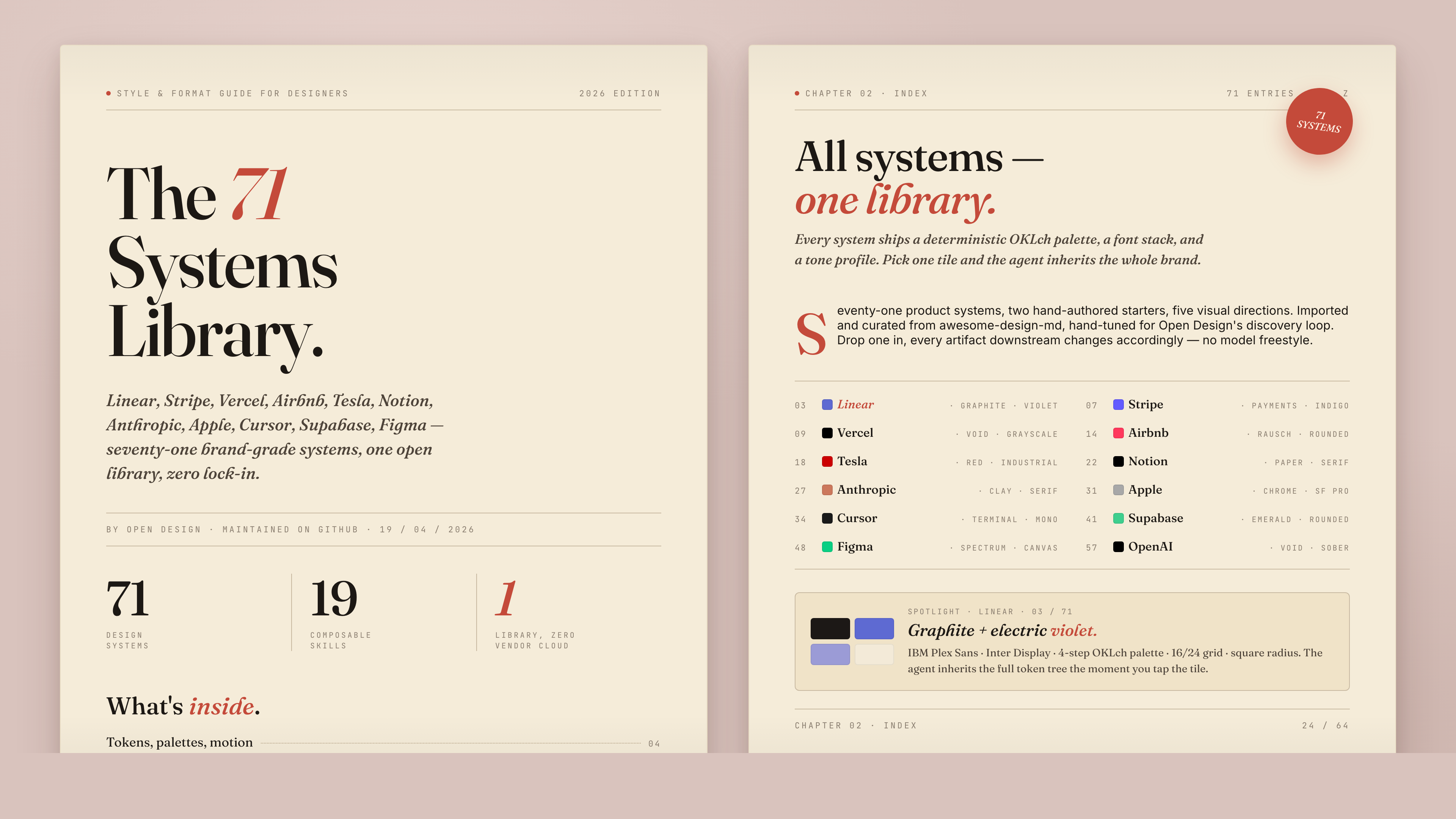
72 systems out of the box, each as a single DESIGN.md:
Full catalog (click to expand)
AI & LLM — claude · cohere · mistral-ai · minimax · together-ai · replicate · runwayml · elevenlabs · ollama · x-ai
Developer Tools — cursor · vercel · linear-app · framer · expo · clickhouse · mongodb · supabase · hashicorp · posthog · sentry · warp · webflow · sanity · mintlify · lovable · composio · opencode-ai · voltagent
Productivity — notion · figma · miro · airtable · superhuman · intercom · zapier · cal · clay · raycast
Fintech — stripe · coinbase · binance · kraken · mastercard · revolut · wise
E-Commerce — shopify · airbnb · uber · nike · starbucks · pinterest
Media — spotify · playstation · wired · theverge · meta
Automotive — tesla · bmw · ferrari · lamborghini · bugatti · renault
Other — apple · ibm · nvidia · vodafone · sentry · resend · spacex
Starters — default (Neutral Modern) · warm-editorial
The product-system library is imported via scripts/sync-design-systems.ts from VoltAgent/awesome-design-md. Re-run to refresh. The 57 design skills are sourced from bergside/awesome-design-skills and added directly in design-systems/.
Visual directions
When the user has no brand spec, the agent emits a second form with five curated directions — the OD adaptation of huashu-design's "5 schools × 20 design philosophies" fallback. Each direction is a deterministic spec — palette in OKLch, font stack, layout posture cues, references — that the agent binds verbatim into the seed template's :root. One radio click → a fully specified visual system. No improvisation, no AI-slop.
| Direction | Mood | Refs |
|---|---|---|
| Editorial — Monocle / FT | Print magazine, ink + cream + warm rust | Monocle · FT Weekend · NYT Magazine |
| Modern minimal — Linear / Vercel | Cool, structured, minimal accent | Linear · Vercel · Stripe |
| Tech utility | Information density, monospace, terminal | Bloomberg · Bauhaus tools |
| Brutalist | Raw, oversized type, no shadows, harsh accents | Bloomberg Businessweek · Achtung |
| Soft warm | Generous, low contrast, peachy neutrals | Notion marketing · Apple Health |
Full spec → apps/daemon/src/prompts/directions.ts.
Media generation
OD doesn't stop at code. The same chat surface that produces <artifact> HTML also drives image, video, and audio generation, with model adapters wired into the daemon's media pipeline (apps/daemon/src/media-models.ts, apps/web/src/media/models.ts). Every render lands as a real file in the project workspace — .png for image, .mp4 for video — and shows up as a download chip when the turn ends.
Three model families carry the load today:
| Surface | Model | Provider | What it's for |
|---|---|---|---|
| Image | gpt-image-2 |
Azure / OpenAI | Posters, profile avatars, illustrated maps, infographics, magazine-style social cards, photo restoration, exploded-view product art |
| Video | seedance-2.0 |
ByteDance Volcengine | 15s cinematic t2v + i2v with audio — narrative shorts, character close-ups, product films, MV-style choreography |
| Video | hyperframes-html |
HeyGen / OSS | HTML→MP4 motion graphics — product reveals, kinetic typography, data charts, social overlays, logo outros, TikTok-style verticals with karaoke captions |
A growing prompt gallery at prompt-templates/ ships 93 ready-to-replicate prompts — 43 image (prompt-templates/image/*.json), 39 Seedance (prompt-templates/video/*.json excluding hyperframes-*), 11 HyperFrames (prompt-templates/video/hyperframes-*.json). Each carries a preview thumbnail, the prompt body verbatim, the target model, the aspect ratio, and a source block for license + attribution. The daemon serves them at GET /api/prompt-templates, the web app surfaces them as a card grid in the Image templates and Video templates tabs of the entry view; one click drops a prompt into the composer with the right model preselected.
gpt-image-2 — image gallery (sample of 43)
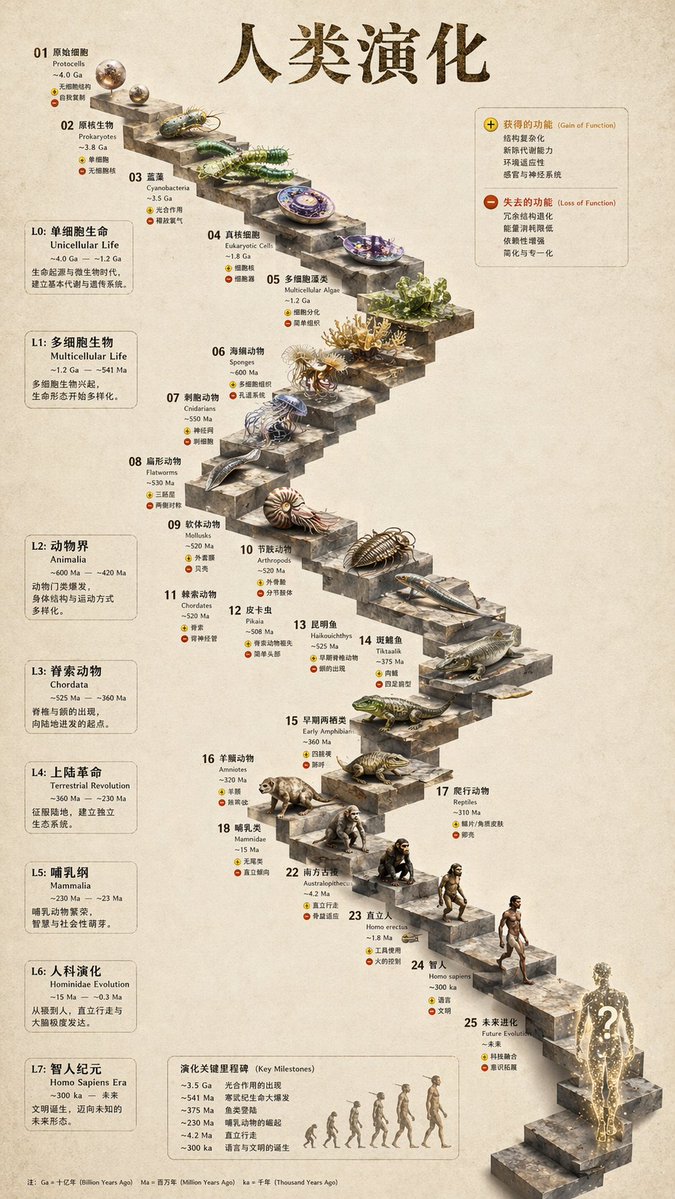 3D Stone Staircase Evolution Infographic 3-step infographic, hewn-stone aesthetic |
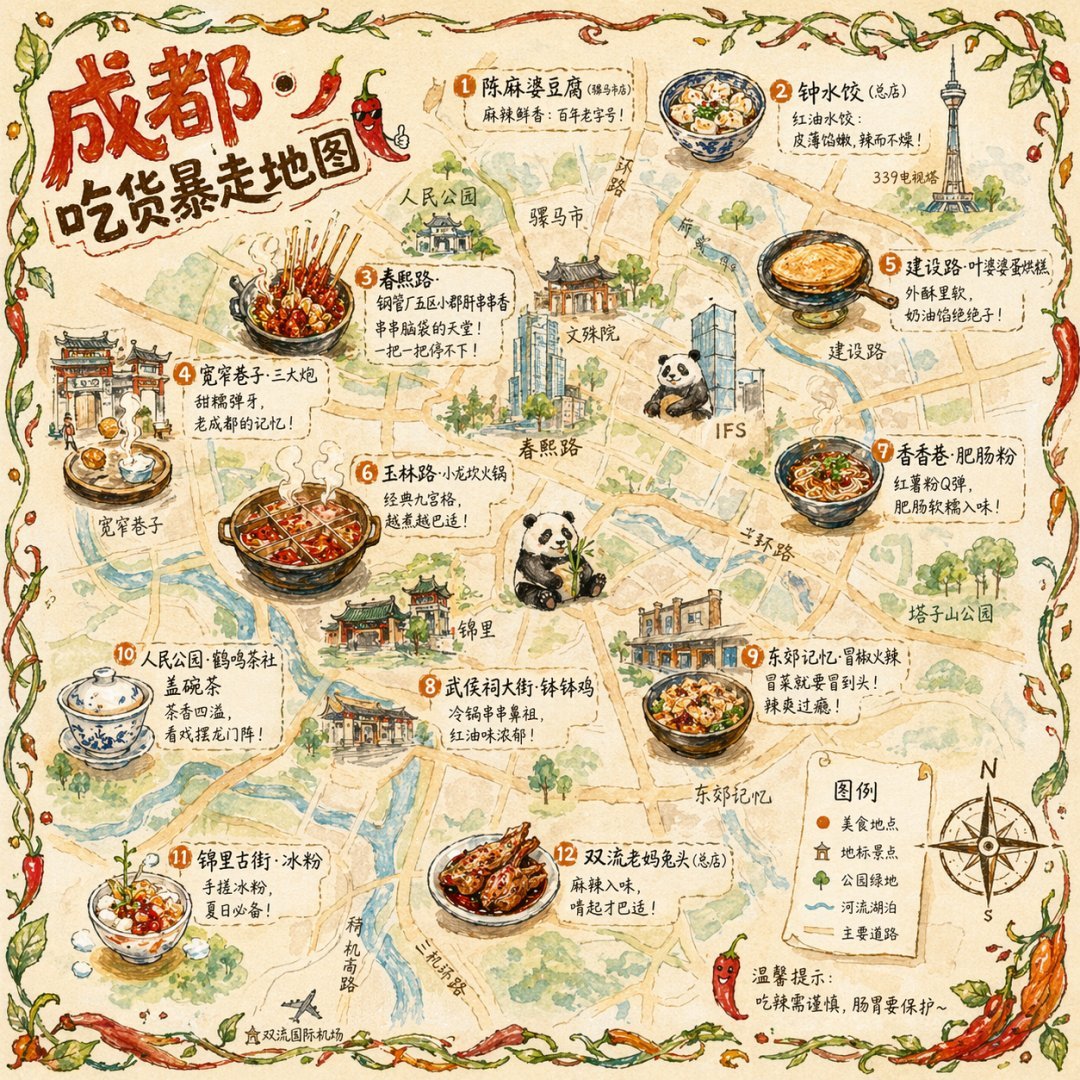 Illustrated City Food Map Editorial hand-illustrated travel poster |
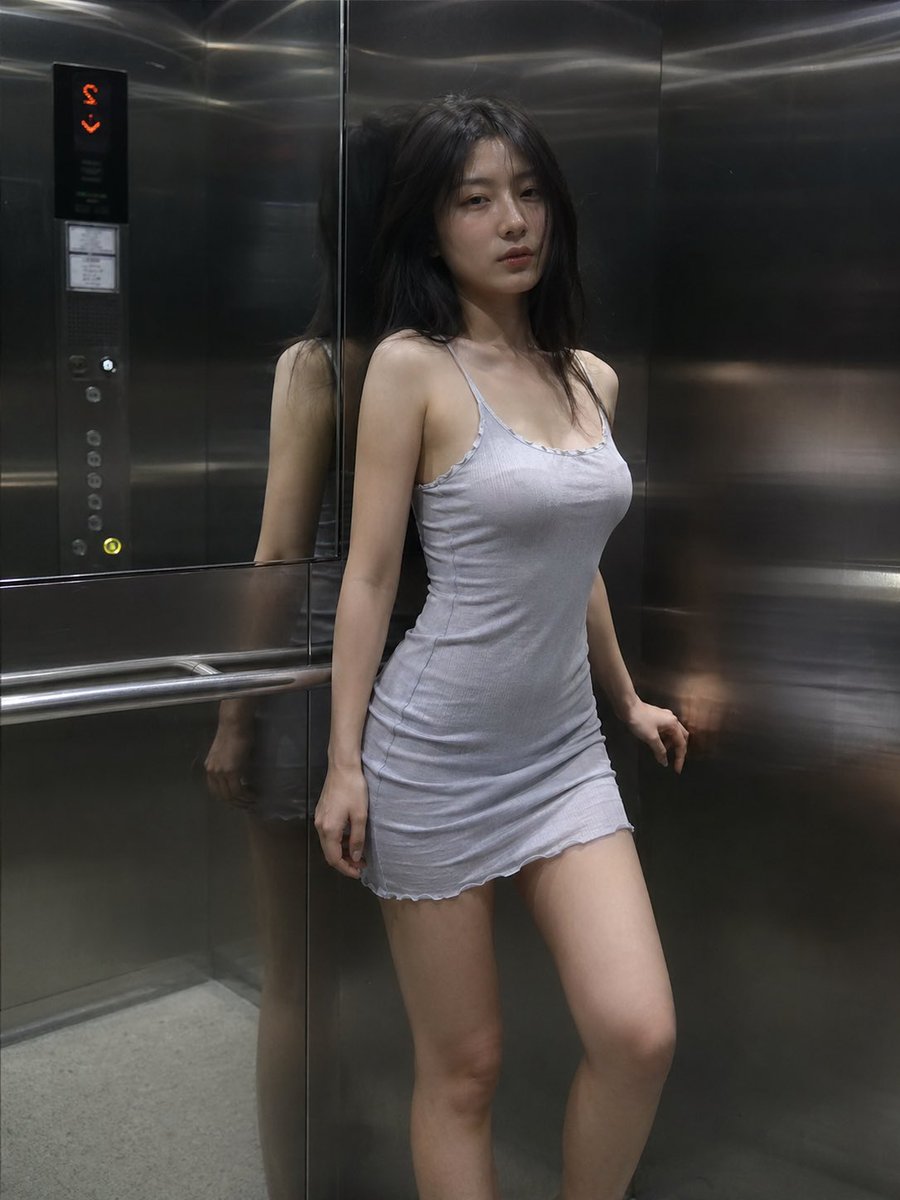 Cinematic Elevator Scene Single-frame editorial fashion still |
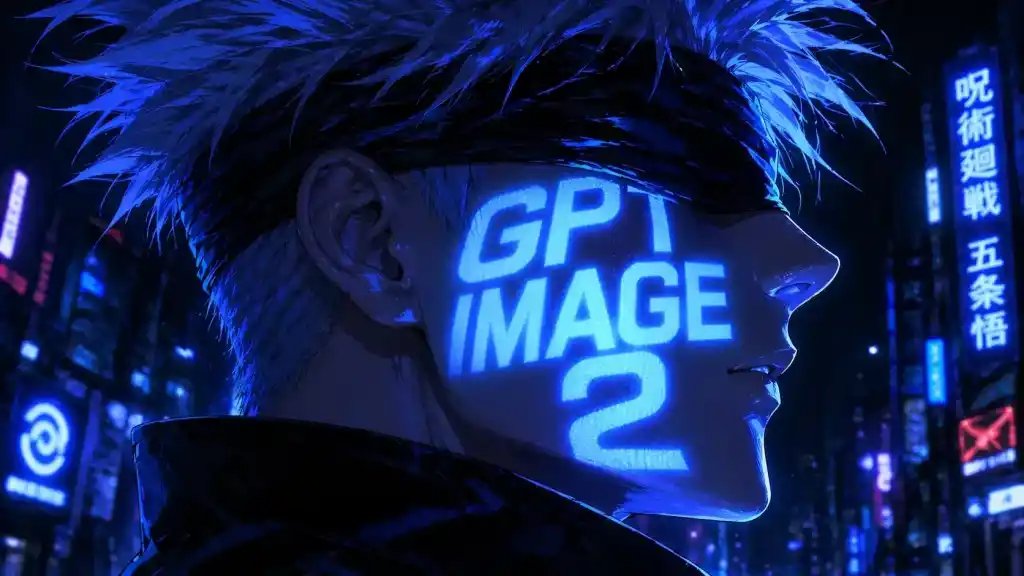 Cyberpunk Anime Portrait Profile avatar — neon face text |
 Glamorous Woman in Black Portrait Editorial studio portrait |
Full set → prompt-templates/image/. Sources: most pull from YouMind-OpenLab/awesome-gpt-image-prompts (CC-BY-4.0) with author attribution preserved per template.
Seedance 2.0 — video gallery (sample of 39)
 Music Podcast & Guitar Technique 4K cinematic studio film |
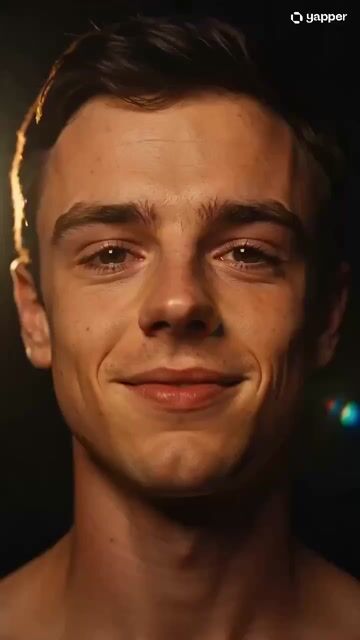 Emotional Face Close-up Cinematic micro-expression study |
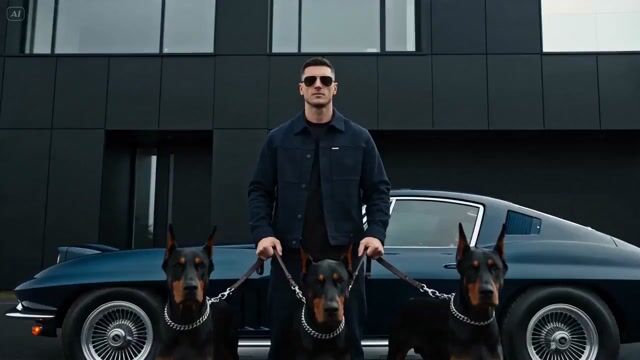 Luxury Supercar Cinematic Narrative product film |
 Forbidden City Cat Satire Stylised satire short |
 Japanese Romance Short Film 15s Seedance 2.0 narrative |
Click any thumbnail to play the actual rendered MP4. Full set → prompt-templates/video/ (the *-seedance-* and Cinematic-tagged entries). Sources: YouMind-OpenLab/awesome-seedance-2-prompts (CC-BY-4.0) with original tweet links and author handles preserved.
HyperFrames — HTML→MP4 motion graphics (11 ready-to-replicate templates)
heygen-com/hyperframes is HeyGen's open-source agent-native video framework — you (or the agent) write HTML + CSS + GSAP, HyperFrames renders it to a deterministic MP4 via headless Chrome + FFmpeg. Open Design ships HyperFrames as a first-class video model (hyperframes-html) wired into the daemon dispatch, plus the skills/hyperframes/ skill that teaches the agent the timeline contract, scene-transition rules, audio-reactive patterns, captions/TTS, and the catalog blocks (npx hyperframes add <slug>).
Eleven hyperframes prompts ship under prompt-templates/video/hyperframes-*.json, each one a concrete brief that produces a specific archetype:
 5s minimal product reveal · 16:9 · push-in title card with shader transition |
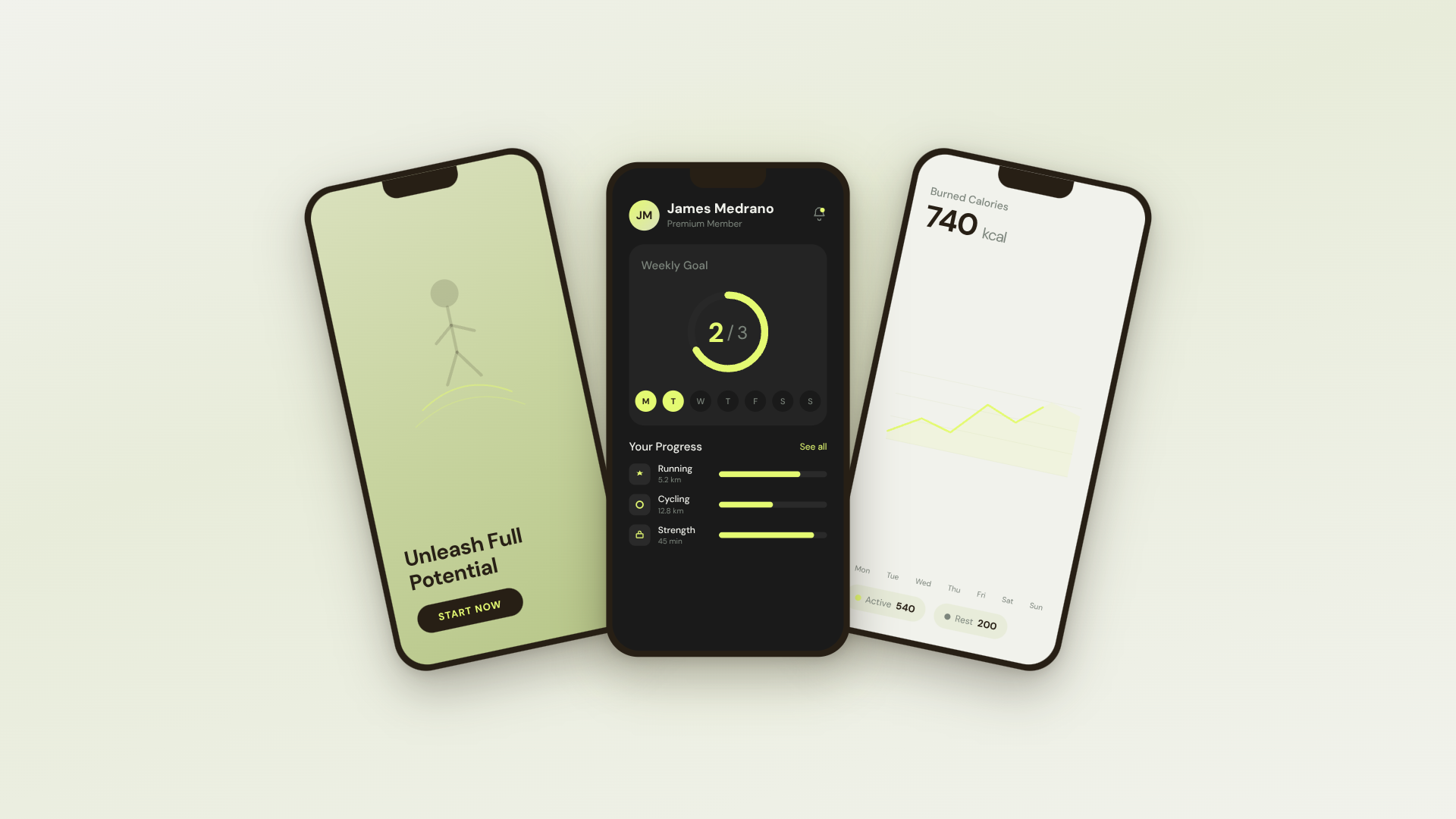 30s SaaS product promo · 16:9 · Linear/ClickUp-style with UI 3D reveals |
 TikTok karaoke talking-head · 9:16 · TTS + word-synced captions |
30s brand sizzle reel · 16:9 · beat-synced kinetic typography, audio-reactive |
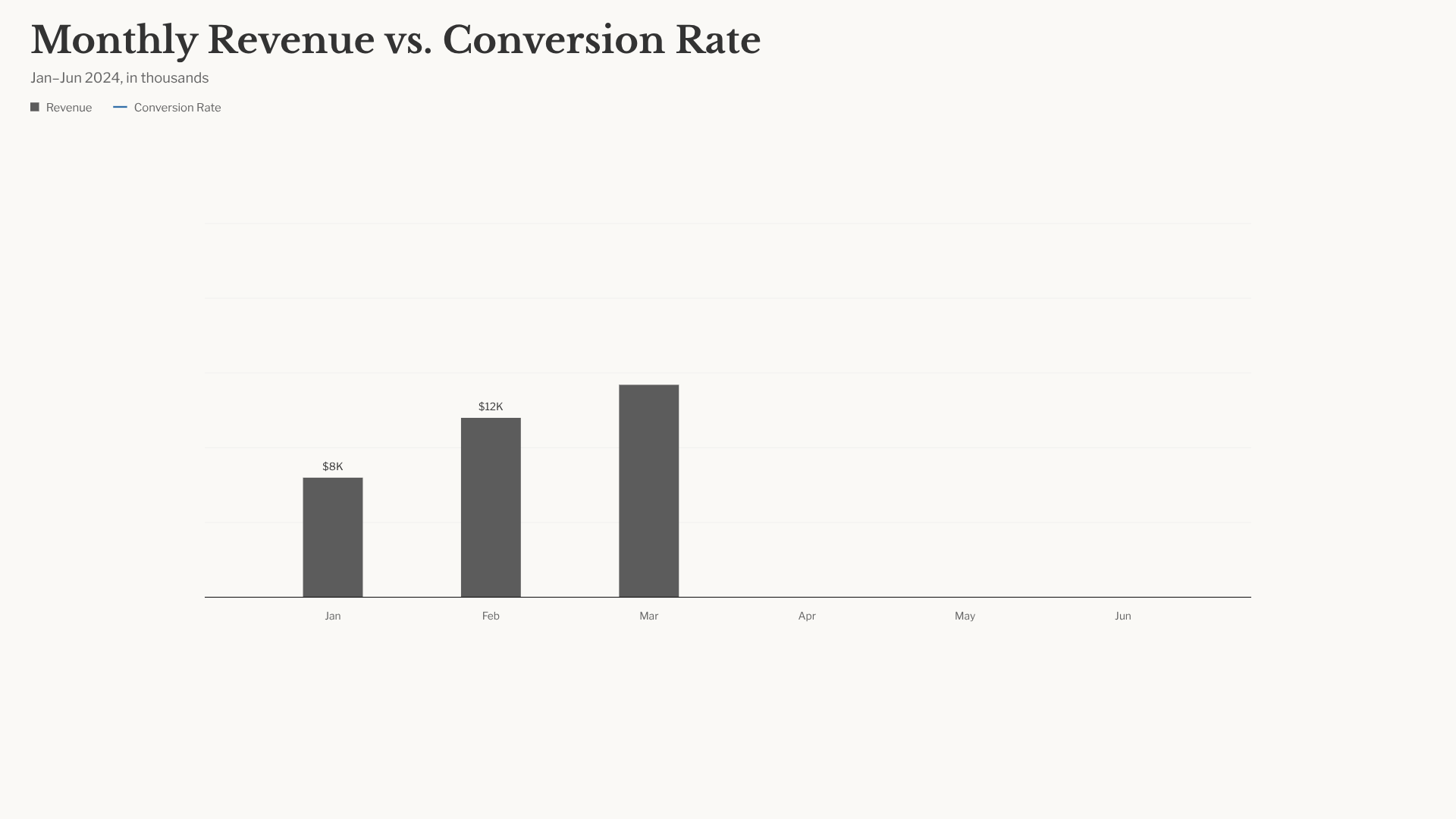 Animated bar-chart race · 16:9 · NYT-style data infographic |
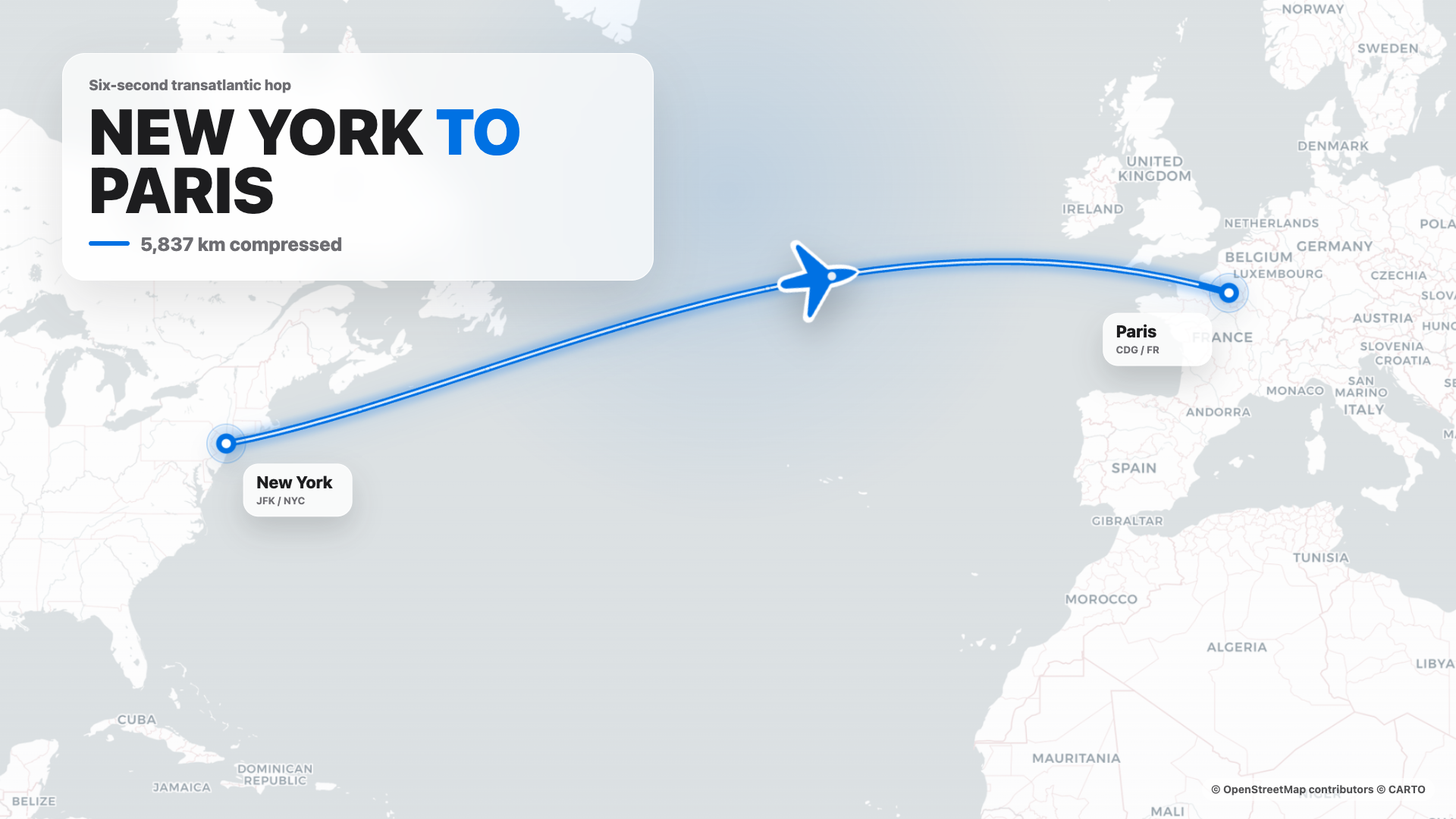 Flight map (origin → dest) · 16:9 · Apple-style cinematic route reveal |
4s cinematic logo outro · 16:9 · piece-by-piece assembly + bloom |
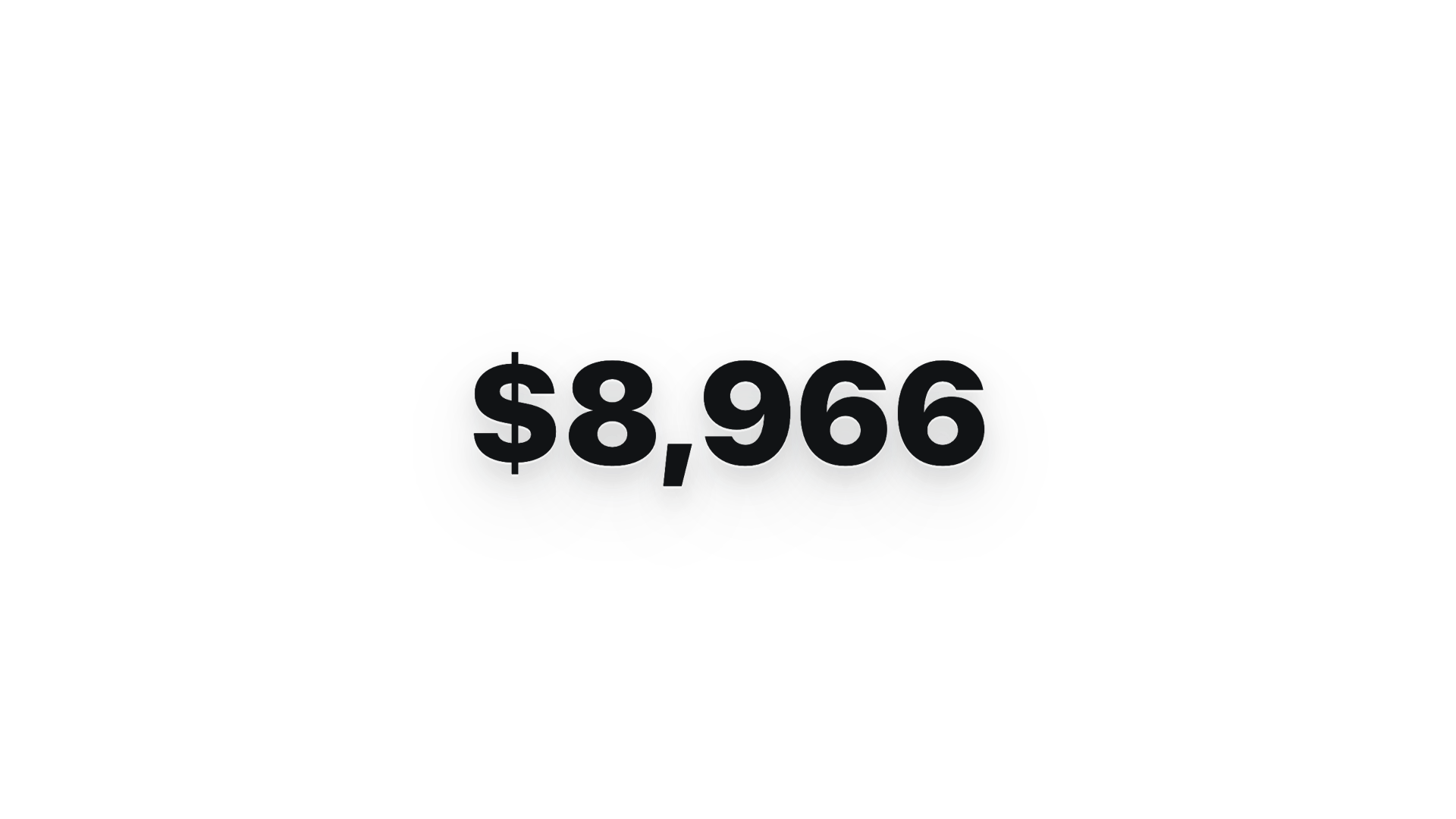 $0 → $10K money counter · 9:16 · Apple-style hype with green flash + burst |
3-phone app showcase · 16:9 · floating phones with feature callouts |
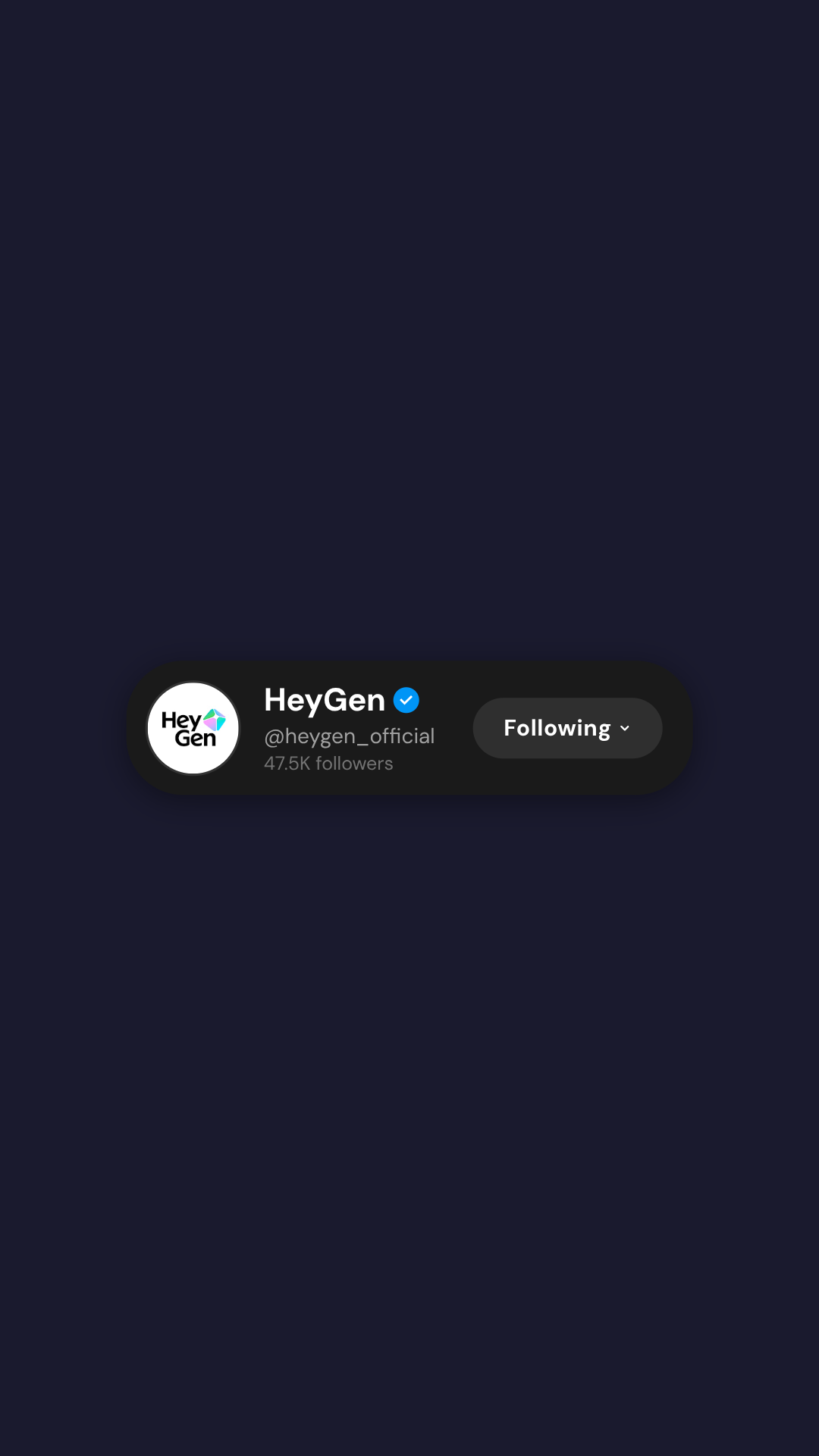 Social overlay stack · 9:16 · X · Reddit · Spotify · Instagram in sequence |
Website-to-video pipeline · 16:9 · captures site at 3 viewports + transitions |
Pattern is the same as the rest: pick a template, edit the brief, send. The agent reads the bundled skills/hyperframes/SKILL.md (which carries the OD-specific render workflow — composition source files into a .hyperframes-cache/ so they don't clutter the file workspace, daemon dispatches npx hyperframes render to dodge the macOS sandbox-exec / Puppeteer hang, only the final .mp4 lands as a project chip), authors the composition, and ships an MP4. Catalog block thumbnails © HeyGen, served from their CDN; the OSS framework itself is Apache-2.0.
Also wired but not surfaced as templates yet: Kling 2.0 / 1.6 / 1.5, Veo 3 / Veo 2, Sora 2 / Sora 2-Pro (via Fal), MiniMax video-01 — all live in
VIDEO_MODELS(apps/web/src/media/models.ts). Suno v5 / v4.5, Udio v2, Lyria 2 (music) and gpt-4o-mini-tts, MiniMax TTS (speech) cover the audio surface. Templates for these are open contributions — drop a JSON intoprompt-templates/video/orprompt-templates/audio/and it shows up in the picker.
Beyond chat — what else ships
The chat / artifact loop gets the spotlight, but a handful of less-visible capabilities are already wired and worth knowing before you compare OD to anything else:
- Claude Design ZIP import. Drop an export from claude.ai onto the welcome dialog.
POST /api/import/claude-designextracts it into a real.od/projects/<id>/, opens the entry file as a tab, and stages a continue-where-Anthropic-left-off prompt for your local agent. No re-prompting, no "ask the model to re-create what we just had". (apps/daemon/src/server.ts—/api/import/claude-design) - Multi-provider BYOK proxy.
POST /api/proxy/{anthropic,openai,azure,google}/streamtakes{ baseUrl, apiKey, model, messages }, builds the provider-specific upstream request, normalizes SSE chunks intodelta/end/error, and allows loopback local LLM providers while rejecting non-loopback private, link-local, CGNAT, multicast, reserved, and redirect targets to head off SSRF. OpenAI-compatible covers OpenAI, Azure AI Foundry/openai/v1, DeepSeek, Groq, MiMo, OpenRouter, Ollama, LM Studio, and self-hosted vLLM; Azure OpenAI adds deployment URL +api-version; Google uses Gemini:streamGenerateContent. - User-saved templates. Once you like a render,
POST /api/templatessnapshots the HTML + metadata into the SQLitetemplatestable. The next project picks it from a "your templates" row in the picker — same surface as the shipped 31, but yours. - Tab persistence. Every project remembers its open files and active tab in the
tabstable. Reopen the project tomorrow and the workspace looks exactly the way you left it. - Artifact lint API.
POST /api/artifacts/lintruns structural checks on a generated artifact (broken<artifact>framing, missing required side files, stale palette tokens) and returns findings the agent can read back into its next turn. The five-dim self-critique uses this to ground its score in real evidence, not vibes. - Sidecar protocol + desktop automation. Daemon, web, and desktop processes carry typed five-field stamps (
app · mode · namespace · ipc · source) and expose a JSON-RPC IPC channel at/tmp/open-design/ipc/<namespace>/<app>.sock.tools-dev inspect desktop status \| eval \| screenshotdrives that channel, so headless E2E works against a real Electron shell without bespoke harnesses (packages/sidecar-proto/,apps/desktop/src/main/). - Windows-friendly spawning. Every adapter that would otherwise blow
CreateProcess's ~32 KB argv limit on long composed prompts (Codex, Gemini, OpenCode, Cursor Agent, Qwen, Qoder CLI, Pi) feeds the prompt over stdin instead. Claude Code and Copilot keep-p; the daemon falls back to a temp prompt-file when even that overflows. - Per-namespace runtime data.
OD_DATA_DIRand--namespacegive you fully isolated.od/-style trees, so Playwright, beta channels, and your real projects never share a SQLite file.
Anti-AI-slop machinery
The whole machinery below is the huashu-design playbook, ported into OD's prompt-stack and made enforceable per-skill via the side-file pre-flight. Read apps/daemon/src/prompts/discovery.ts for the live wording:
- Question form first. Turn 1 is
<question-form>only — no thinking, no tools, no narration. The user chooses defaults at radio speed. - Brand-spec extraction. When the user attaches a screenshot or URL, the agent runs a five-step protocol (locate · download · grep hex · codify
brand-spec.md· vocalise) before writing CSS. Never guesses brand colors from memory. - Five-dim critique. Before emitting
<artifact>, the agent silently scores its output 1–5 across philosophy / hierarchy / execution / specificity / restraint. Anything under 3/5 is a regression — fix and rescore. Two passes is normal. - P0/P1/P2 checklist. Every skill ships a
references/checklist.mdwith hard P0 gates. The agent must pass P0 before emitting. - Slop blacklist. Aggressive purple gradients, generic emoji icons, rounded card with left-border accent, hand-drawn SVG humans, Inter as a display face, invented metrics — explicitly forbidden in the prompt.
- Honest placeholders > fake stats. When the agent doesn't have a real number, it writes
—or a labelled grey block, not "10× faster".
Comparison
| Axis | Claude Design (Anthropic) | Open CoDesign | Open Design |
|---|---|---|---|
| License | Closed | MIT | Apache-2.0 |
| Form factor | Web (claude.ai) | Desktop (Electron) | Web app + local daemon |
| Deployable on Vercel | ❌ | ❌ | ✅ |
| Agent runtime | Bundled (Opus 4.7) | Bundled (pi-ai) |
Delegated to user's existing CLI |
| Skills | Proprietary | 12 custom TS modules + SKILL.md |
31 file-based SKILL.md bundles, droppable |
| Design system | Proprietary | DESIGN.md (v0.2 roadmap) |
DESIGN.md × 129 systems shipped |
| Provider flexibility | Anthropic only | 7+ via pi-ai |
16 CLI adapters + OpenAI-compatible BYOK proxy |
| Init question form | ❌ | ❌ | ✅ Hard rule, turn 1 |
| Direction picker | ❌ | ❌ | ✅ 5 deterministic directions |
| Live todo progress + tool stream | ❌ | ✅ | ✅ (UX pattern from open-codesign) |
| Sandboxed iframe preview | ❌ | ✅ | ✅ (pattern from open-codesign) |
| Claude Design ZIP import | n/a | ❌ | ✅ POST /api/import/claude-design — keep editing where Anthropic left off |
| Comment-mode surgical edits | ❌ | ✅ | 🟡 partial — preview element comments + chat attachments; surgical patch reliability still in progress |
| AI-emitted tweaks panel | ❌ | ✅ | 🚧 roadmap — dedicated chat-side panel UX is not implemented yet |
| Filesystem-grade workspace | ❌ | partial (Electron sandbox) | ✅ Real cwd, real tools, persisted SQLite (projects · conversations · messages · tabs · templates) |
| 5-dim self-critique | ❌ | ❌ | ✅ Pre-emit gate |
| Artifact lint | ❌ | ❌ | ✅ POST /api/artifacts/lint — findings fed back to the agent |
| Sidecar IPC + headless desktop | ❌ | ❌ | ✅ Stamped processes + tools-dev inspect desktop status | eval | screenshot |
| Export formats | Limited | HTML / PDF / PPTX / ZIP / Markdown | HTML / PDF / PPTX (agent-driven) / ZIP / Markdown |
| PPT skill reuse | N/A | Built-in | guizang-ppt-skill drops in (default for deck mode) |
| Minimum billing | Pro / Max / Team | BYOK | BYOK — paste any OpenAI-compatible baseUrl |
Supported coding agents
Auto-detected from PATH on daemon boot. No config required. Streaming dispatch lives in apps/daemon/src/agents.ts (AGENT_DEFS); per-CLI parsers live alongside it. Models are populated either by probing <bin> --list-models / <bin> models / ACP handshake, or from a curated fallback list when the CLI doesn't expose a list.
| Agent | Bin | Stream format | Argv shape (composed prompt path) |
|---|---|---|---|
| Claude Code | claude |
claude-stream-json (typed events) |
claude -p <prompt> --output-format stream-json --verbose [--include-partial-messages] [--add-dir …] --permission-mode bypassPermissions |
| Codex CLI | codex |
json-event-stream + codex parser |
codex exec --json --skip-git-repo-check --sandbox workspace-write -c sandbox_workspace_write.network_access=true [-C cwd] [--add-dir …] [--model …] [-c model_reasoning_effort=…] (prompt on stdin) |
| Devin for Terminal | devin |
acp-json-rpc |
devin --permission-mode dangerous --respect-workspace-trust false acp |
| Gemini CLI | gemini |
json-event-stream + gemini parser |
GEMINI_CLI_TRUST_WORKSPACE=true gemini --output-format stream-json --yolo [--model …] (prompt on stdin) |
| OpenCode | opencode |
json-event-stream + opencode parser |
opencode run --format json --dangerously-skip-permissions [--model …] - (prompt on stdin) |
| Cursor Agent | cursor-agent |
json-event-stream + cursor-agent parser |
cursor-agent --print --output-format stream-json --stream-partial-output --force --trust [--workspace cwd] [--model …] - (prompt on stdin) |
| Qwen Code | qwen |
plain (raw stdout chunks) |
qwen --yolo [--model …] - (prompt on stdin) |
| Qoder CLI | qodercli |
qoder-stream-json (typed events) |
qodercli -p --output-format stream-json --permission-mode bypass_permissions [--cwd cwd] [--model …] [--add-dir …] (prompt on stdin) |
| GitHub Copilot CLI | copilot |
copilot-stream-json (typed events) |
copilot -p <prompt> --allow-all-tools --output-format json [--model …] [--add-dir …] |
| Hermes | hermes |
acp-json-rpc (Agent Client Protocol) |
hermes acp --accept-hooks |
| Kimi CLI | kimi |
acp-json-rpc |
kimi acp |
| Kiro CLI | kiro-cli |
acp-json-rpc |
kiro-cli acp |
| Kilo | kilo |
acp-json-rpc |
kilo acp |
| Mistral Vibe CLI | vibe-acp |
acp-json-rpc |
vibe-acp |
| DeepSeek TUI | deepseek |
plain (raw stdout chunks) |
deepseek exec --auto [--model …] <prompt> (prompt as positional arg) |
| Pi | pi |
pi-rpc (stdio JSON-RPC) |
pi --mode rpc [--model …] [--thinking …] (prompt sent as RPC prompt command) |
| Multi-provider BYOK | n/a | SSE normalization | POST /api/proxy/{provider}/stream → Anthropic / OpenAI-compatible / Azure OpenAI / Gemini; SSRF-guarded with loopback local providers allowed, non-loopback internal ranges blocked, and upstream redirects disabled |
Adding a new CLI is one entry in apps/daemon/src/agents.ts. Streaming format is one of claude-stream-json, qoder-stream-json, copilot-stream-json, json-event-stream (with a per-CLI eventParser), acp-json-rpc, pi-rpc, or plain.
References & lineage
Every external project this repo borrows from. Each link goes to the source so you can verify the provenance.
| Project | Role here |
|---|---|
Claude Design |
The closed-source product this repo is the open-source alternative to. |
alchaincyf/huashu-design |
The design-philosophy core. Junior-Designer workflow, the 5-step brand-asset protocol, anti-AI-slop checklist, 5-dimensional self-critique, and the "5 schools × 20 design philosophies" library behind our direction picker — all distilled into apps/daemon/src/prompts/discovery.ts and apps/daemon/src/prompts/directions.ts. |
op7418/guizang-ppt-skill |
Magazine-web-PPT skill bundled verbatim under skills/guizang-ppt/ with original LICENSE preserved. Default for deck mode. P0/P1/P2 checklist culture borrowed for every other skill. |
multica-ai/multica |
The daemon + adapter architecture. PATH-scan agent detection, local daemon as the only privileged process, agent-as-teammate worldview. We adopt the model; we do not vendor the code. |
OpenCoworkAI/open-codesign |
The first open-source Claude-Design alternative and our closest peer. UX patterns adopted: streaming-artifact loop, sandboxed-iframe preview (vendored React 18 + Babel), live agent panel (todos + tool calls + interruptible), five-format export list (HTML/PDF/PPTX/ZIP/Markdown), local-first storage hub, SKILL.md taste-injection, and the first pass of comment-mode preview annotations. UX patterns still on our roadmap: full surgical-edit reliability and AI-emitted tweaks panel. We deliberately do not vendor pi-ai — open-codesign bundles it as the agent runtime; we delegate to whichever CLI the user already has. |
VoltAgent/awesome-claude-design / awesome-design-md |
Source of the 9-section DESIGN.md schema and 70 product systems imported via scripts/sync-design-systems.ts. |
bergside/awesome-design-skills |
Source of 57 design skills added directly as normalized DESIGN.md files under design-systems/. |
farion1231/cc-switch |
Inspiration for symlink-based skill distribution across multiple agent CLIs. |
| Claude Code skills | The SKILL.md convention adopted verbatim — any Claude Code skill drops into skills/ and is picked up by the daemon. |
Long-form provenance write-up — what we take from each, what we deliberately don't — lives at docs/references.md.
Roadmap
- Daemon + agent detection (16 CLI adapters) + skill registry + design-system catalog
- Web app + chat + question form + 5-direction picker + todo progress + sandboxed preview
- 31 skills + 72 design systems + 5 visual directions + 5 device frames
- SQLite-backed projects · conversations · messages · tabs · templates
- Multi-provider BYOK proxy (
/api/proxy/{anthropic,openai,azure,google}/stream) with SSRF guard - Claude Design ZIP import (
/api/import/claude-design) - Sidecar protocol + Electron desktop with IPC automation (STATUS / EVAL / SCREENSHOT / CONSOLE / CLICK / SHUTDOWN)
- Artifact lint API + 5-dim self-critique pre-emit gate
- Comment-mode surgical edits — partial shipped: preview element comments and chat attachments; reliable targeted patching remains in progress
- AI-emitted tweaks panel UX — not implemented yet
- Vercel + tunnel deployment recipe (Topology B)
- One-command
npx od initto scaffold a project withDESIGN.md - Skill marketplace (
od skills install <github-repo>) andod skill add | list | remove | testCLI surface (drafted indocs/skills-protocol.md, implementation pending) - Packaged Electron build out of
apps/packaged/— macOS (Apple Silicon) and Windows (x64) downloads on open-design.ai and the GitHub releases page
Phased delivery → docs/roadmap.md.
Status
This is an early implementation — the closed loop (detect → pick skill + design system → chat → parse <artifact> → preview → save) runs end-to-end. The prompt stack and skill library are where most of the value lives, and they're stable. The component-level UI is shipping daily.
Stay in the loop
Follow @nexudotio on X for release notes, new skills, new design systems, and the occasional behind-the-scenes thread on what's shipping next. Discord is for chat, X is for the milestones — both links are in the badges above.
Star us
If this saved you thirty minutes — give it a ★. Stars don't pay rent, but they tell the next designer, agent, and contributor that this experiment is worth their attention. One click, three seconds, real signal: github.com/nexu-io/open-design.
Contributing
Issues, PRs, new skills, and new design systems are all welcome. The highest-leverage contributions are usually one folder, one Markdown file, or one PR-sized adapter:
- Add a skill — drop a folder into
skills/following theSKILL.mdconvention. - Add a design system — drop a
DESIGN.mdintodesign-systems/<brand>/using the 9-section schema. - Wire up a new coding-agent CLI — one entry in
apps/daemon/src/agents.ts.
Full walkthrough, bar-for-merging, code style, and what we don't accept → CONTRIBUTING.md (Deutsch, Français, 简体中文).
Contributors
Thanks to everyone who has helped move Open Design forward — through code, docs, feedback, new skills, new design systems, or even a sharp issue. Every real contribution counts, and the wall below is the easiest way to say so out loud.
If you've shipped your first PR — welcome. The good-first-issue/help-wanted label is the entry point.
Repository activity

The SVG above is regenerated daily by .github/workflows/metrics.yml using lowlighter/metrics. Trigger a manual refresh from the Actions tab if you want it sooner; for richer plugins (traffic, follow-up time), add a METRICS_TOKEN repository secret with a fine-grained PAT.
Star History
If the curve bends up, that's the signal we look for. ★ this repo to push it.
Credits
The HTML PPT Studio family of skills — the master skills/html-ppt/ and the per-template wrappers under skills/html-ppt-*/ (15 full-deck templates, 36 themes, 31 single-page layouts, 27 CSS animations + 20 canvas FX, the keyboard runtime, and the magnetic-card presenter mode) — are integrated from the open-source project lewislulu/html-ppt-skill (MIT). The upstream LICENSE ships in-tree at skills/html-ppt/LICENSE and authorship credit goes to @lewislulu. Each per-template Examples card (html-ppt-pitch-deck, html-ppt-tech-sharing, html-ppt-presenter-mode, html-ppt-xhs-post, …) delegates authoring guidance to the master skill so the upstream's prompt → output behavior is preserved end-to-end when you click Use this prompt.
The magazine / horizontal-swipe deck flow under skills/guizang-ppt/ is integrated from op7418/guizang-ppt-skill (MIT). Authorship credit goes to @op7418.
License
Apache-2.0. The bundled skills/guizang-ppt/ retains its original LICENSE (MIT) and authorship attribution to op7418. The bundled skills/html-ppt/ retains its original LICENSE (MIT) and authorship attribution to lewislulu.