| .github | ||
| extensions/js.neutralino.discordrpc | ||
| functions | ||
| js | ||
| public | ||
| .dockerignore | ||
| .env.example | ||
| .gitignore | ||
| .htmlhintignore | ||
| .htmlhintrc | ||
| .prettierignore | ||
| .prettierrc | ||
| .stylelintrc.json | ||
| AUTH_GATE.md | ||
| bun.lock | ||
| CONTRIBUTE.md | ||
| docker-compose.yml | ||
| DOCKER.md | ||
| Dockerfile | ||
| Dockerfile.dev | ||
| eslint.config.js | ||
| fonts.txt | ||
| index.html | ||
| INSTANCES.md | ||
| legacy.html | ||
| license | ||
| neutralino.config.json | ||
| package-lock.json | ||
| package.json | ||
| README.md | ||
| self-hosted-database.md | ||
| styles.css | ||
| todo.md | ||
| vite-plugin-auth-gate.js | ||
| vite.config.js | ||


Monochrome
An open-source, privacy-respecting, ad-free music app.
Website • Donate • Features • Installation • Usage • Self-Hosting • Contributing



What is Monochrome?
Monochrome is an open-source, privacy-respecting, ad-free TIDAL web UI, built on top of Hi-Fi. It provides a beautiful, minimalist interface for streaming high-quality music without the clutter of traditional streaming platforms.
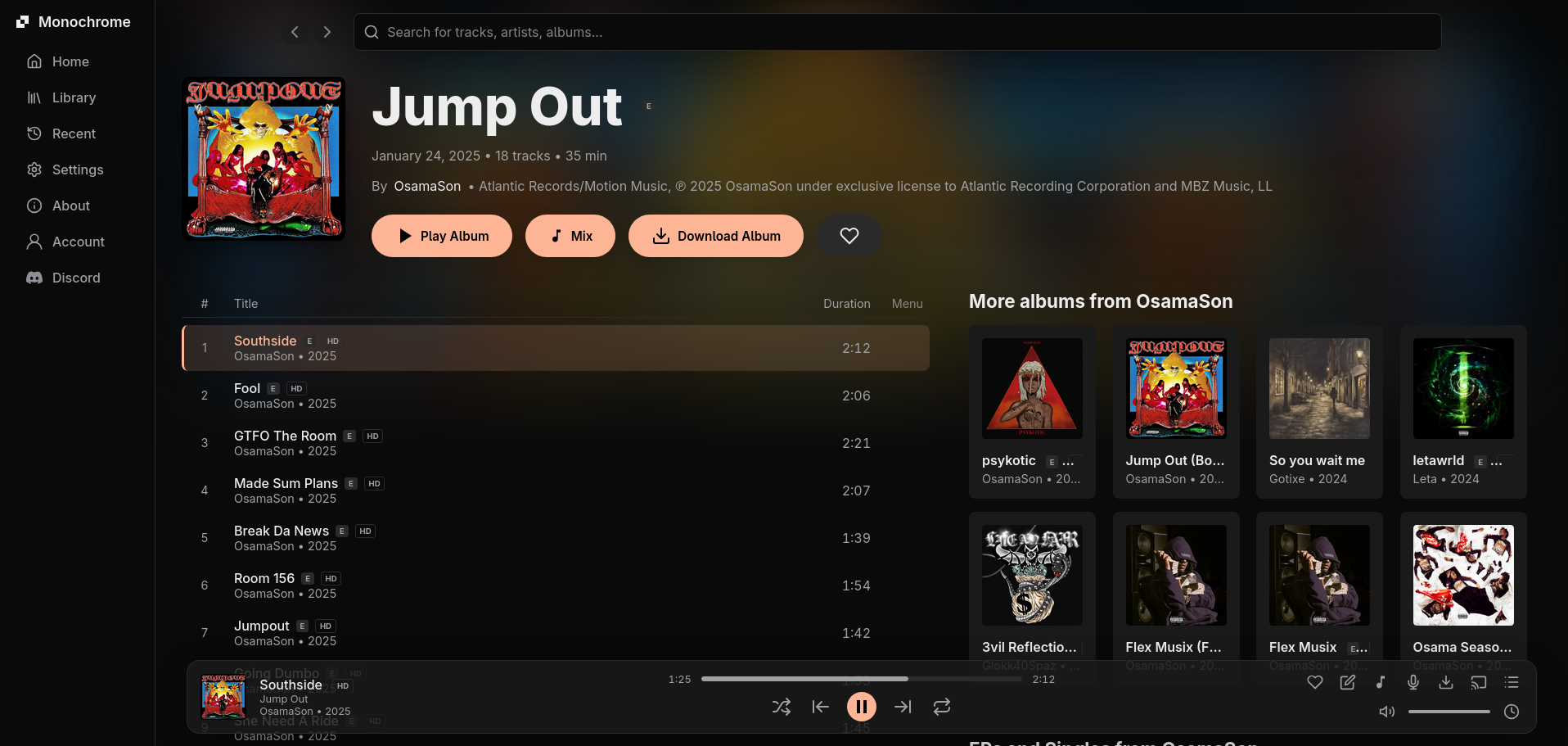
Features
Audio Quality
- High-quality Hi-Res/lossless audio streaming
- Support for local music files
- Intelligent API caching for improved performance
Interface
- Dark, minimalist interface optimized for focus
- Customizable themes
- Accurate and unique audio visualizer
- Offline-capable Progressive Web App (PWA)
- Media Session API integration for system controls
Library & Organization
- Recently Played tracking for easy history access
- Comprehensive Personal Library for favorites
- Queue management with shuffle and repeat modes
- Playlist import from other platforms
- Public playlists for social sharing
- Smart recommendations for new songs, albums & artists
Lyrics & Metadata
- Lyrics support with karaoke mode
- Genius integration for lyrics
- Track downloads with automatic metadata embedding
Integrations
- Account system for cross-device syncing
- Last.fm and ListenBrainz integration for scrobbling
- Unreleased music from ArtistGrid
- Dynamic Discord Embeds
- Multiple API instance support with failover
Power User Features
- Keyboard shortcuts for power users
Quick Start
Live Instance
Our Recommended way to use monochrome is through our official instance:
For alternative instances, check INSTANCES.md.
Self-Hosting
NOTE: Accounts wont work on self-hosted instances.
Option 1: Docker (Recommended)
git clone https://github.com/monochrome-music/monochrome.git
cd monochrome
docker compose up -d
Visit http://localhost:3000
For PocketBase, development mode, and advanced setups, see DOCKER.md.
Option 2: Manual Installation
Prerequisites
Local Development
-
Clone the repository:
git clone https://github.com/SamidyFR/monochrome.git cd monochrome -
Install dependencies:
bun install # or npm install -
Start the development server:
bun run dev # or npm run dev -
Open your browser: Navigate to
http://localhost:5173/
Building for Production
bun run build
# or
npm run build
Usage
Basic Usage
- Visit the Website or your local development server
- Search for your favorite artists, albums, or tracks
- Click play to start streaming
- Use the media controls to manage playback, queue, and volume
Keyboard Shortcuts
| Shortcut | Action |
|---|---|
Space |
Play/Pause |
→ |
Next track |
← |
Previous track |
↑ |
Volume up |
↓ |
Volume down |
M |
Mute/Unmute |
L |
Toggle lyrics |
F |
Fullscreen |
/ |
Focus search |
Account Features
To sync your library, history, and playlists across devices:
- Click the "Accounts" Section
- Sign in with Google or Email
- Your data will automatically sync across all devices
Contributing
We welcome contributions from the community! Please see our Contributing Guide for:
- Setting up your development environment
- Code style and linting
- Project structure
- Commit message conventions
- Deployment information
Made with ❤️ by the Monochrome team