No description
| __pycache__ | ||
| Image_editor_example | ||
| static | ||
| templates | ||
| .DS_Store | ||
| .gitattributes | ||
| .gitignore | ||
| app.py | ||
| docker-compose.nas.yml | ||
| docker-compose.yml | ||
| Dockerfile | ||
| gallery_favorites.json | ||
| preview.jpeg | ||
| prompts.json | ||
| push_registry.sh | ||
| README.md | ||
| requirements.txt | ||
| run_app.bat | ||
| run_app.command | ||
| run_app.sh | ||
| whisk_client.py | ||


aPix Image Workspace
Tiếng Việt
Giới thiệu
aPix Image Workspace là một giao diện Flask nhẹ giúp bạn tạo hình ảnh bằng API Model Gemini Image 3 Pro (Nano Banana Pro). Bạn có thể gửi prompt, upload tài liệu tham khảo và điều chỉnh tỷ lệ khung hình/độ phân giải.
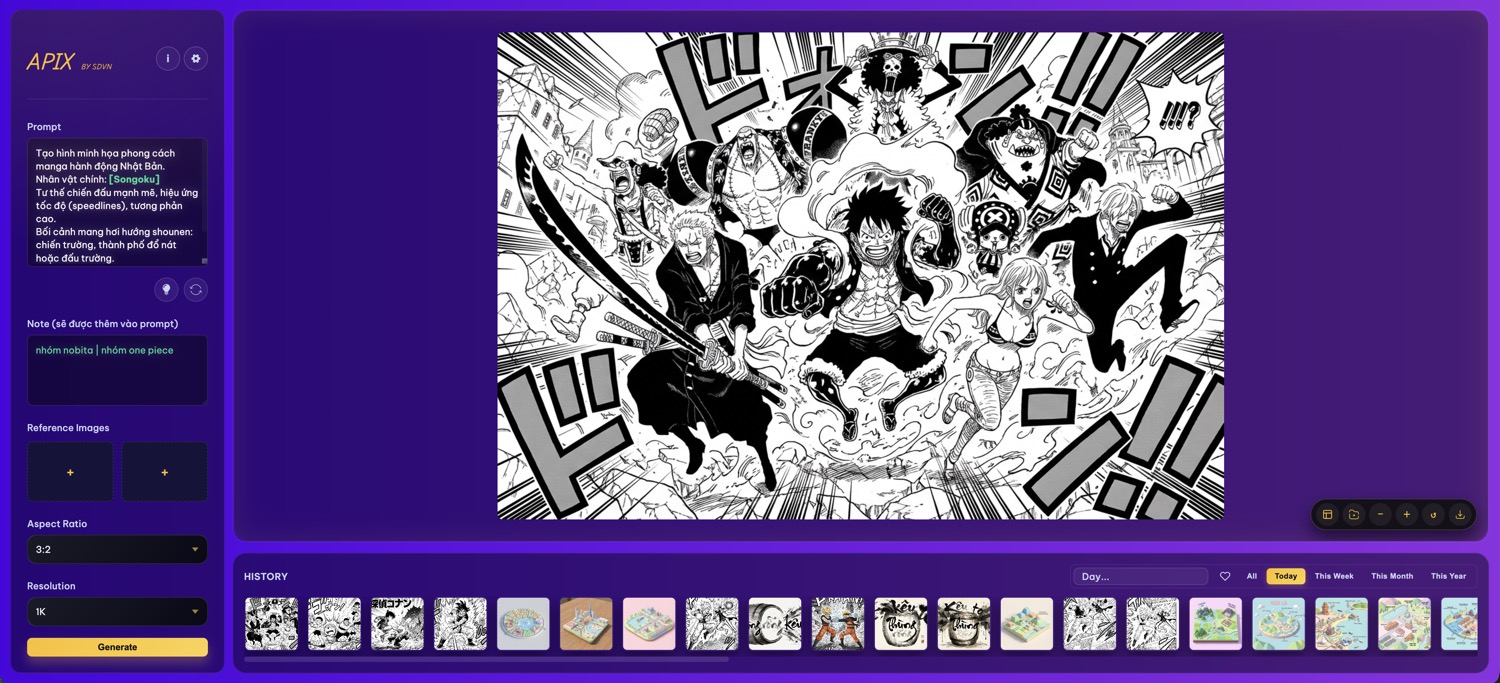
Người tạo
- Người tạo: Phạm Hưng
- Group: SDVN - Cộng đồng AI Art
- Website: sdvn.vn
- Donate: sdvn.vn/donate
Khởi chạy nhanh bằng run_app
- Nháy đúp vào
run_app.commandtrên macOS,run_app.shtrên Linux, hoặcrun_app.battrên Windows để tự động tìm Python, tạo.venv, càirequirements.txtvà khởi độngapp.py. - Mở
http://127.0.0.1:8888, nhập prompt/tùy chọn rồi nhấn Generate. - Hình ảnh mới nằm trong
static/generated/;/gallerythể hiện lịch sử.
Sử dụng
- Đặt biến môi trường
GOOGLE_API_KEYvới API key của Google GenAI hoặc nhập trực tiếp trong giao diện. - Mở trình duyệt tới
http://127.0.0.1:8888, nhập prompt, chọn tùy chọn và nhấn Generate. - Hình ảnh:
static/generatedlưu nội dung mới nhất, còn/gallerytrả về URL cho phần lịch sử.
Cú pháp đặc biệt
Ứng dụng hỗ trợ cú pháp placeholder để tạo nhiều biến thể ảnh hoặc thay thế nội dung linh hoạt:
- Placeholder: Sử dụng
{text}hoặc[text]trong prompt. Ví dụ:A photo of a {animal} in the style of {style}. - Trường Note: Nội dung trong trường Note sẽ thay thế cho placeholder:
- Thay thế đơn: Nếu Note là
cat, prompt sẽ thànhA photo of a cat.... - Hàng đợi (Queue): Nếu Note chứa ký tự
|(ví dụ:cat|dog|bird), ứng dụng sẽ tự động tạo 3 ảnh lần lượt vớicat,dog, vàbird. - Nhiều dòng: Nếu Note có nhiều dòng, mỗi dòng sẽ ứng với một lần tạo ảnh.
- Mặc định: Nếu Note để trống, placeholder sẽ giữ nguyên hoặc dùng giá trị mặc định nếu có (ví dụ
{cat|dog}sẽ tạo 2 ảnh nếu Note trống).
- Thay thế đơn: Nếu Note là