No description
| static | ||
| templates | ||
| .DS_Store | ||
| .gitattributes | ||
| .gitignore | ||
| app.py | ||
| preview.jpeg | ||
| README.md | ||
| requirements.txt | ||
| run_app.bat | ||
| run_app.command | ||
| run_app.sh | ||


aPix Image Workspace
Tiếng Việt
Giới thiệu
aPix Image Workspace là một giao diện Flask nhẹ giúp bạn tạo hình ảnh bằng API Model Gemini Image 3 Pro (Nano Banana Pro). Bạn có thể gửi prompt, upload tài liệu tham khảo và điều chỉnh tỷ lệ khung hình/độ phân giải.
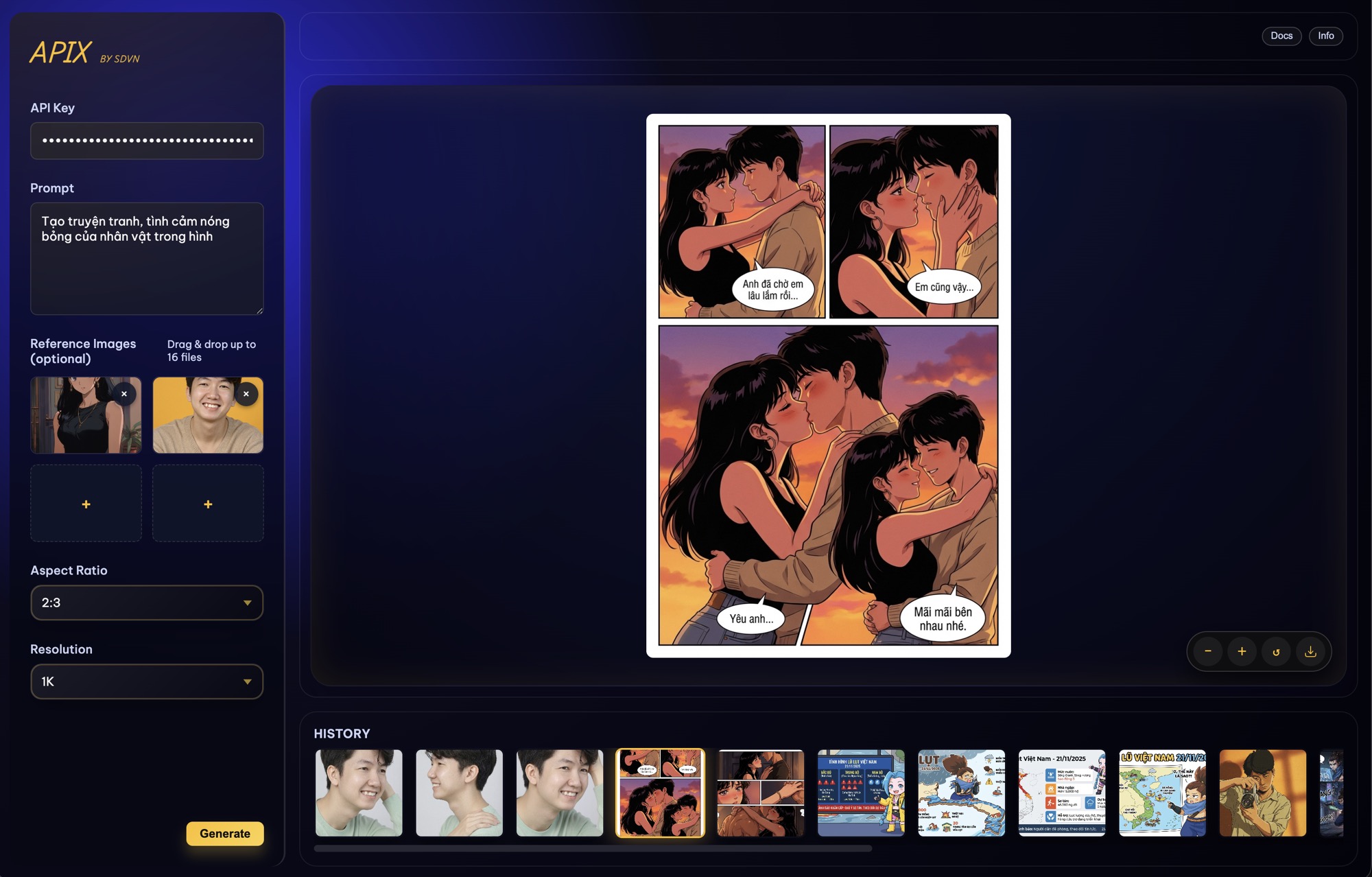 Ảnh preview được lưu ngay tại
 preview.jpeg nếu bạn cần xem offline hoặc nhúng lại trong tài liệu khác.
Cài đặt
- Tạo môi trường ảo (ví dụ
python -m venv .venv) và kích hoạt nó. - Cài đặt dependency:
pip install -r requirements.txt
Khởi chạy nhanh bằng run_app
- Đặt
GOOGLE_API_KEYqua biến môi trường hoặc giao diện. - Dùng
./run_app.sh(macOS/Linux) hoặcrun_app.bat/run_app.command(Windows) để tự động tìm Python, tạo.venv, càirequirements.txtvà khởi độngapp.py. - Mở
http://127.0.0.1:8888, nhập prompt/tùy chọn rồi nhấn Generate. - Hình ảnh mới nằm trong
static/generated/;/gallerythể hiện lịch sử.
Sử dụng
- Đặt biến môi trường
GOOGLE_API_KEYvới API key của Google GenAI hoặc nhập trực tiếp trong giao diện. - Chạy Flask:
python app.py - Mở trình duyệt tới
http://127.0.0.1:8888, nhập prompt, chọn tùy chọn và nhấn Generate. - Hình ảnh:
static/generatedlưu nội dung mới nhất, còn/gallerytrả về URL cho phần lịch sử.
English
Overview
aPix Image Workspace is a lightweight Flask frontend for Google GenAI image generation powered by the Gemini Image 3 Pro (Nano Banana Pro) model. Submit a prompt, include reference files if needed, and choose aspect ratio/resolution.
The preview screenshot is also stored as preview.jpeg in the repo for offline use or documentation embeds.
Setup
- Create & activate a virtual environment (e.g.,
python -m venv .venv). - Install dependencies:
pip install -r requirements.txt - macOS/Linux users can run
./run_app.sh; Windows users can userun_app.bat(orrun_app.command) to auto-detect Python, create the.venv, install deps, and launch the Flask server on port 8888.
Quick start via run_app
- Export
GOOGLE_API_KEYvia your environment or the UI form. - On macOS/Linux run
./run_app.sh(orrun_app.command); on Windows userun_app.batorrun_app.command.- The script detects
python3/python, creates.venv, installsrequirements.txt, activates the virtualenv, and then launchesapp.py.
- The script detects
- Open
http://127.0.0.1:8888, submit prompts/options, and click Generate. - New images appear under
static/generated/, and/galleryexposes the history.